v24.10.2116.35
Improvement
21st October 2024
21 October 2024
You can now select and move multiple line items at once across sections in quotations, jobs, sales orders, and works orders. Large quotations also load faster.
NEW
Select and Move Multiple Items to Another Section – Easily move more than one item around your quotations, Jobs/Sales Orders, Works Orders, etc.
-Click on ‘Multi-Select’
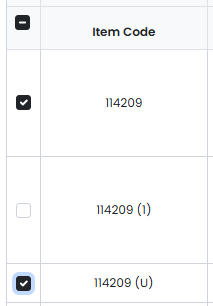
-Select the items to move
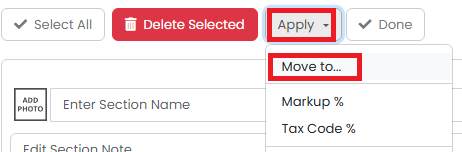
-Click ‘Apply’ then ‘Move to…’
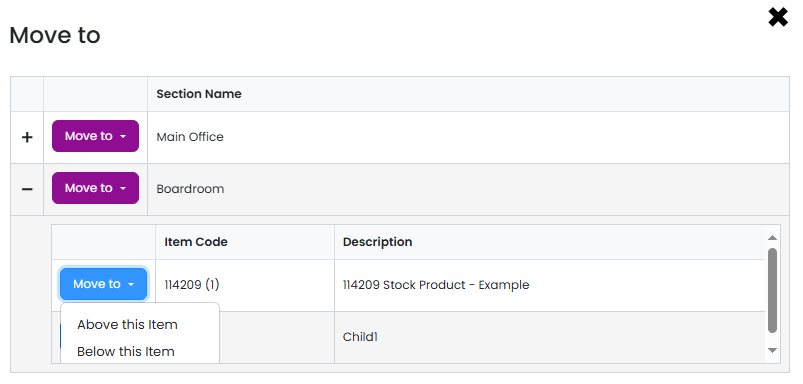
-Expand the section where you want to move the items
-Choose where you want to put the items within the section by clicking on one item in the target section, and select ‘Above this item’ or ‘Below this item’:
IMPROVED
Better loading of large quotations