28th August 2025
29 August 2025
Adds a Timeline Depth Slider to control association levels shown, View Only Kits filtering, a new button to create leads from a quotation, improved Kanban panel moving via a three-dot menu, and PO automation to set required dates relative to job start or end dates.
NEW
Timeline Depth Slider
Set the slider to 0 to see only the entries for the quote, job, etc. Set to 1 to view the next level; for example, on a PO, it will display the parent job/order’s entries. Set to 2 to see the next level of associations.

View Only Kits
Use the new tick box to show only kits in the Items list.
Accurately Move Panels in Kanban/Pipeline View
Click on the three dots and select the status to move it to.
Create Leads from a Quotation
New button added.
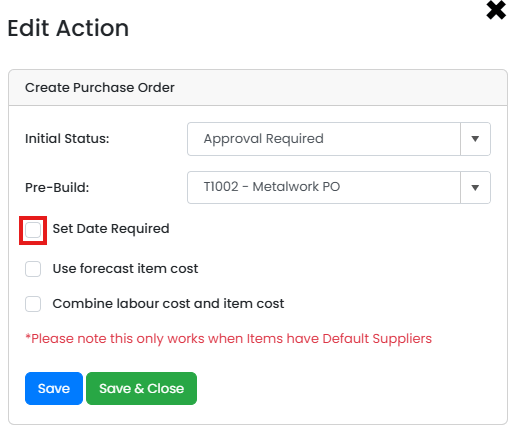
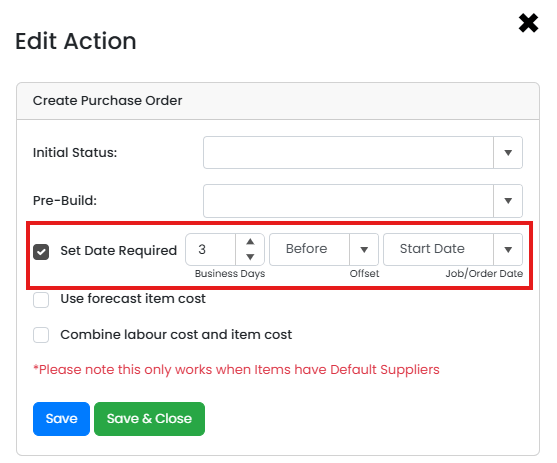
Purchase Order Automation Set Required Date +/-
Set the PO’s required date to before or after the start or end date of the job/order. The abilty to set based off the created date will be added in the next few days.