29th July 2024
30 July 2024
Point-of-sale payments via Stripe Terminal, stock splitting from parent SKUs into individual sale items, supplier credit limit tracking against invoices and purchase orders, and recording of contact leaving dates are all now available.
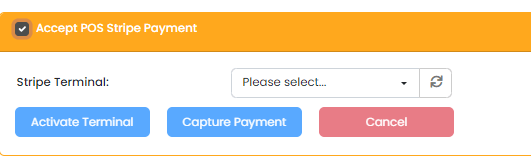
Take Point-of-Sale Payments Using a Stripe Terminal – Using the new terminal available from Stripe:
https://stripe.com/gb/terminal/wisepose
To do this:
-Click on the Stripe tab
-Click on ‘Accept POS Stripe Payment’
-Select the Terminal from the dropdown
-Activate it if it is the first transaction
-Take the payment on the card reader
-Click on Capture Payment to associate this with the invoice
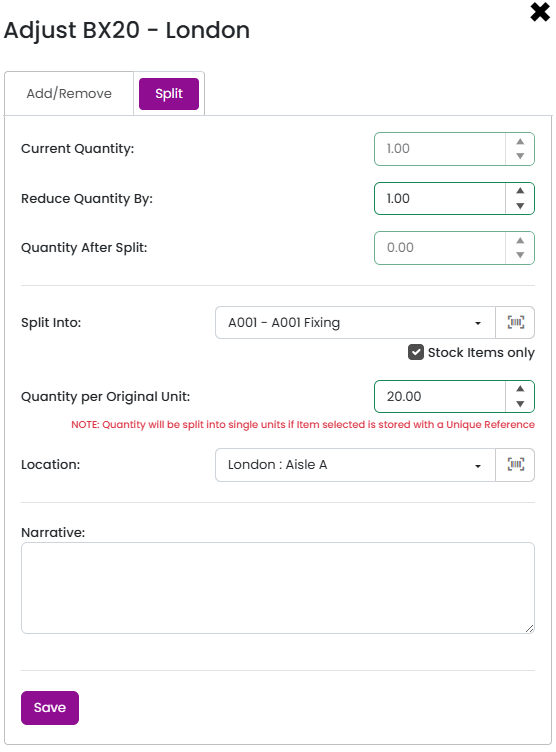
Split Stock Items into New SKUs– If you buy using a box SKU or similar and then split into the items for sale you can now do this easily.
Click on the Adjust button for the parent item, then click on ‘Split’:
Supplier Credit Limit – Track your credit with a supplier based on both invoices received and un-invoiced purchase orders. Enter the supplier’s credit limit on the supplier’s edit screen, and the system will calculate the available credit:

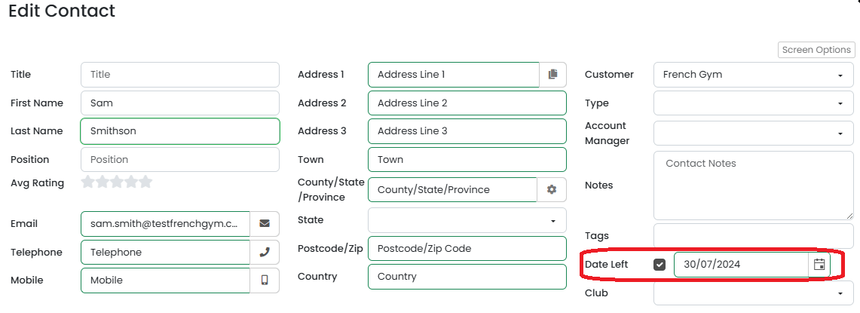
Track Leaving Dates of Contacts – Record that a contact has left their company and the date this occurred: