Automated import of supplier invoices (PDFs)
The short answer
In Zigaflow, go to Supplier Invoices -> Reconciliations and drag and drop a PDF supplier invoice. Zigaflow recognizes it and matches it to its purchase order. You check the values, then create the invoice. It is created as one line for the total value of the invoice.
Steps
Click "Go To"
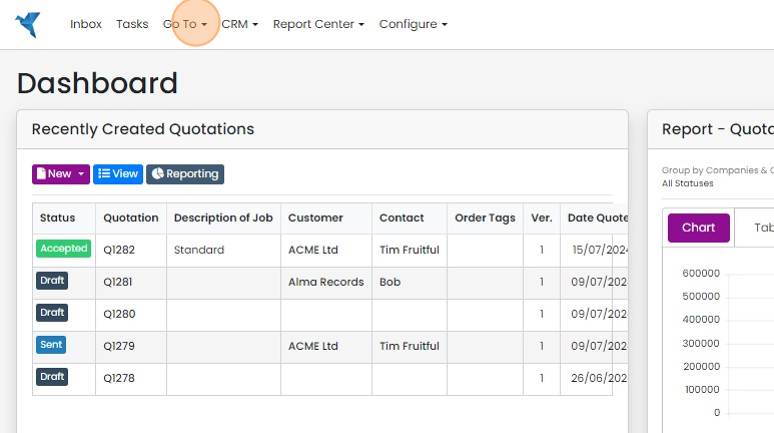
Click Supplier Invoices -> Reconciliations

Click "Drag & Drop Here..." to upload the supplier invoice (SI)
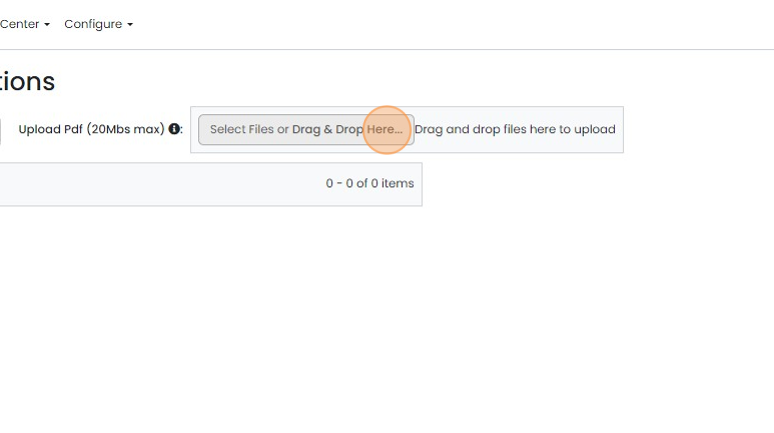
Any issues will be shown on the pop-up banner
Match the invoice to a PO

Ideally, the system finds the Purchase Order (PO) number on the invoice and matches it to the one in the...
Ideally, the system finds the Purchase Order (PO) number on the invoice and matches it to the one in the system. If not, use the dropdown arrow next to the PO number to select the PO.
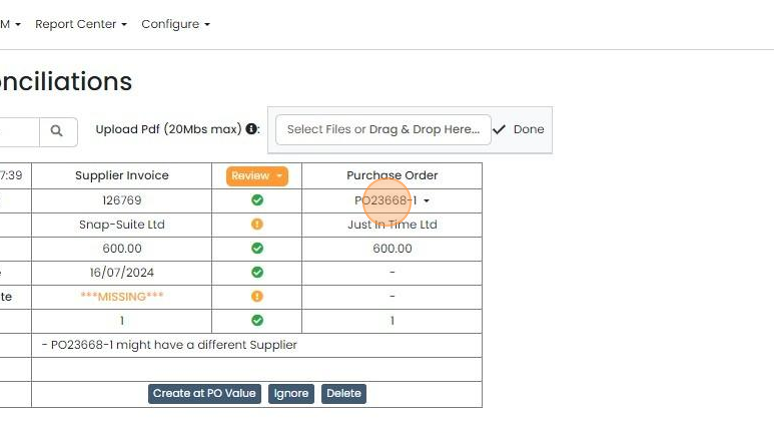
Check that the gross, invoice date, etc
Check that the gross, invoice date, etc. match on the PO and supplier's invoice. If they do not, it will use the supplier invoice details for the dates.
Create the supplier invoice
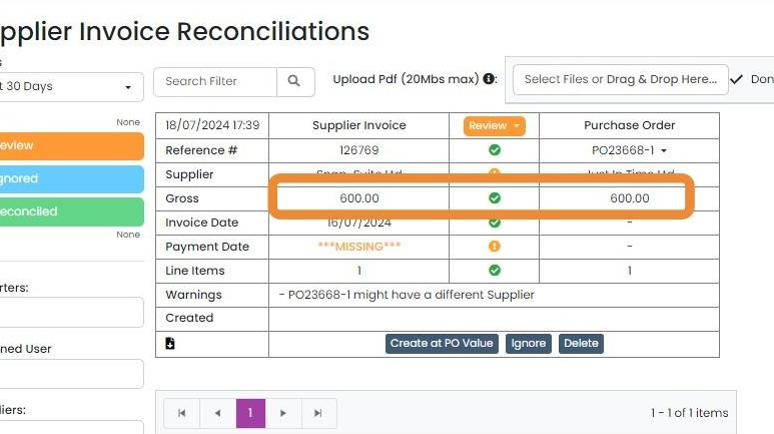
If the values match, the only option is "Create at PO Value". Click this to create the invoice in Zigaflow
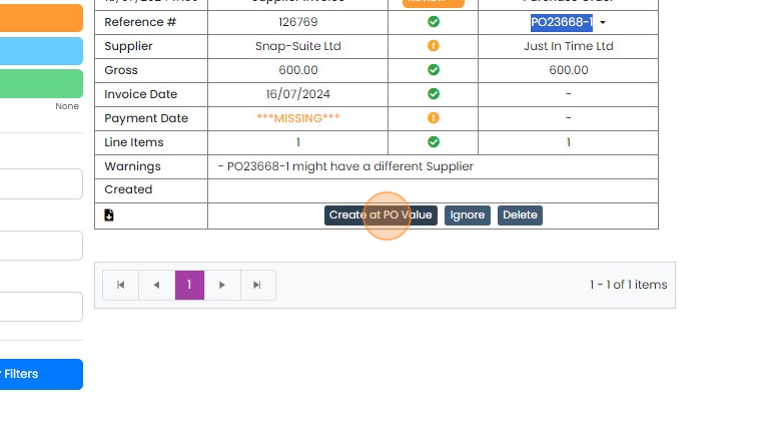
Where the gross values differ, you can choose to use either the PO value or the SI value
Where the gross values differ, you can choose to use either the PO value or the SI value. Note that the import doesn't match up individual lines on the SI to the PO - it just puts in one line for the total value of the invoice.
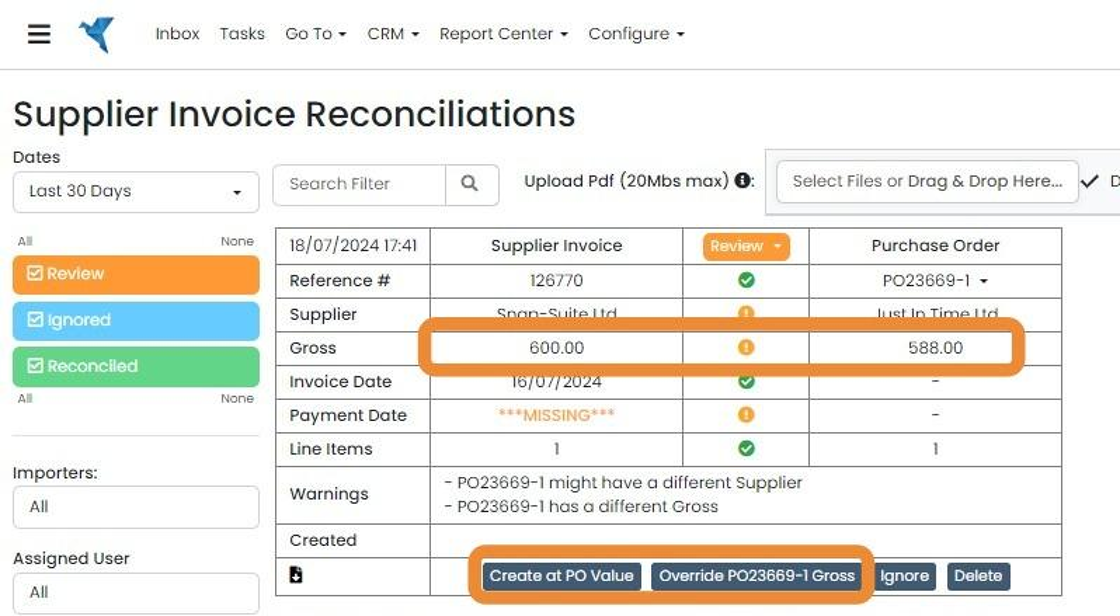
For example, click "Override PO23669-1 Gross"
View and export supplier invoices

To view the supplier invoices, click on the 'Supplier Invoices' button or Go To -> Supplier Invoices ->...
To view the supplier invoices, click on the 'Supplier Invoices' button or Go To -> Supplier Invoices -> Supplier Invoices
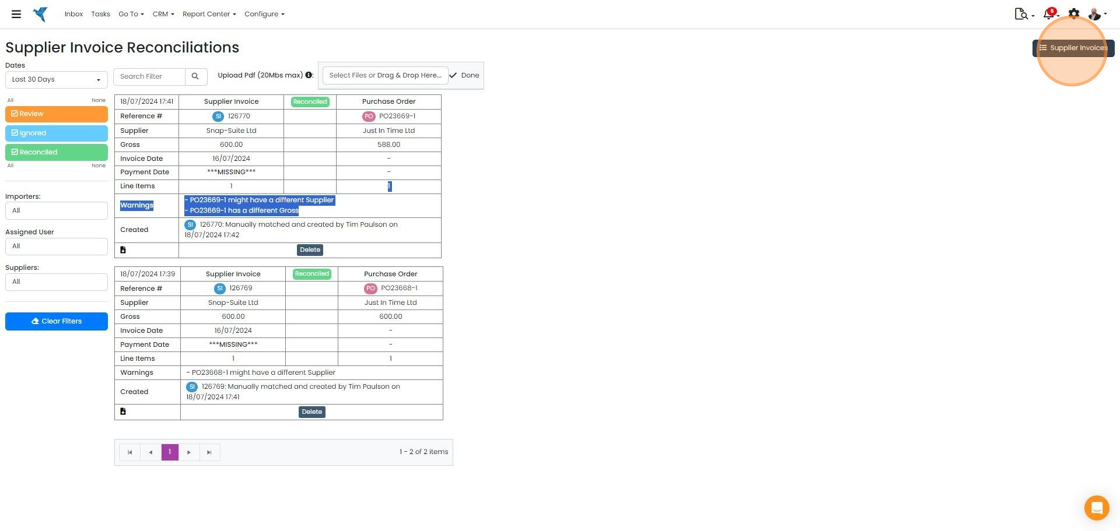
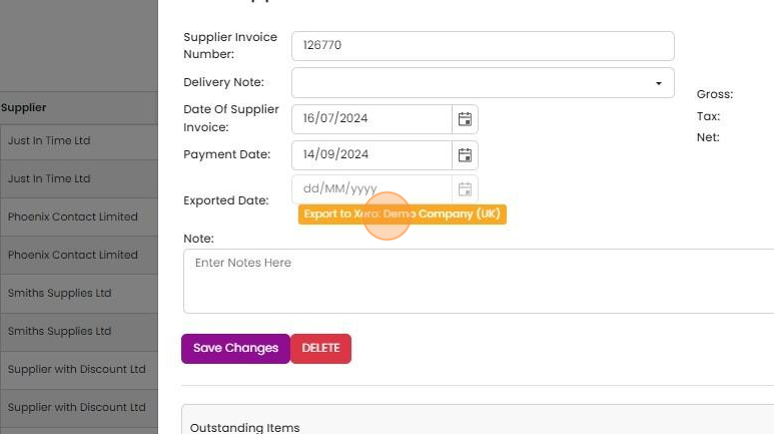
They can be edited on this screen
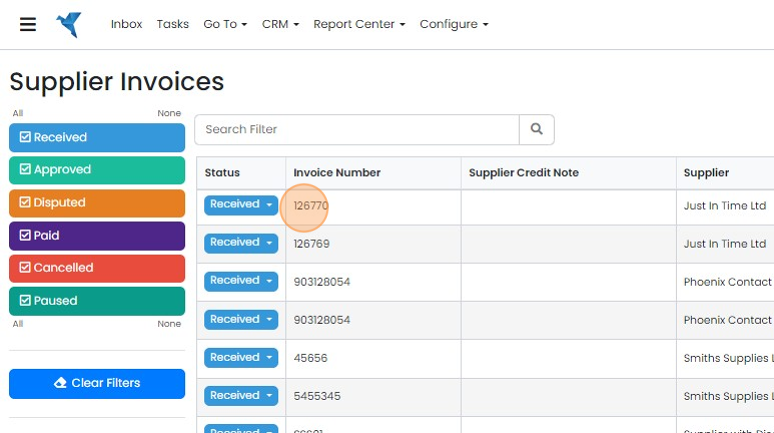
And individually exported to Xero or QuickBooks with this button
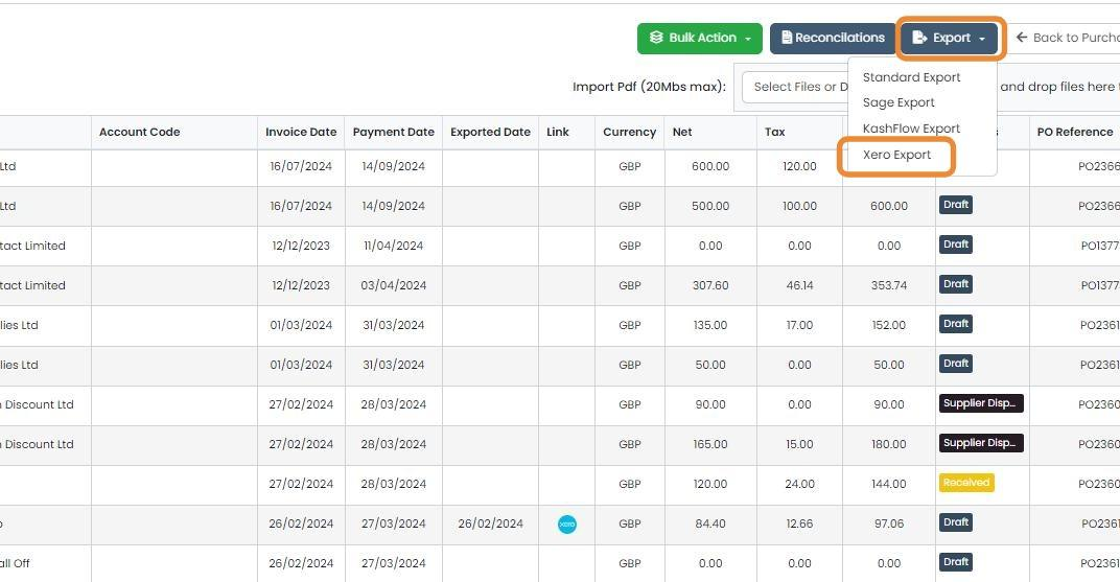
Supplier Invoices can be exported in bulk using Export -> Xero or Export -> QuickBooks
Learn more: supplier invoices in Zigaflow


When Zigaflow reads the PDF, it finds the total but not the line items. The resulting supplier invoice will be one line representing the total. The PDF is automatically uploaded as an attachment to the match purchase order.
The process allows you to manage discrepancies between the supplier invoice and purchase order.
Upload a PDF supplier invoice
Frequently asked questions
Was this helpful?