Deliver work

Create inventory/stock locations

In ZigaflowMomentum plan

The short answer

Create stock locations in Zigaflow settings. Click the cog icon, then Stock, then Locations, and click + Add. Enter a location name. To add a child location, click the +, enter a child location name, and repeat as needed to build a hierarchy of stock locations.

Steps

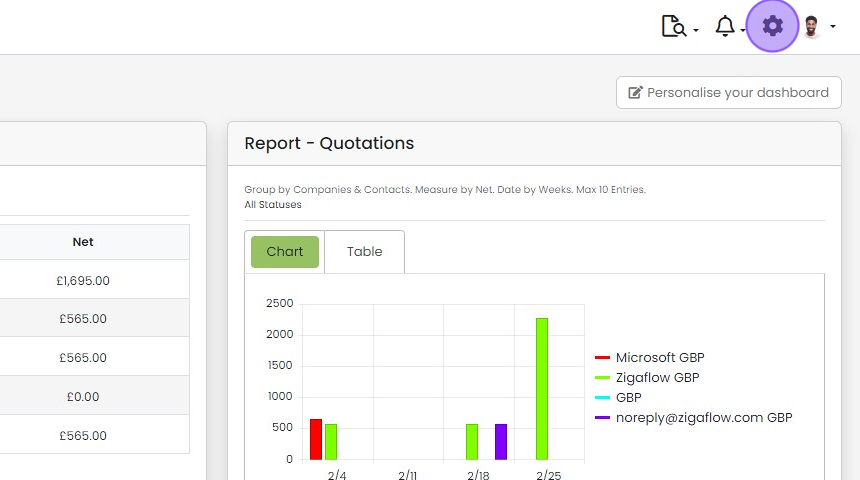
  1. Click the cog icon

    Zigaflow dashboard with the settings cog icon highlighted in the top-right toolbar, next to the notifications bell
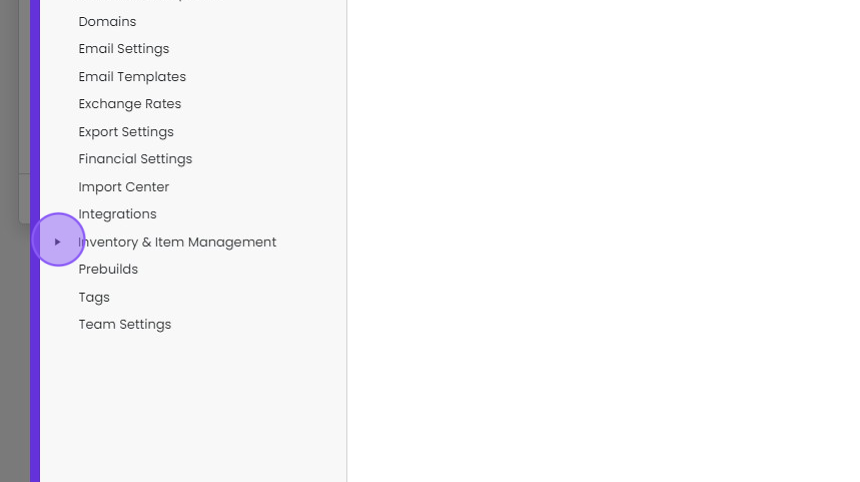
  2. Click here

    Settings menu with the expand arrow next to Inventory & Item Management highlighted, below Integrations
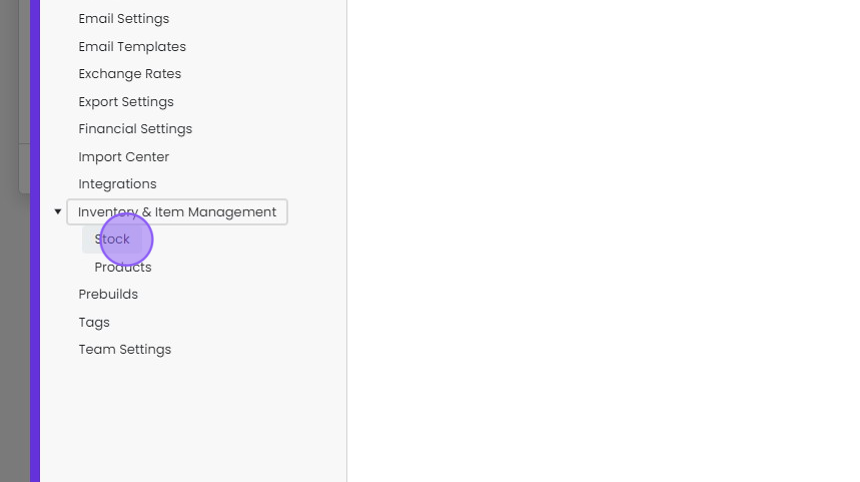
  3. Click "Stock"

    Settings menu with Inventory & Item Management expanded and the Stock option highlighted beneath it, above Products
  4. Click "Locations"

    Add a stock location

    Stock Settings panel with the Locations tab highlighted, showing the Stock Locations list with Default, Warehouse 1 and Warehouse 2
  5. Click "+ Add"

    Stock Settings Locations tab with the + Add button highlighted above the Stock Locations list of warehouses and locations
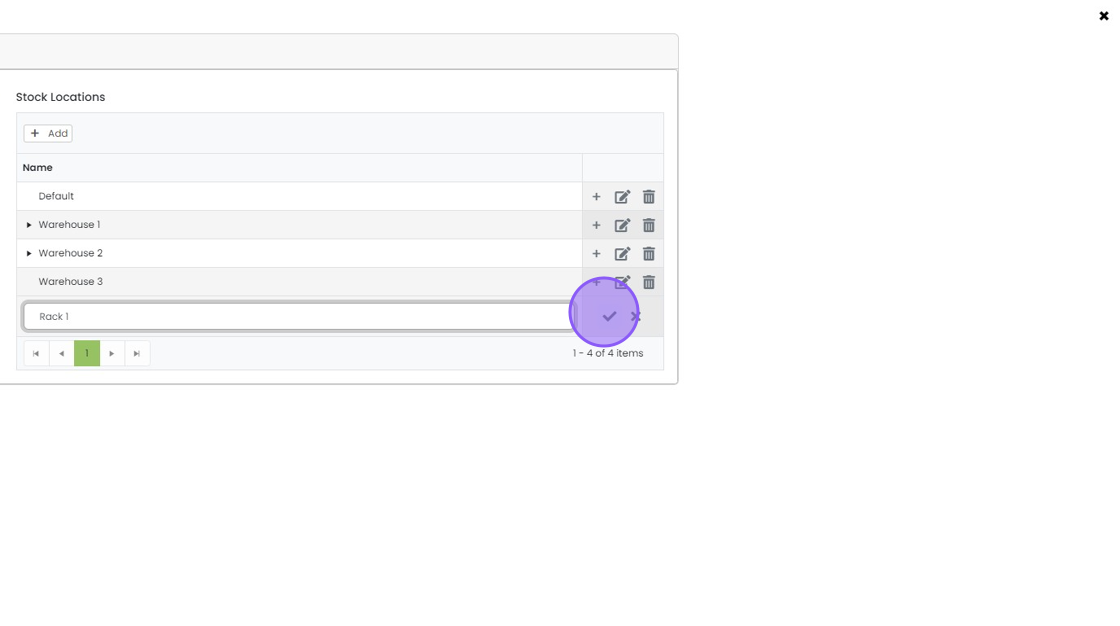
  6. Enter a location name

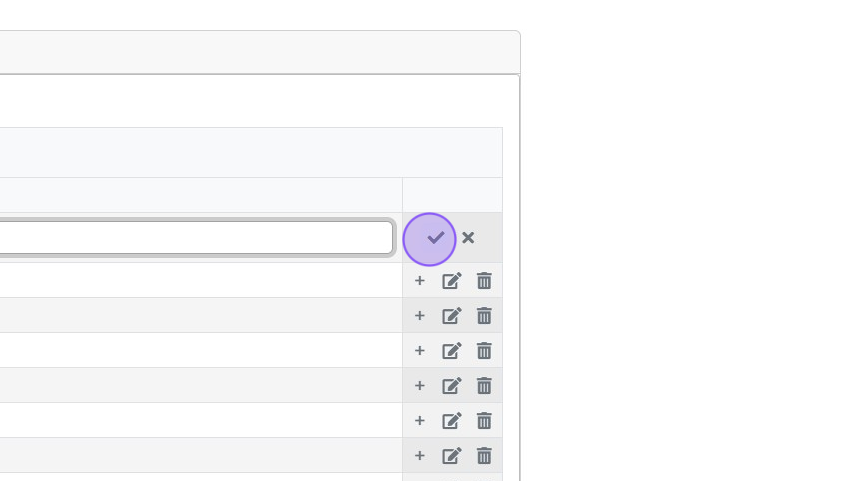
  7. Click here

    Add child locations

    Inventory locations list with a new row's name field in edit mode and its checkmark Save button highlighted
  8. If you want to add a "child location" - click this "+"
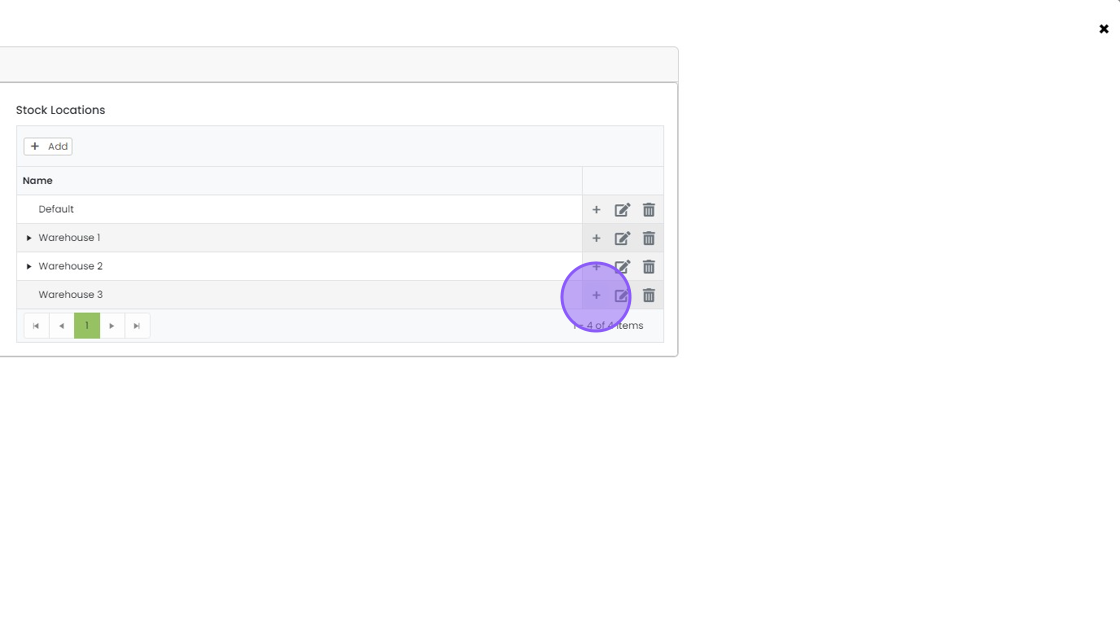
    Stock Locations list with the + (add child location) icon highlighted on the Warehouse 3 row
  9. Enter a Child Location Name

  10. Click here

    Stock Locations list with
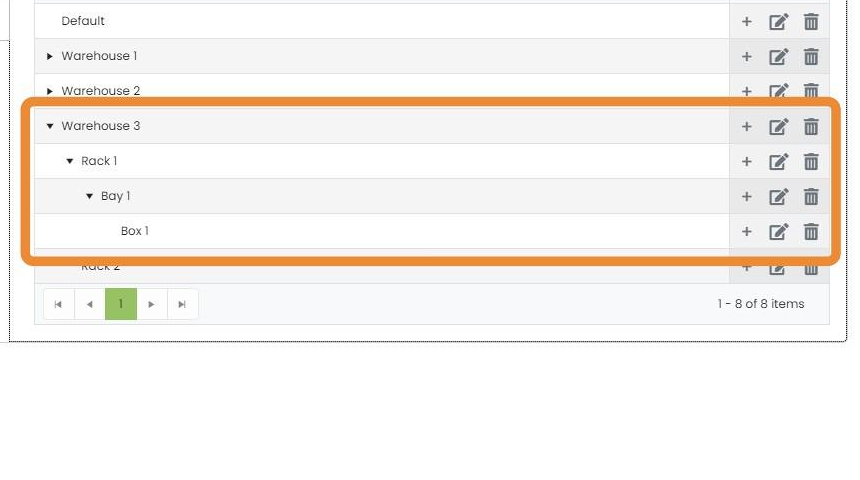
  11. You can repeat the above process as needed to create a hierarchy of stock locations

    Stock locations list with Warehouse 3 expanded to show nested Rack 1, Bay 1 and Box 1 hierarchy highlighted

Open the stock location settings

Frequently asked questions

Next step

Set an item's default stock locationMomentum planSet the default stock location in the item itself when its stock is permanently kept in a different location. Once set, booking the item in uses that location, and Apply -> "Allocate All" on a job/sales order or works order uses it instead of the account's default location.

Was this helpful?

See Zigaflow on your own workflow

Book a demo and we will walk through quoting, jobs and purchasing the way your team runs them.

Or see how Zigaflow would fit your business, free