Get paid

How to add or update currency exchange rates

In Zigaflow

The short answer

To add or update a currency exchange rate in Zigaflow, click the cog icon, then Exchange Rates, then Add Rate. Choose the two currencies, click Load to check the latest market rate, and enter your own rate. To update every rate at once, click Update System Rates.

Steps

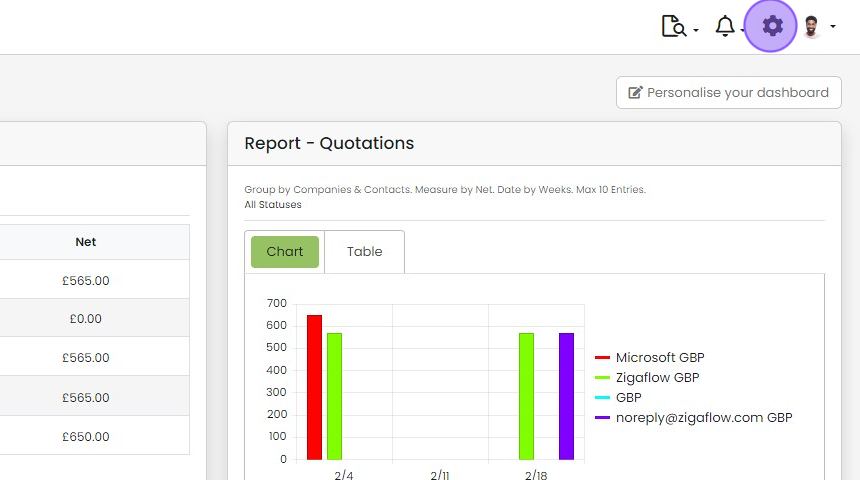
  1. Click the cog icon

    Zigaflow dashboard with the settings cog icon highlighted in the top-right toolbar, next to the notifications bell
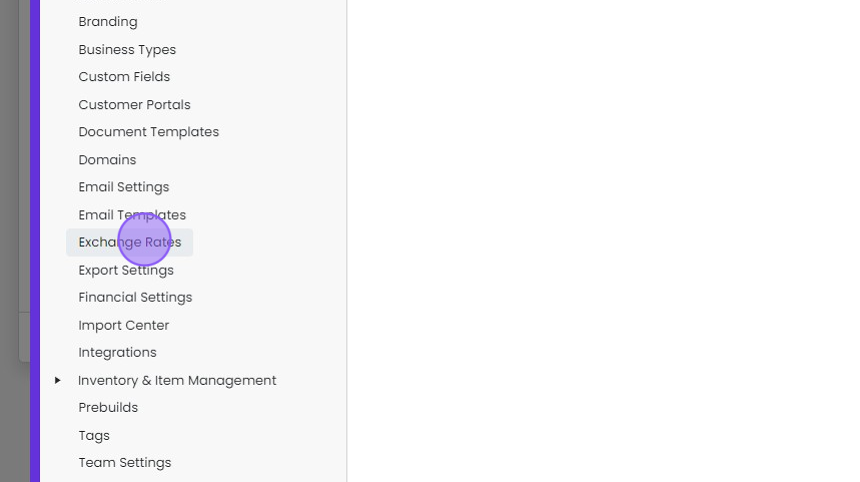
  2. Click "Exchange Rates"

    Settings menu list with Exchange Rates highlighted by a click marker, between Email Templates and Export Settings
  3. Click "Add Rate"

    Choose the currency pair

    Exchange Rates settings page with the Add Rate button highlighted above the Latest FX Rates table of currency pairs
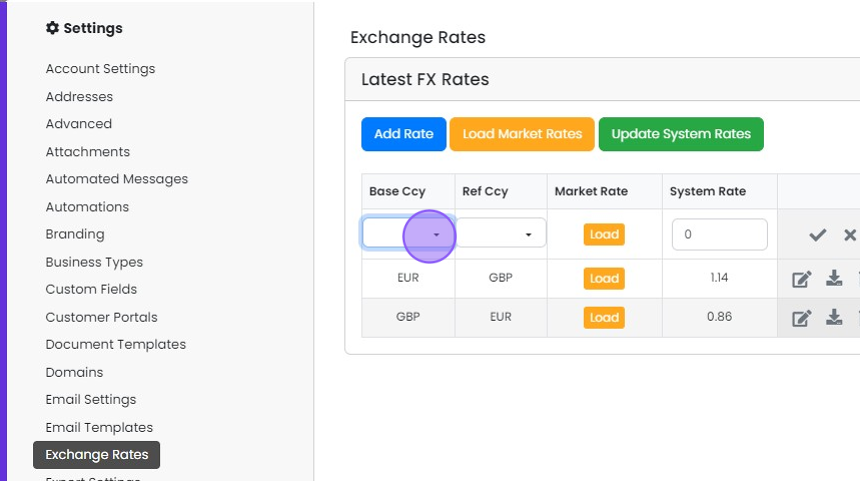
  4. Select your first currency

    Exchange Rates settings with a new row in Latest FX Rates, highlighting the Base Ccy dropdown to select the first currency
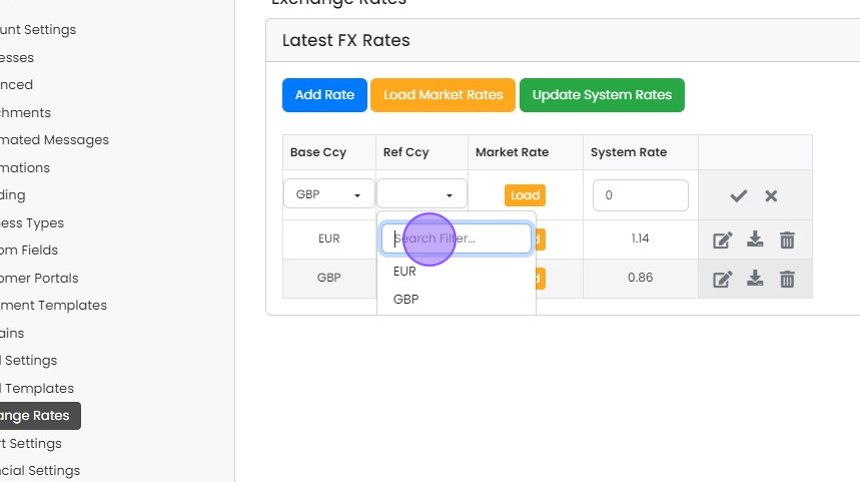
  5. Select the second currency

    Latest FX Rates panel with the Ref Ccy dropdown open, highlighting the Search Filter field above EUR and GBP options
  6. Click here

    Set the exchange rate

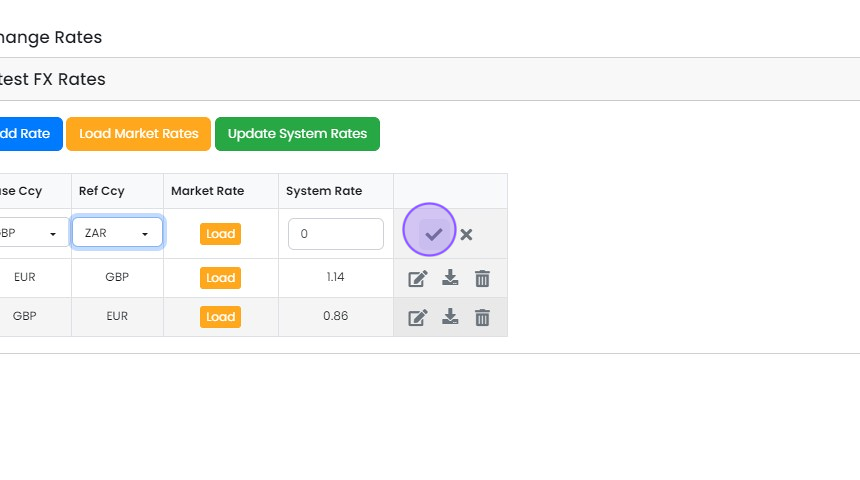
    Exchange Rates Latest FX Rates table with new GBP to ZAR row, checkmark save button highlighted next to System Rate field
  7. Click "Load" to check the latest market rate
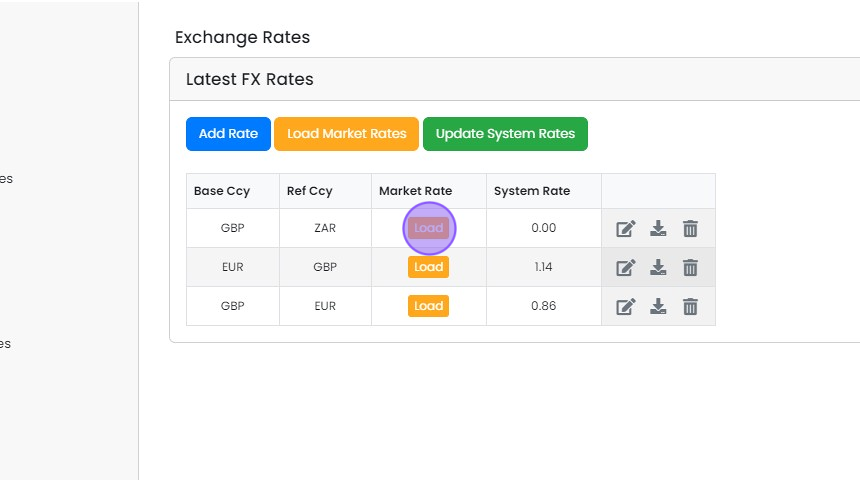
    Latest FX Rates table on Exchange Rates screen with the Load button highlighted in the Market Rate column for GBP to ZAR
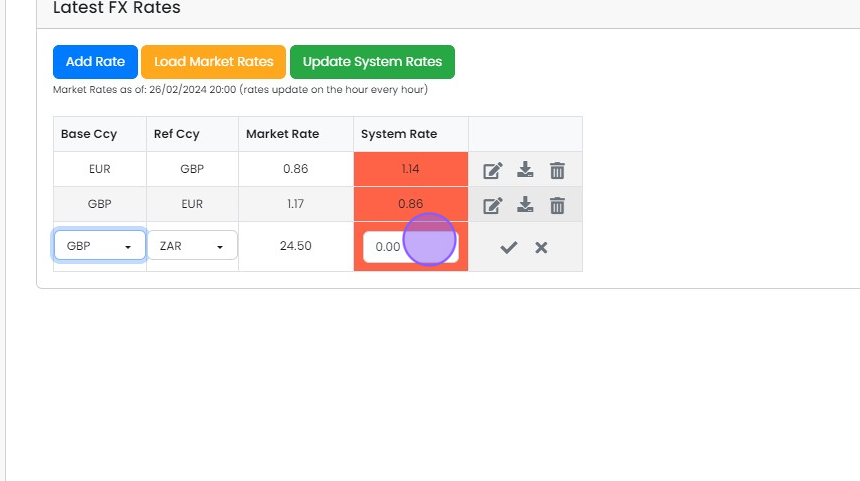
  8. Enter your exchange rate

    Latest FX Rates table with a new GBP to ZAR row, the System Rate field highlighted to enter the exchange rate
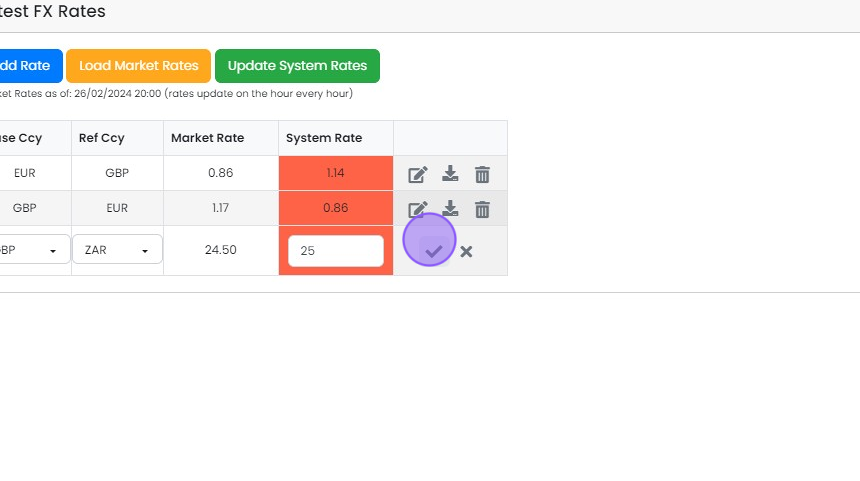
  9. Click here

    Latest FX Rates table with a new GBP to ZAR row, System Rate 25 entered and the checkmark save button highlighted
  10. Alternatively, click here to apply the market rate

    Update all system rates
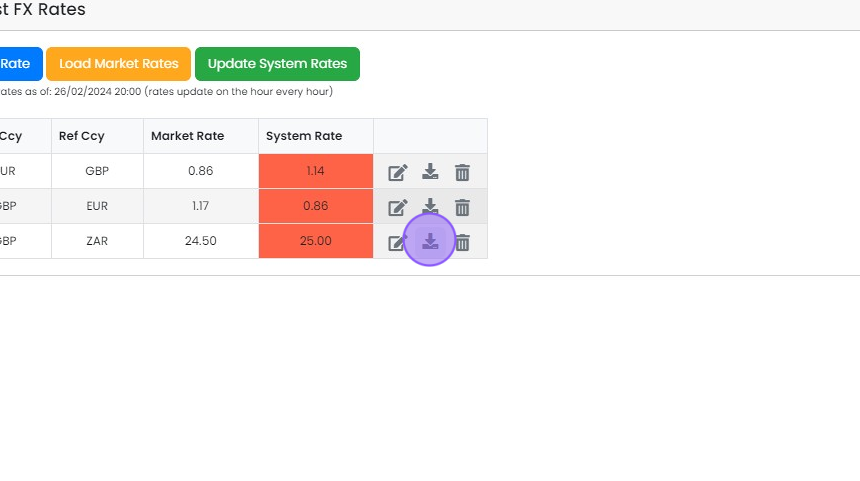
    FX Rates table with the download icon highlighted on the GBP to ZAR row to apply the market rate to the system rate
  11. Or click "Update System Rates" to update all exchange rates with the current market rates

    Latest FX Rates panel on Exchange Rates with the Update System Rates button highlighted above the currency rate table

Open exchange rate settings

Frequently asked questions

Was this helpful?

See Zigaflow on your own workflow

Book a demo and we will walk through quoting, jobs and purchasing the way your team runs them.

Or see how Zigaflow would fit your business, free