Deliver work
Inventory re-order levels
The short answer
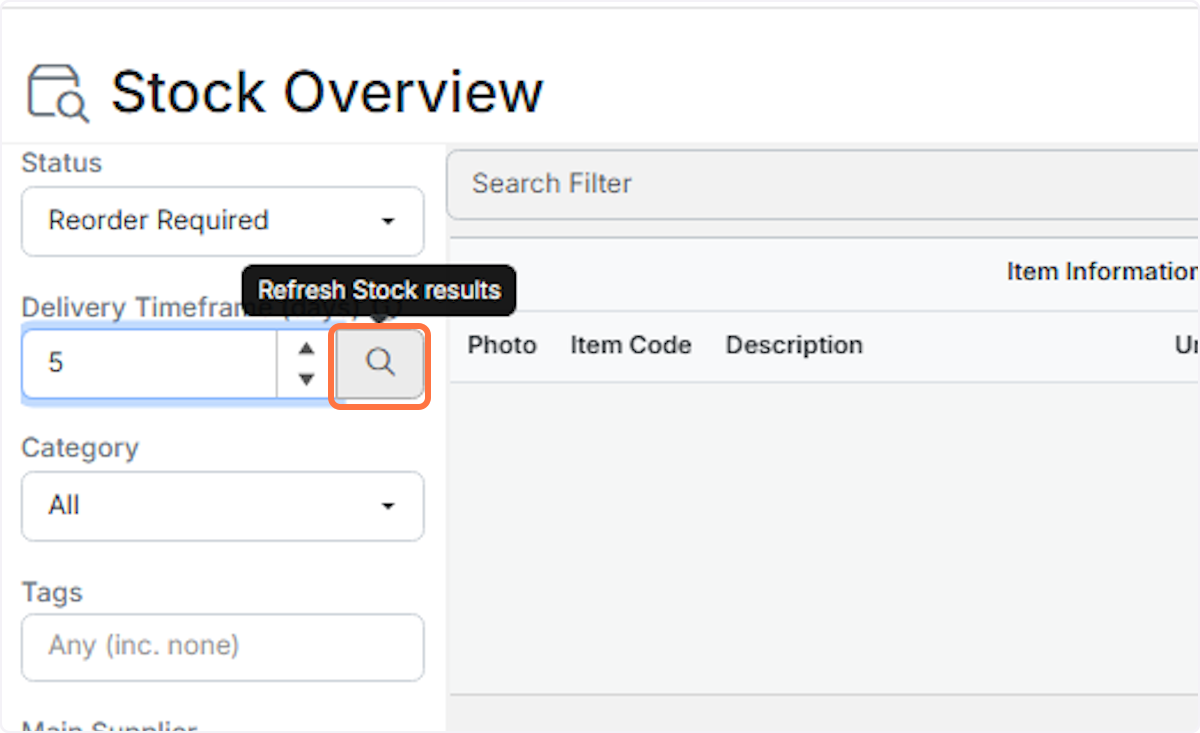
To see which items you need to reorder, go to Stock, then Overview. Set Status to Reorder Required and click Refresh Stock results. You can also enter a Delivery Timeframe in days to ignore purchase orders due further out than that number of days from today.
Steps
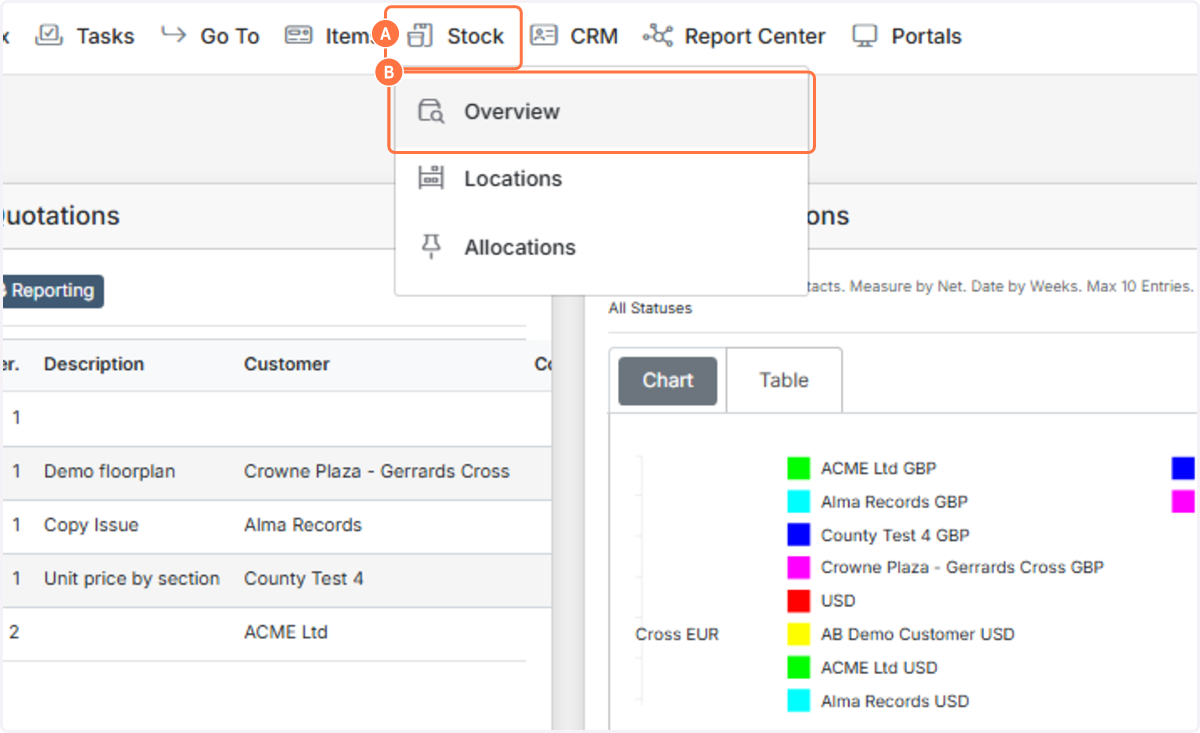
A. Click on Stock
B. Click on Overview
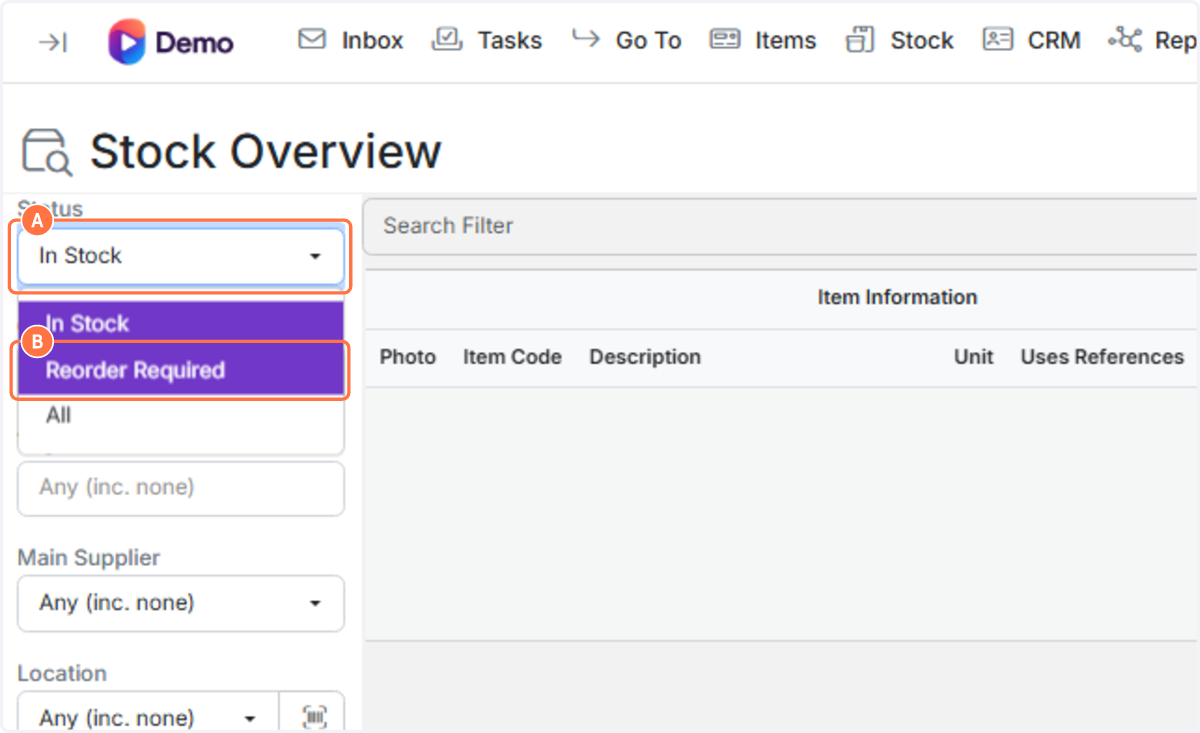
A. Click on Status
B. Click on Reorder Required
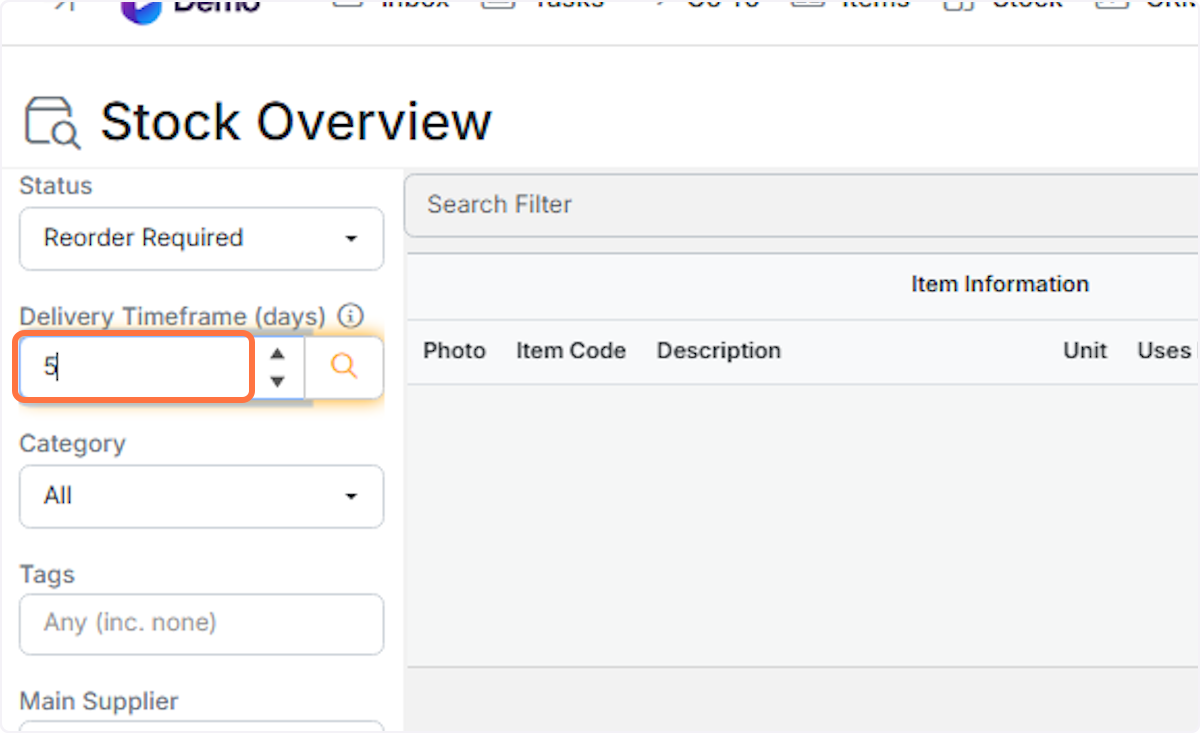
Type Delivery Timeframe (days)
Click on Refresh Stock results
If you don't enter the number of days in the box:
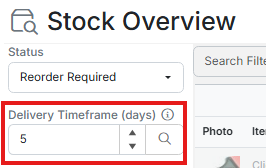
The only stock shortages being shown will be those where:
Free Stock + On Order < Minimum Stock Quantity
But if you enter a number and press the search/go button, it will exclude purchase orders that are more than x days from today.
So, if I need stock for next Friday, but I have an order coming in 2 weeks, and I want to ignore that order, I would put 8 days in the box.
Learn more: stock levels in Zigaflow


Frequently asked questions
Next step
Momentum planWas this helpful?