Move allocated stock/inventory
The short answer
Move allocated stock, such as from a warehouse to the production area, from the Allocations screen. Click Go To, then Allocations. Move one item by choosing the new location and ticking to confirm, or move several at once with Bulk Action, then Location, Update Location, and Reallocate.
Steps
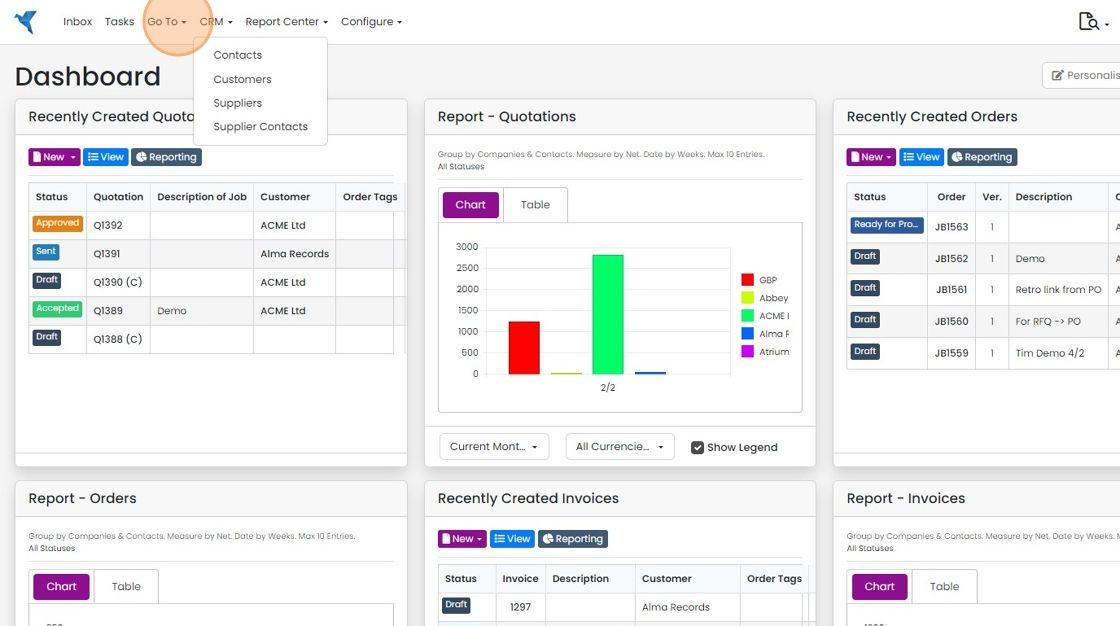
Click "Go To"
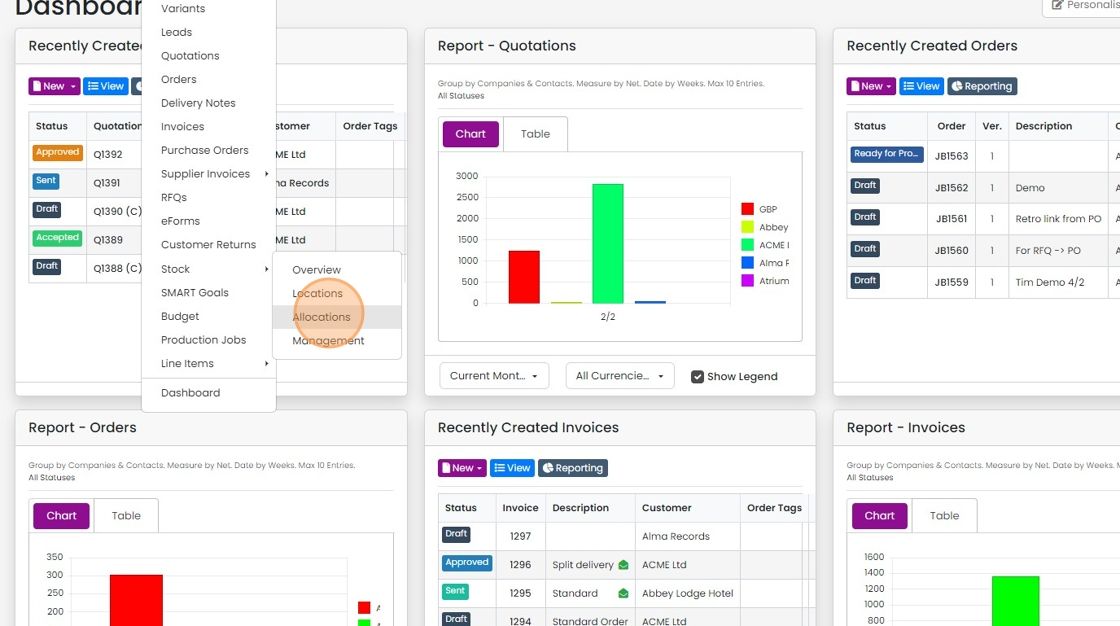
Click "Allocations"
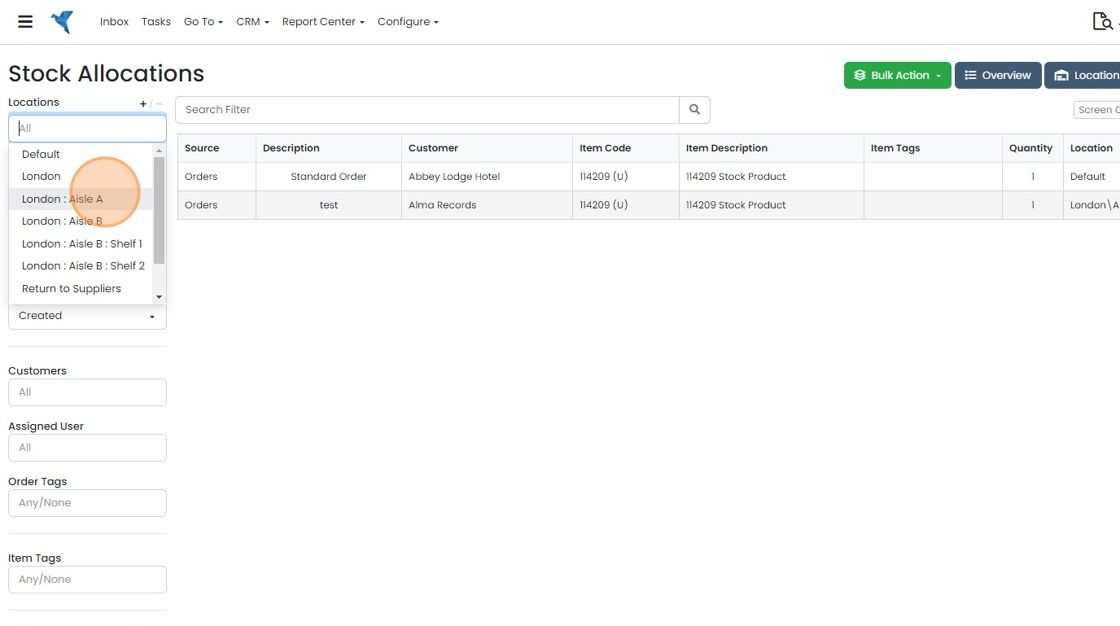
This shows all the allocated items in the system
This shows all the allocated items in the system. Use the filters on the left to narrow it down to a specific location, item or order.
To move the allocated stock, click here
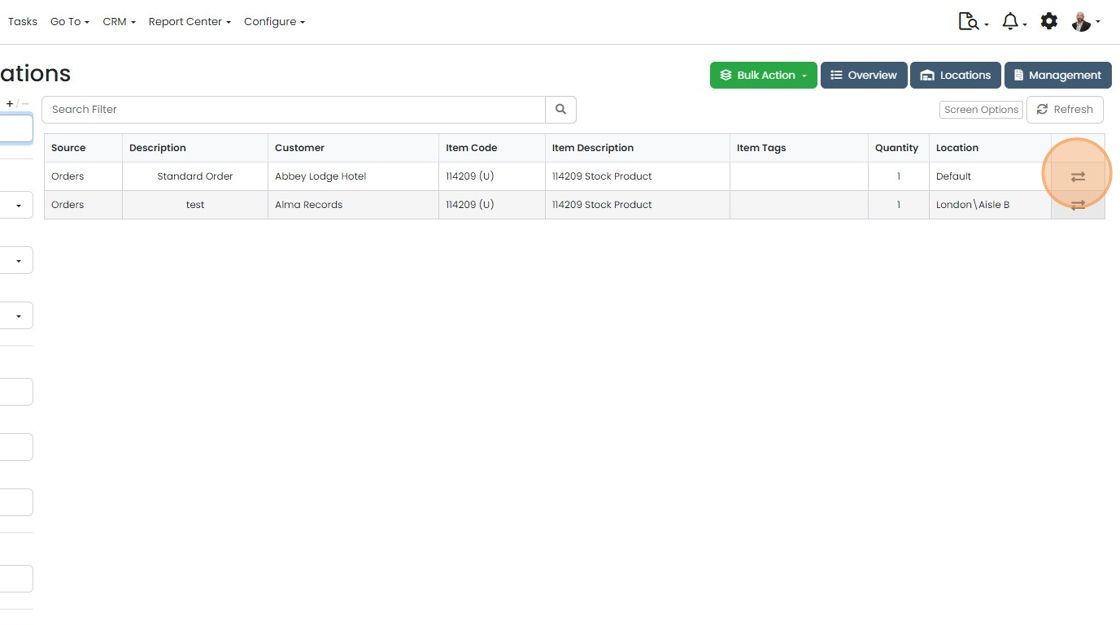
Select the location to move the stock to
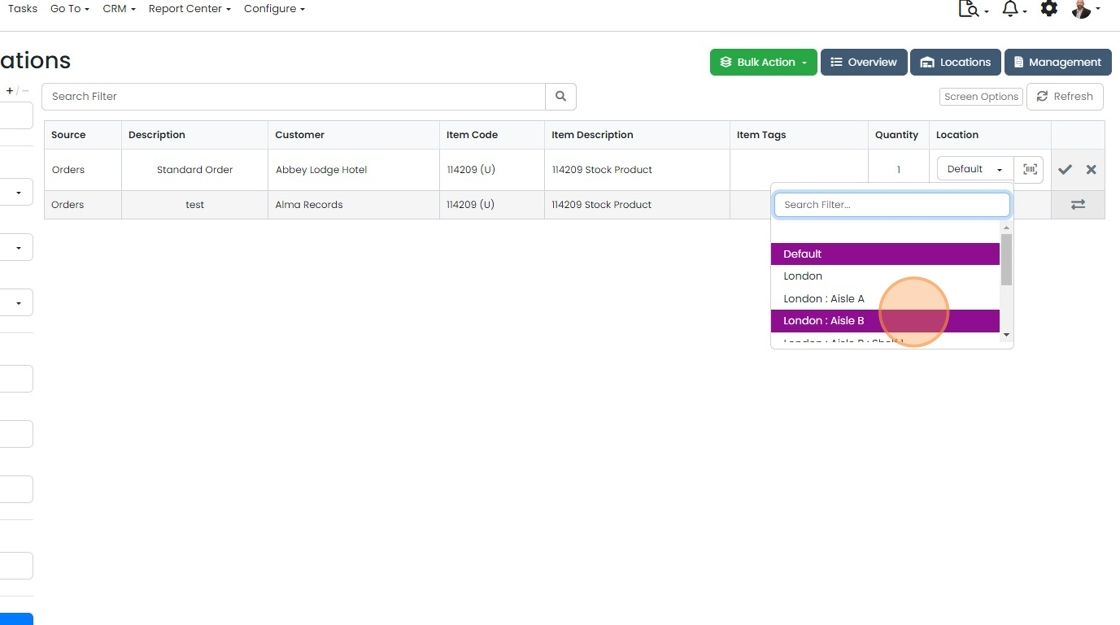
And tick to confirm the move


When your team need to move allocated stock, for example from a warehouse to the production area, this screen makes it easy.
Move a single allocated item
To Move More Than One Item
1. Click on "Bulk Action"

2. Click "- Location"

3. Click "Update Location"

4. Select the location to move the stock to

5. Click "Reallocate"

6. Close the confirmation message

Learn more: inventory in Zigaflow
Frequently asked questions
Was this helpful?