Get set up

Associated items

In Zigaflow

The short answer

An associated item is a second item that Zigaflow adds automatically whenever you add the first item to a quotation, job/sales order, or similar document. To set one up, open the item's menu, click Add Associated, search the items list, choose whether the link works both ways or one way, and click Add.

Steps

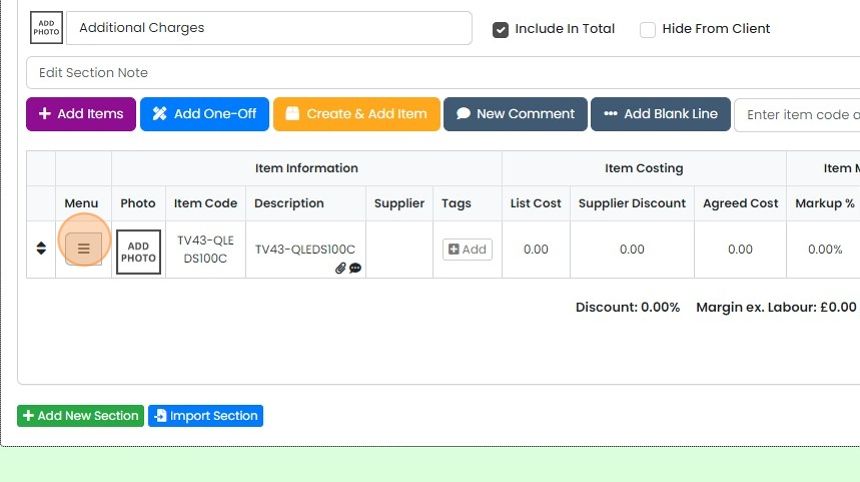
  1. Click on the item's menu

    Additional Charges section item table with the Menu button highlighted on the TV43-QLEDS100C item row
  2. Click "Add Associated"

    Item context menu open on a record's Items tab, with the Add Associated option highlighted below Create/Update
  3. If no items are associated, click "Search Items List"
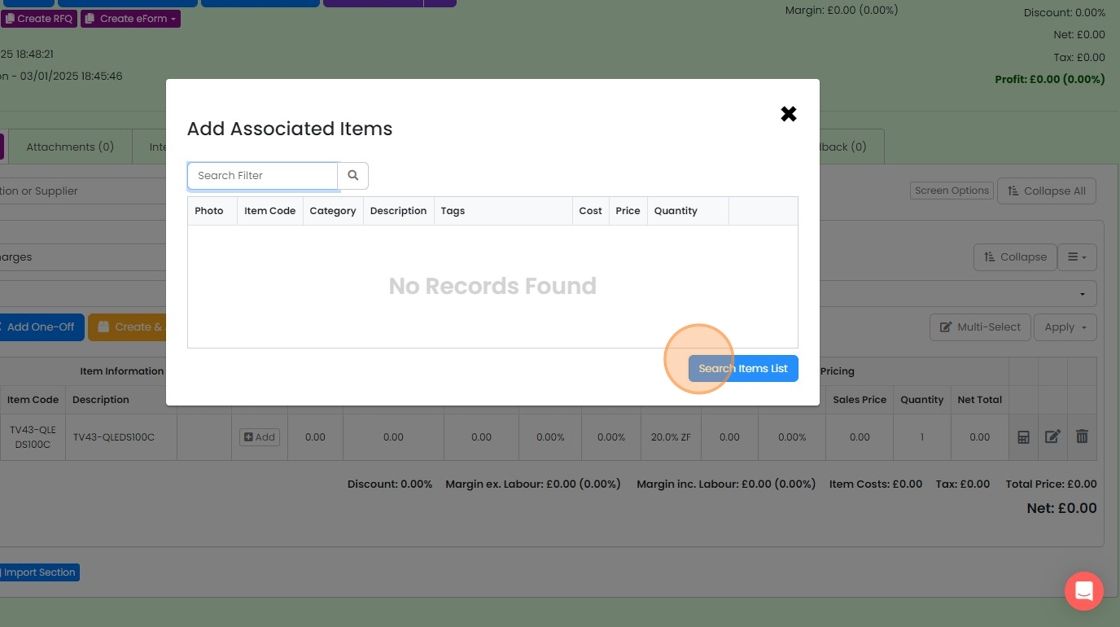
    Add Associated Items dialog showing No Records Found, with the Search Items List button highlighted at bottom right
  4. Search for an item

    Add Associated Items window with the Search Filter field highlighted above a list of items, each with Auto-Add options
  5. Click to add the association. The options are

    Add when either item is added to a quotation

    Add only when one is added (use the arrows to set the direction)
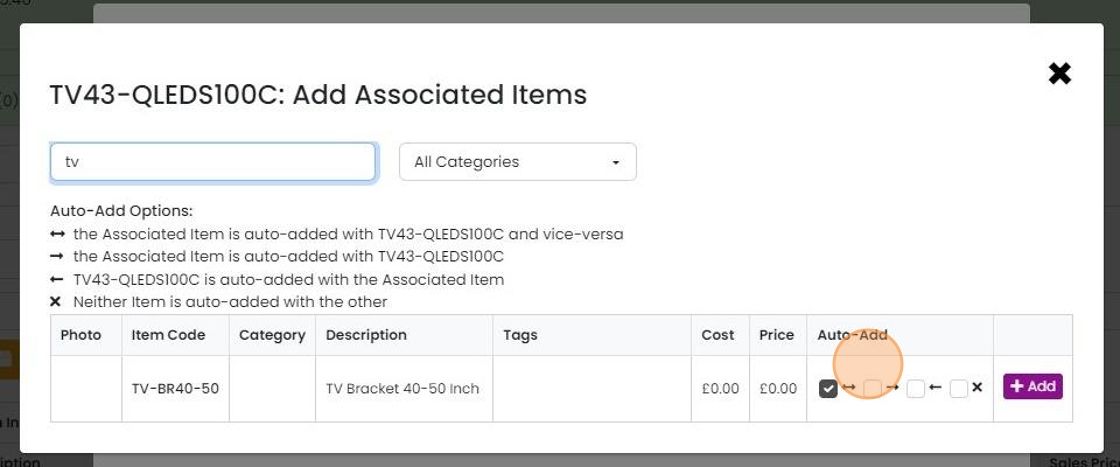
    Add Associated Items window with the one-way Auto-Add checkbox highlighted for TV-BR40-50, next to the Add button
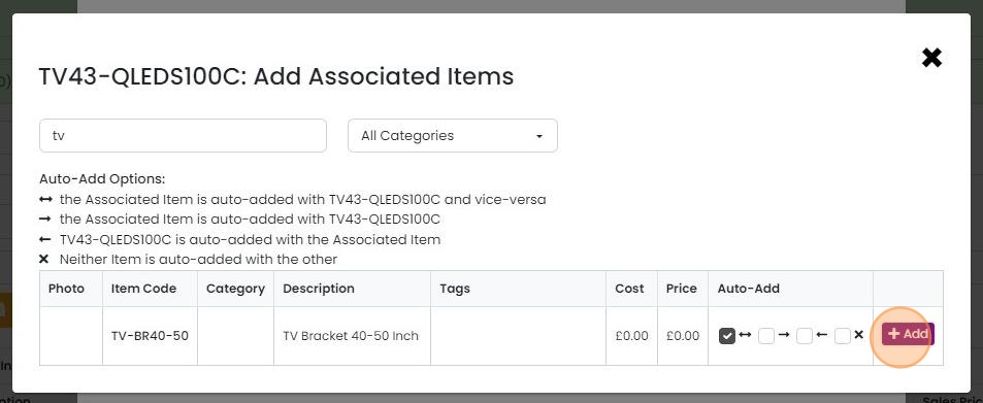
  6. Click "Add"

    Add Associated Items dialog with TV Bracket TV-BR40-50 found, two-way Auto-Add checked and the Add button highlighted
  7. This has created the association. Now add the associated item to the quotation

    Learn more: quotes in Zigaflow
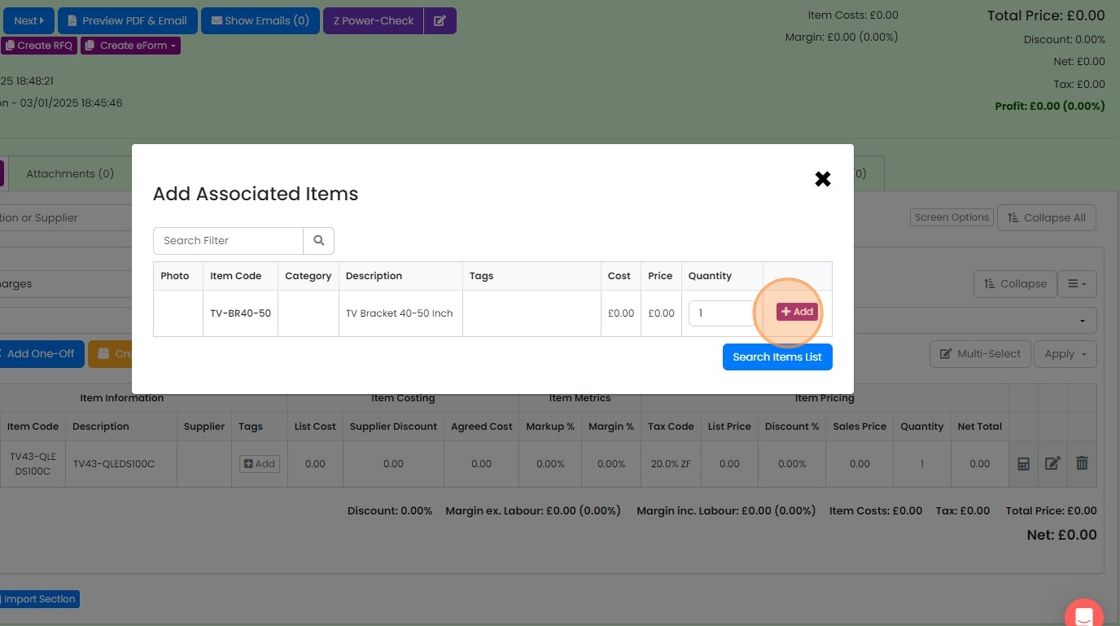
    Add Associated Items dialog listing TV Bracket 40-50 Inch with quantity 1 and the Add button highlighted

If wehn you add an item, a second item is alway added, this automates the process.

Associations can be set up in the in the item edit form but can also be set up in an a quotation.

​

Frequently asked questions

Next step

Managing items on quotations, jobs/orders, etc.You can add items (products/services) to a quotation, job/order, etc. in several ways: pick one from the item list/database, add a one-off item that exists only on that document and its derived documents, add a one-off item to the list later, or add a new item to the document and the list at the same time.

Was this helpful?

See Zigaflow on your own workflow

Book a demo and we will walk through quoting, jobs and purchasing the way your team runs them.

Or see how Zigaflow would fit your business, free