Deliver work

Printing labels from the stock allocations screen

In ZigaflowMomentum plan

The short answer

To print labels from the stock allocations screen, click Go To, then Allocations. For one item, click the option for that item, then the Print icon. For several items, click the bulk update button, then Print Preview, select the items, click Print Preview again, and click the Print icon. Set up label templates first.

Steps

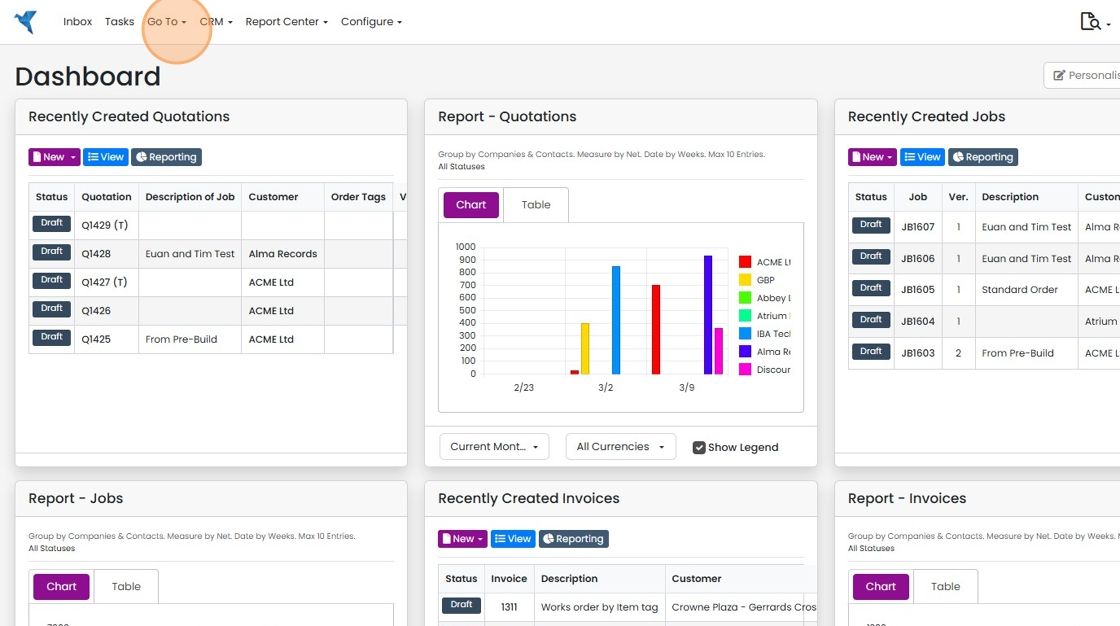
  1. Click "Go To"

    Zigaflow Dashboard with the Go To menu in the top navigation bar highlighted, next to Tasks and CRM
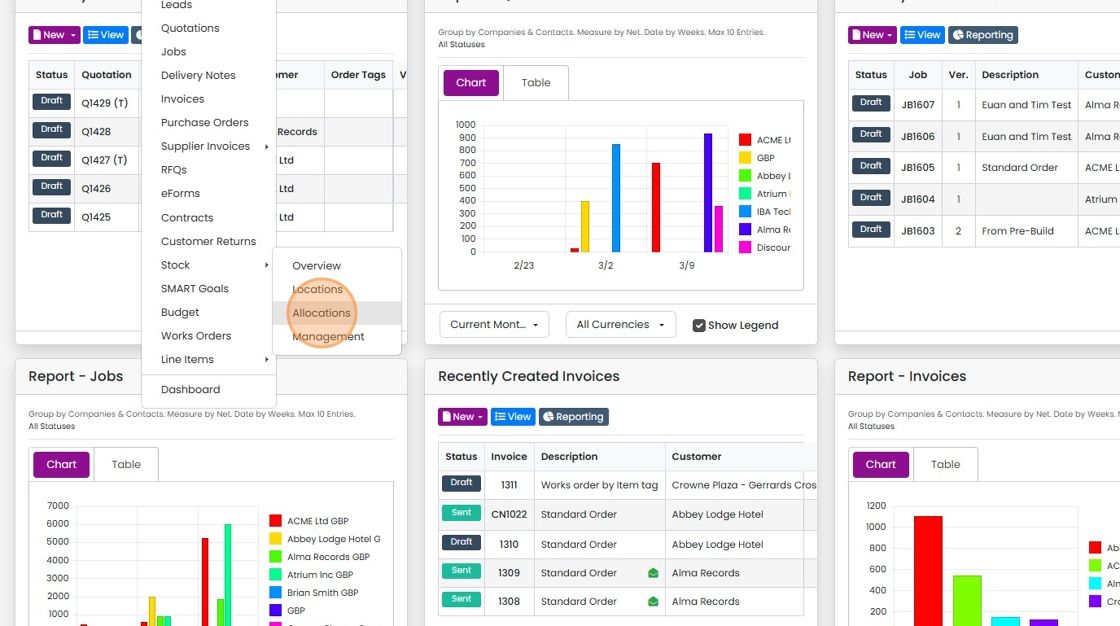
  2. Click "Allocations"

    Navigation menu with Stock submenu expanded, Allocations option highlighted between Locations and Management on the dashboard
  3. To print one the label for one item, click here
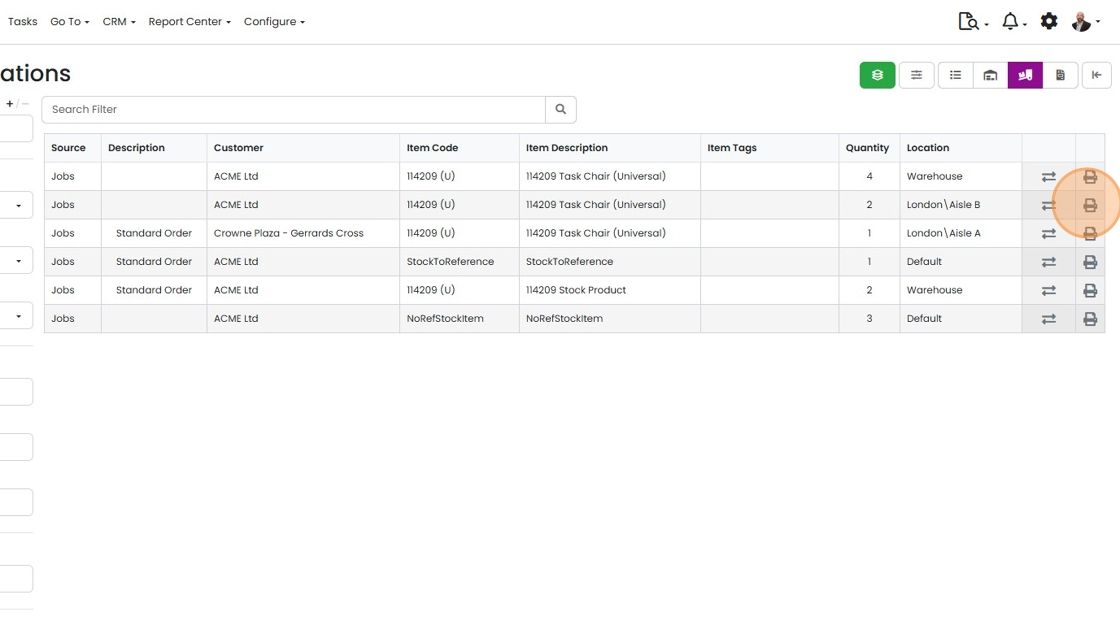
    Stock Allocations list with the print icon highlighted at the end of a job row to print a label for that single item
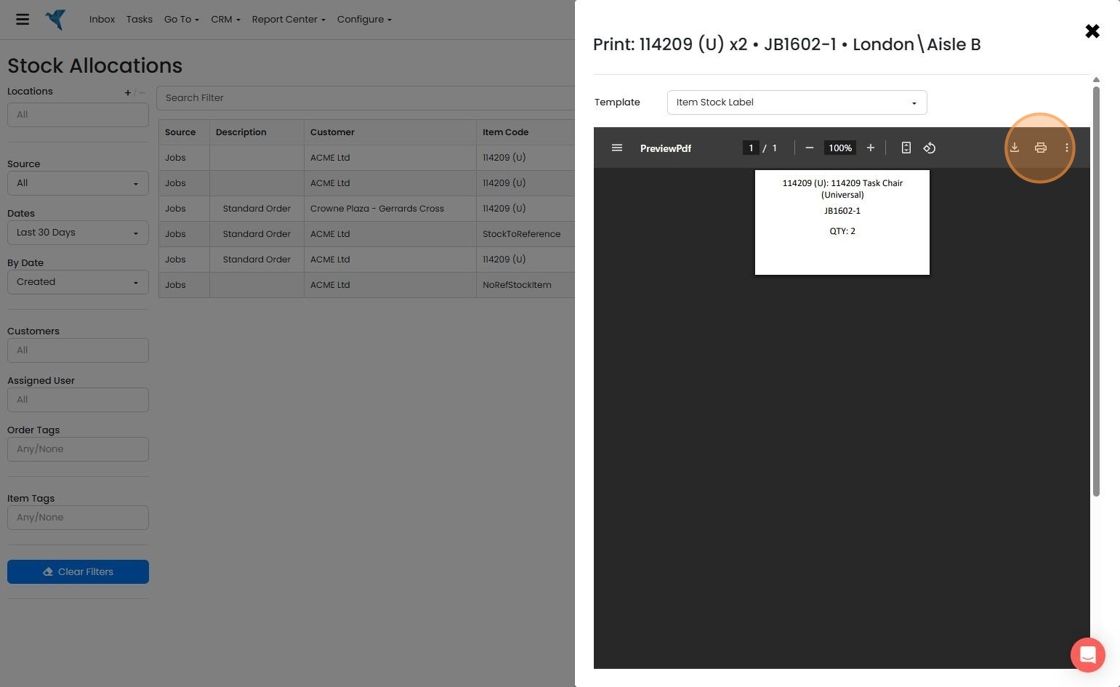
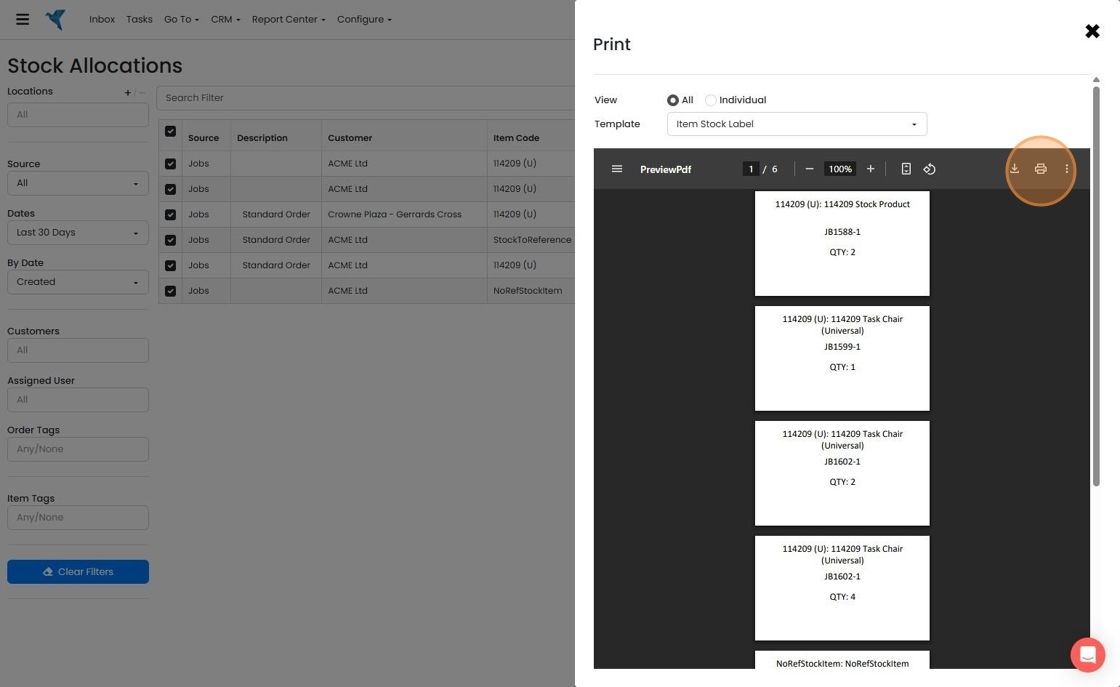
  4. Click on the "Print" icon

    Print panel over Stock Allocations showing an Item Stock Label PDF preview, with the printer icon in the toolbar highlighted
  5. To print more than one item lable, click on the bulk update button
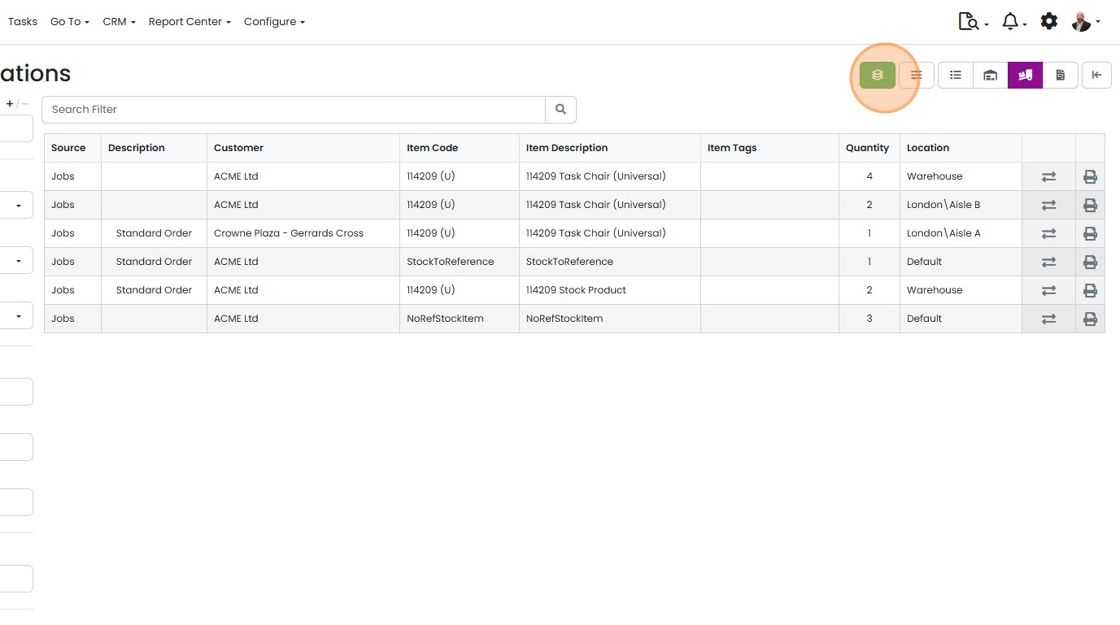
    Stock Allocations screen with the green bulk update button highlighted at the top right, above the allocations table
  6. Click "Print Preview"

    Stock Allocations screen with the Update dropdown open and the Print Preview option highlighted below Location
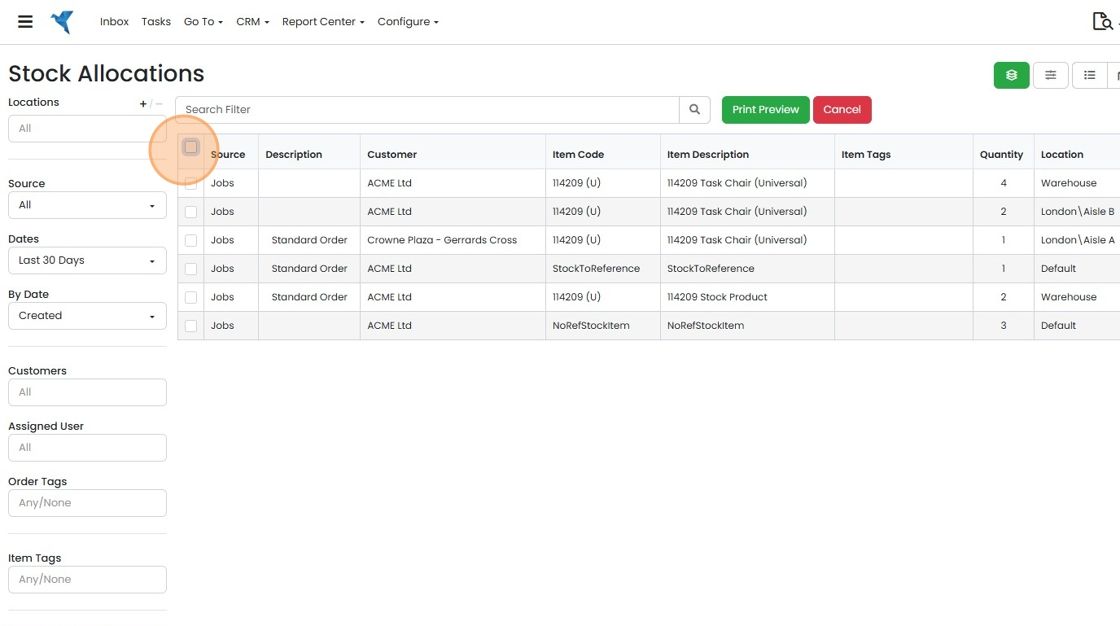
  7. Select the items to print

    Stock Allocations screen with the select-all checkbox highlighted in the table header to choose items for printing
  8. Click "Print Preview"

    Stock Allocations screen with all job rows selected and the Print Preview button highlighted next to Cancel
  9. Click on the "Print" icon

    Print panel over Stock Allocations showing Item Stock Label PDF preview, with the Print icon in the preview toolbar highlighted

Set up

Before printing, the label templates need to be set up.

How to add label templates

Printing

Frequently asked questions

Was this helpful?

See Zigaflow on your own workflow

Book a demo and we will walk through quoting, jobs and purchasing the way your team runs them.

Or see how Zigaflow would fit your business, free