Make it yours

Saving a report

In ZigaflowQuotes, Go and Momentum plans

The short answer

To save a report in Zigaflow, open Report Center, click Save Report to keep the current settings, give the report a name, and click Save. You won't need to enter the filters again. Saved reports can also be updated, saved as a new report, or switched between with a dropdown.

Steps

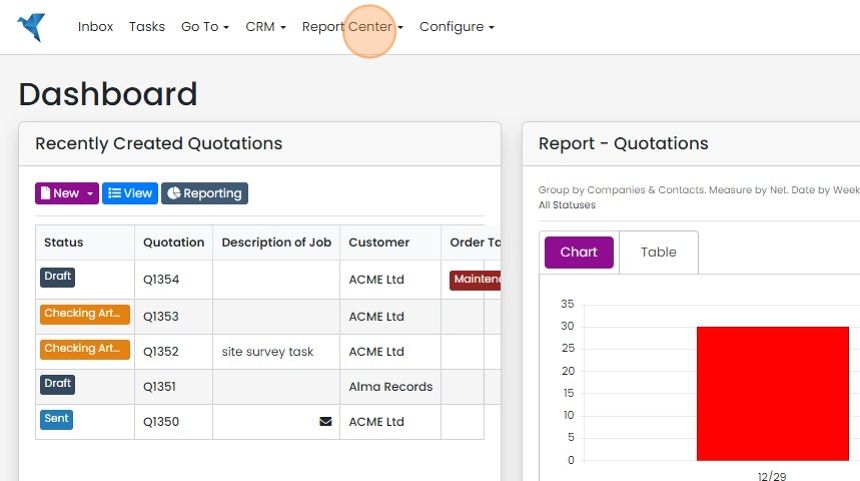
  1. Click "Report Center"

    Zigaflow Dashboard with the Report Center menu highlighted in the top navigation bar, next to CRM and Configure
  2. Click "Save Report" to save the current settings
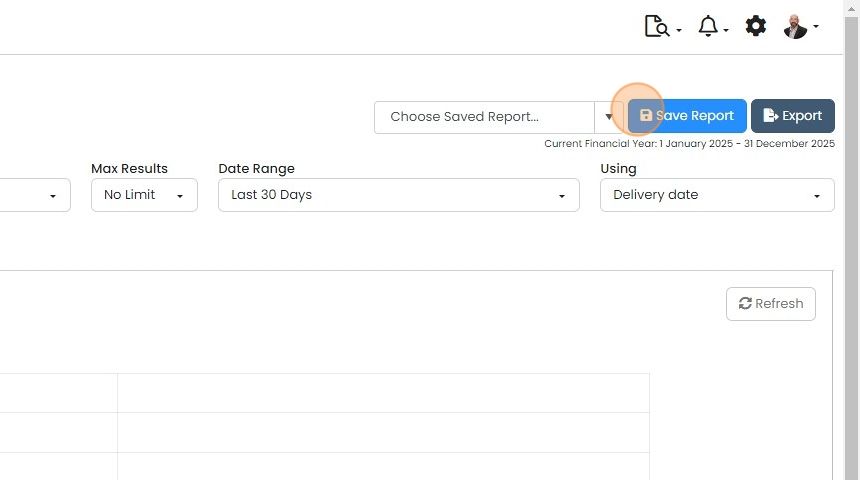
    Report screen with Date Range and Using filters, highlighting the Save Report button beside the Choose Saved Report dropdown
  3. Give the report a name and click "Save"

    Update a saved report
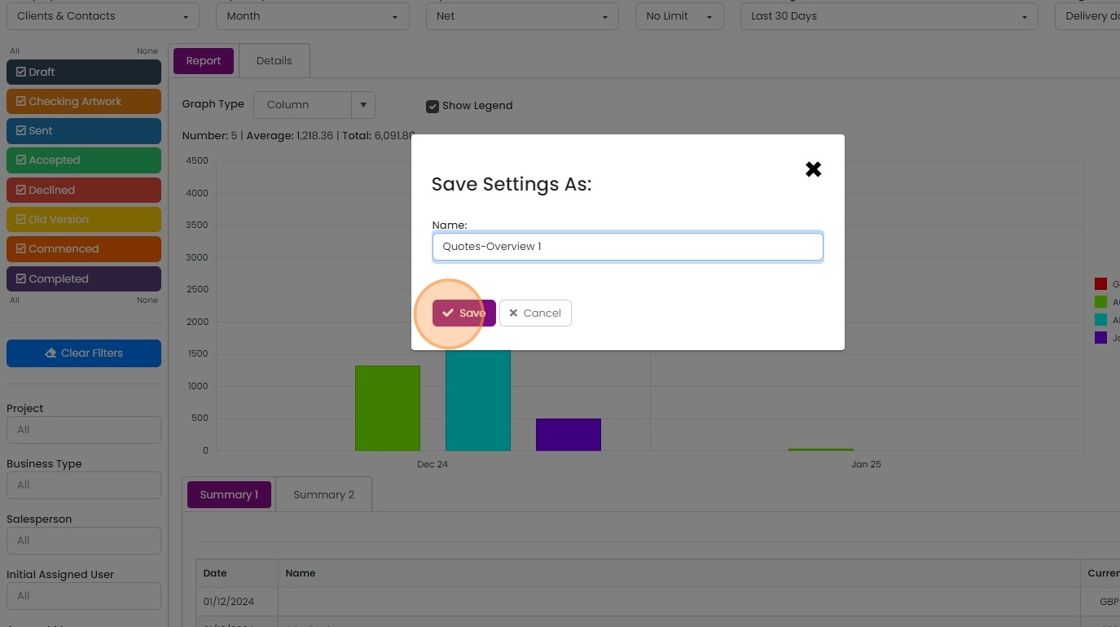
    Save Settings As dialog over a quotes report, with
  4. If you make an update to the report, the saved report can be updated. Click on the "Save Report" button
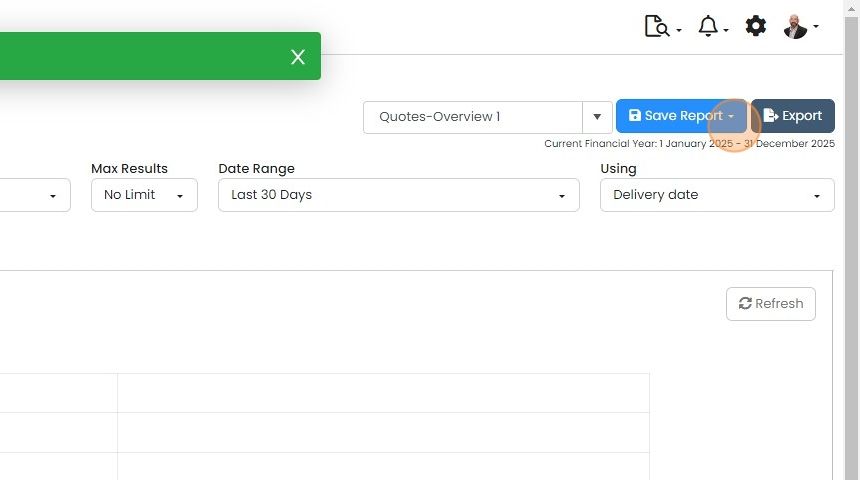
    Report screen with the Quotes-Overview 1 saved report selected and the Save Report button dropdown arrow highlighted
  5. And click "Update Report"

    Save changes as a new report
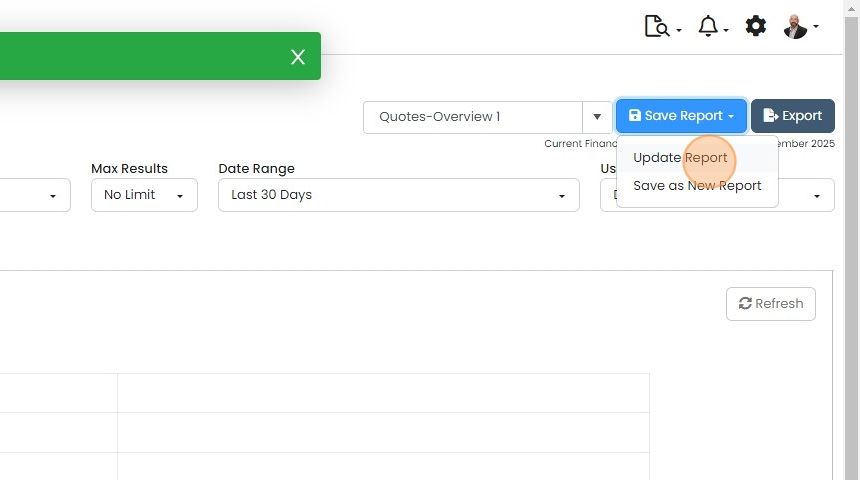
    Save Report dropdown on the Quotes-Overview 1 report with Update Report highlighted above Save as New Report
  6. To save an updated report as a new one, click on "Save Report"
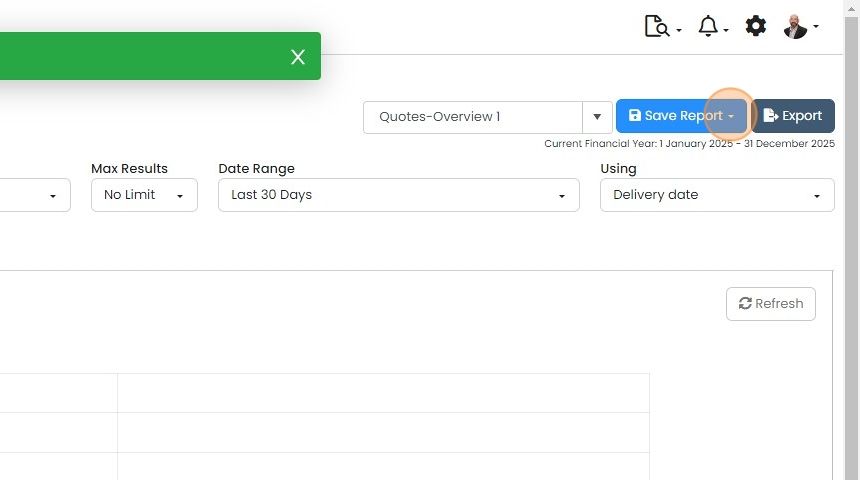
    Report screen with Quotes-Overview 1 selected and the Save Report button highlighted next to Export
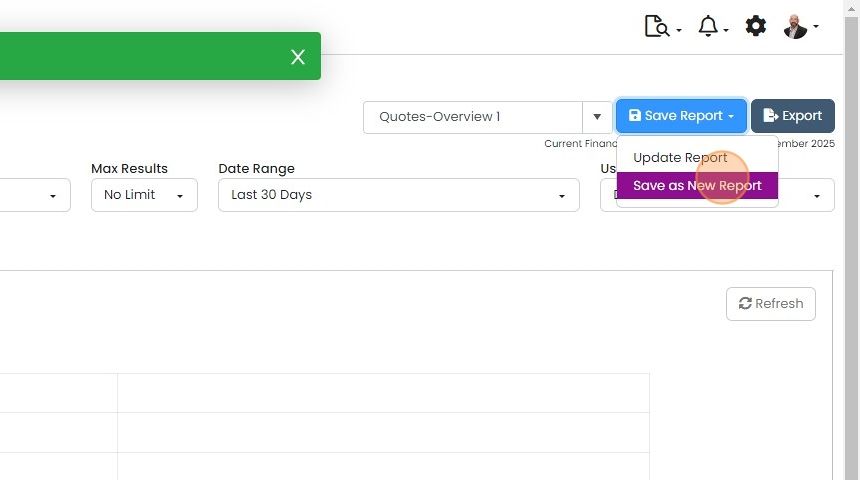
  7. Click "Save as New Report"

    Report screen with Save Report dropdown open, highlighting Save as New Report below Update Report for Quotes-Overview 1
  8. Enter a name and click "Save"

    Switch between saved reports
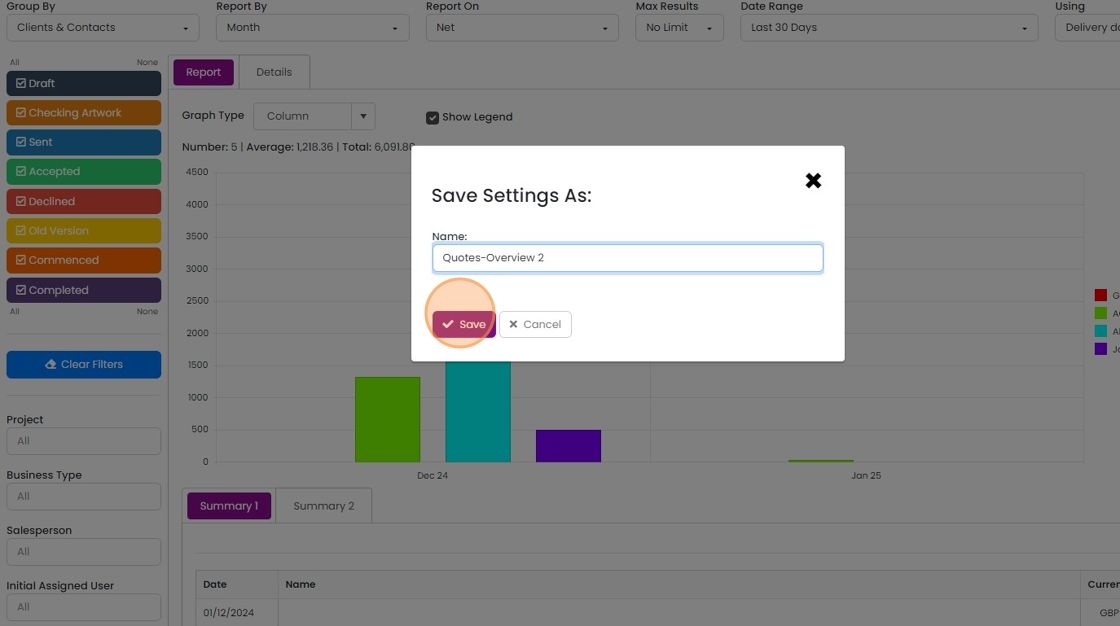
    Save Settings As dialog over a report, with the Name field filled in and the Save button highlighted
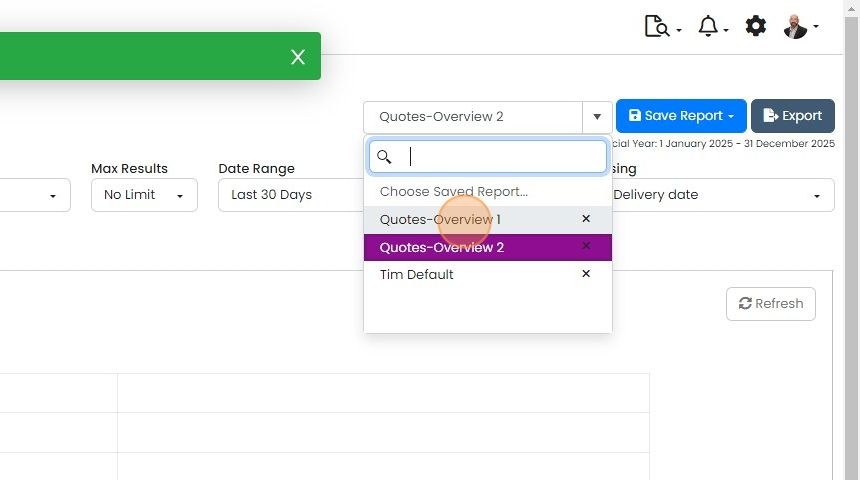
  9. Swap between reports with the dropdown
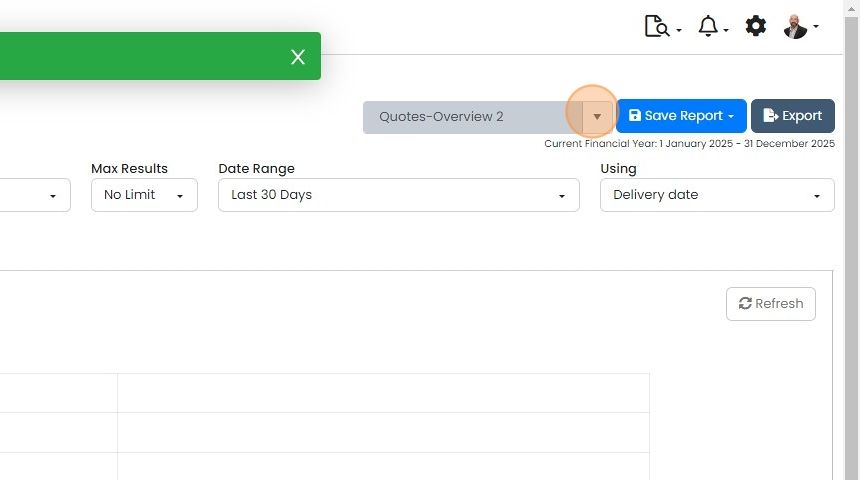
    Report screen with the dropdown arrow beside the saved report name Quotes-Overview 2 highlighted, next to Save Report
  10. Selecting another report for that module and type of view (i.e. historical, current, Item)

    Saved report dropdown open beside Save Report, with the Quotes-Overview 1 option highlighted for selection

Save a report

Frequently asked questions

Next step

Accessing saved reportsQuotes, Go and Momentum plansYou can open saved reports from either the Saved Reports library or the Report Center. Saved Reports shows reports across all modules and report types. The Report Center shows only the saved reports for the module and report type you select, such as Historical, Current, Item Analysis or Leaderboard.

Was this helpful?

See Zigaflow on your own workflow

Book a demo and we will walk through quoting, jobs and purchasing the way your team runs them.

Or see how Zigaflow would fit your business, free