Setting up supplier acknowledgements and tracking pages
The short answer
Suppliers can acknowledge your purchase orders and enter tracking details on dispatch through pages in Zigaflow. To set it up, show the 'Supplier Acknowledged' and 'Supplier Dispatched' statuses in the PO workflow, then add the {ReviewLink} and {SupplierTrackingPage} tags to a purchase order email template and send POs using that template.
Steps
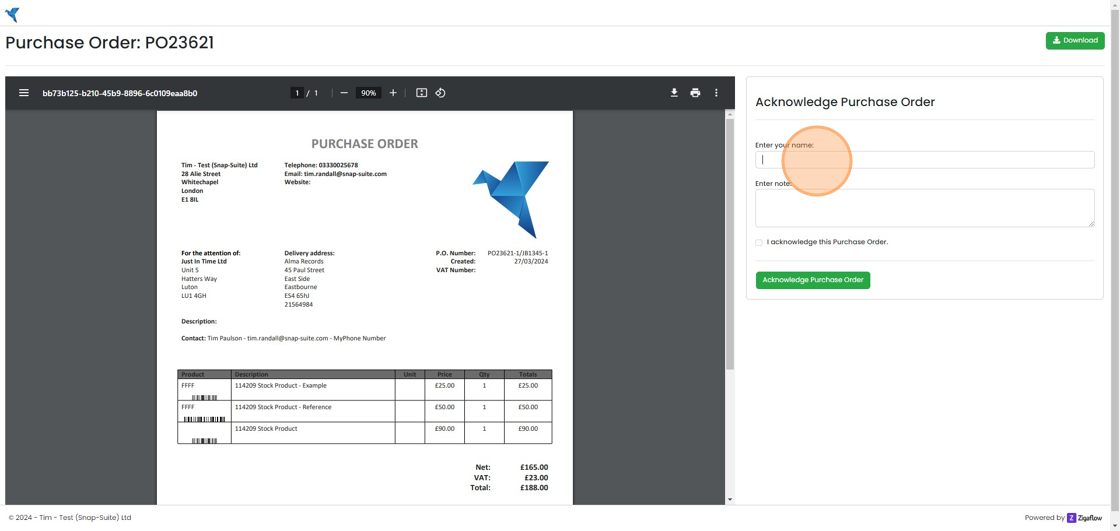
Your supplier can see this page where they can acknowledge the order
Your supplier can see this page where they can acknowledge the order. If they do acknowledge, it will move the PO to the 'Supplier Acknowledged' status
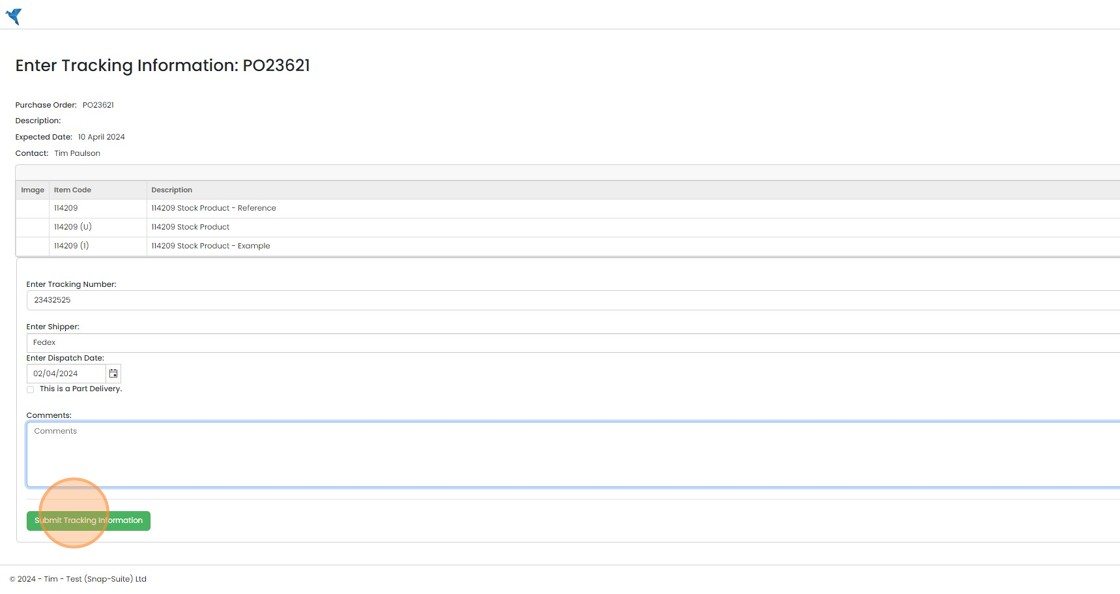
When they are ready to send your order, they can fill in the tracking details on this screen
When they are ready to send your order, they can fill in the tracking details on this screen. Upon completion, the PO will automatically be moved to the 'Supplier Dispatched' Status.
Show the statuses in the PO workflow
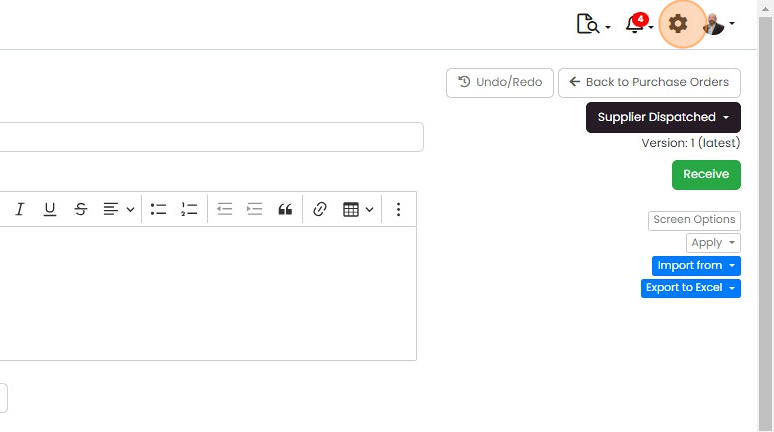
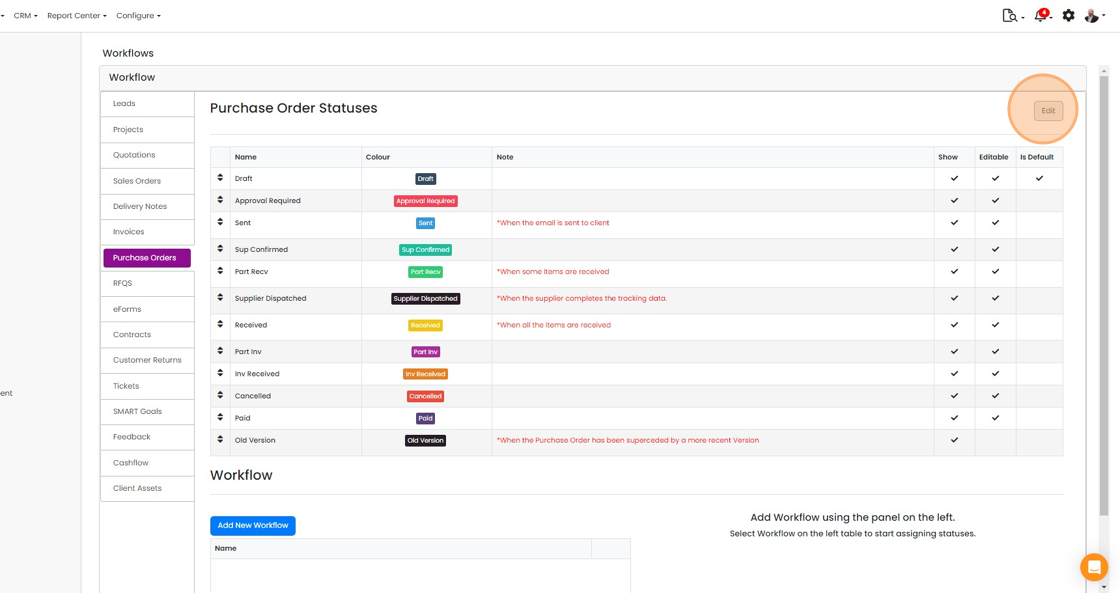
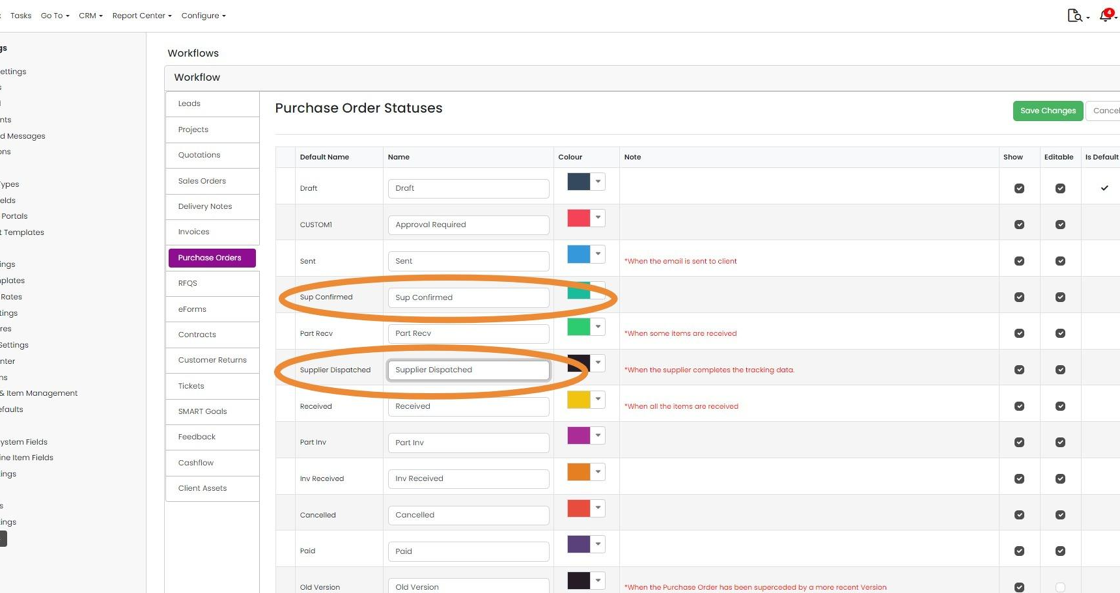
Make sure that both these statuses are visible in the PO's workflow. Click on the Cog
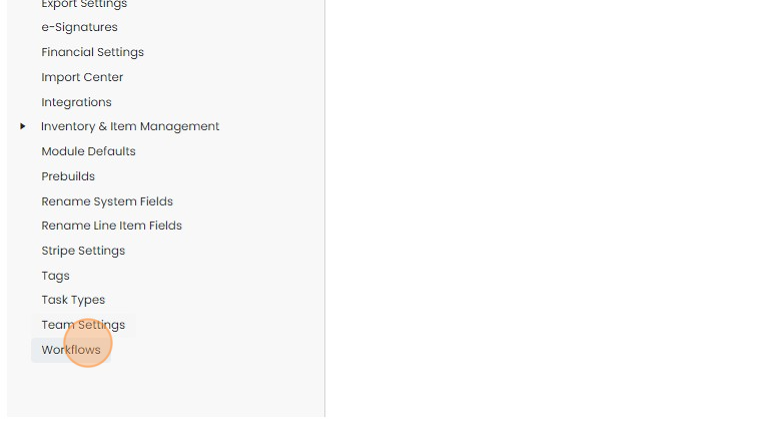
Click "Workflows"
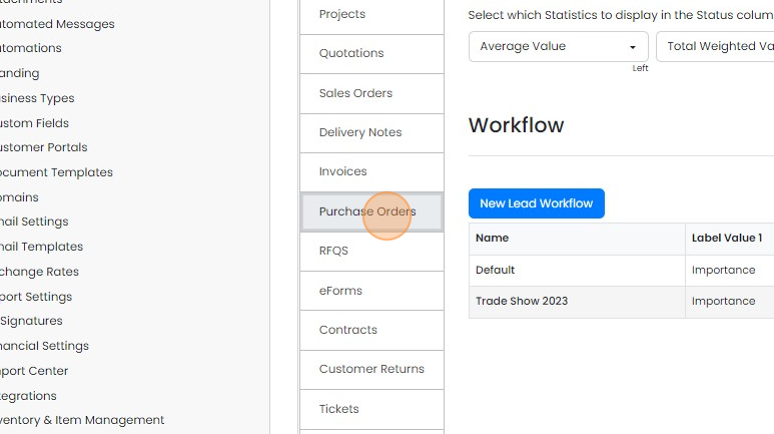
Click "Purchase Orders"
Click "Edit" to change them to 'Show'
Click "Save Changes"
Add the links to your email templates
Add the links to your emails so that supplier can find the pages. Click "Email Templates"
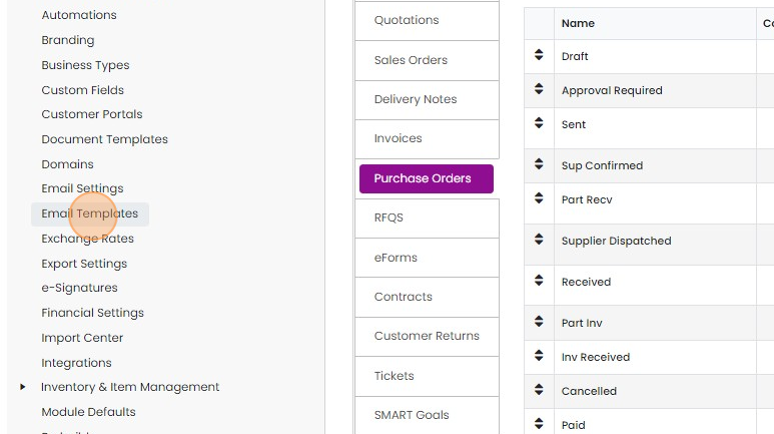
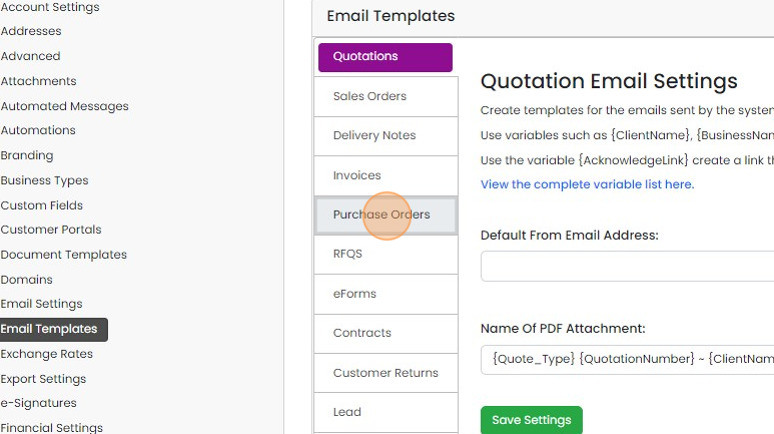
Click "Purchase Orders"
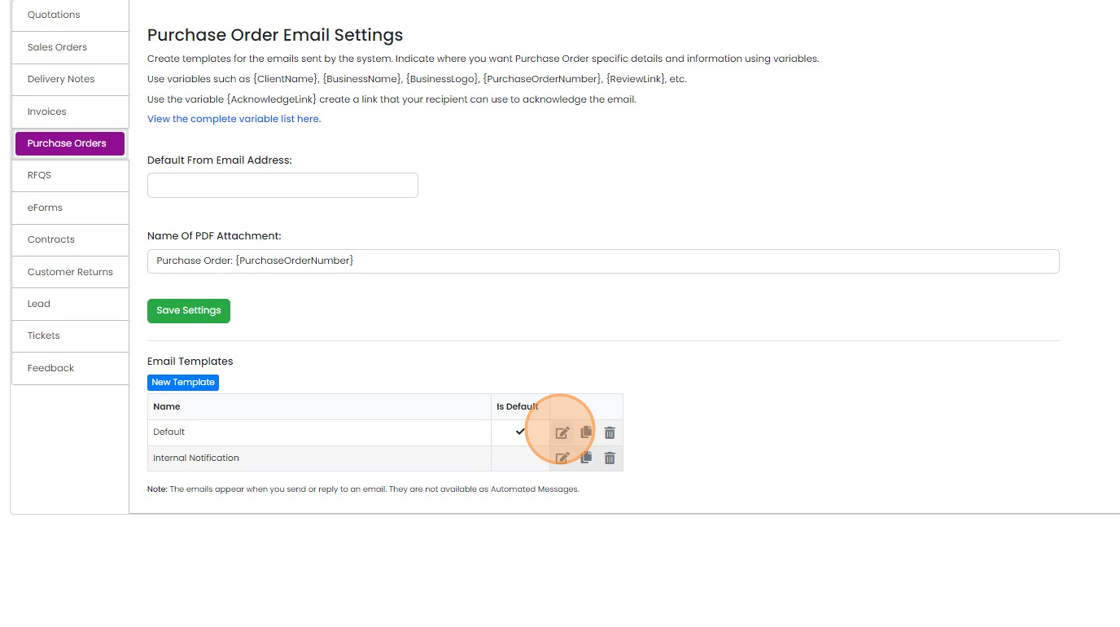
Click to edit the desired email template
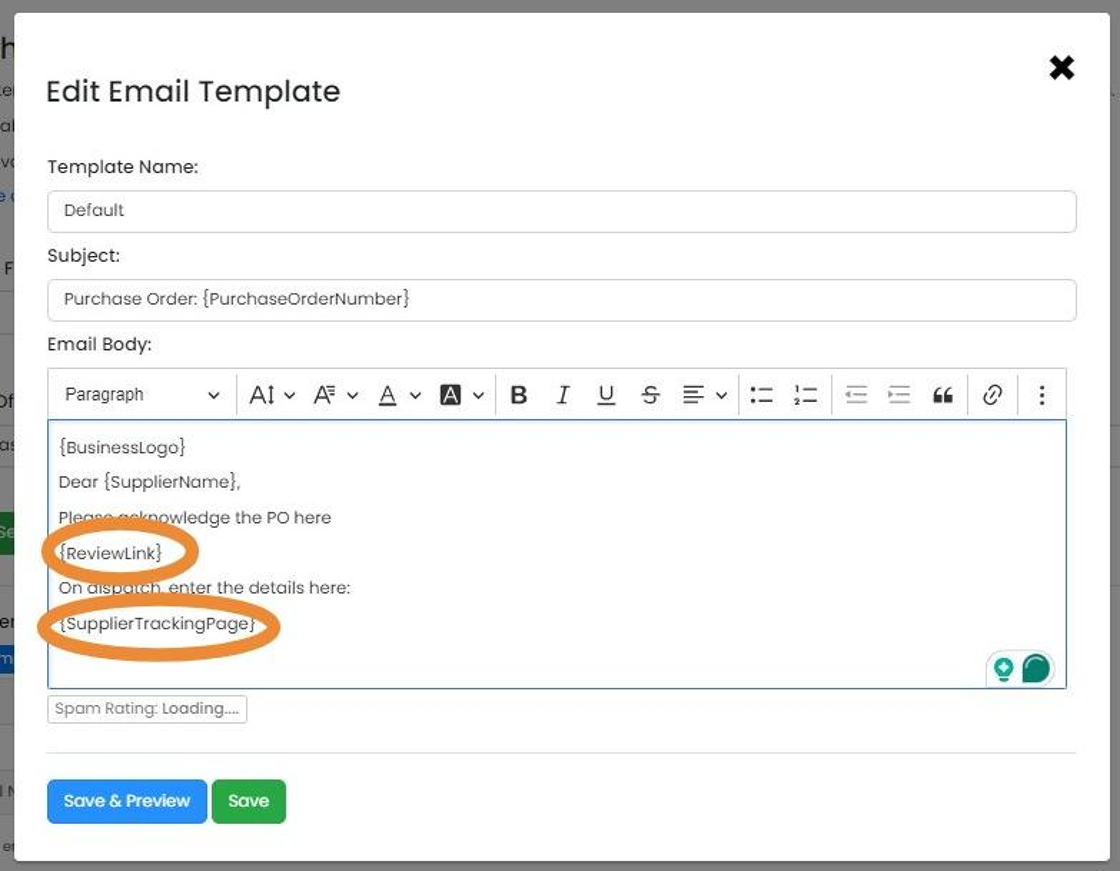
Add the variables/tags {ReviewLink} for the acknowledgement page and the {SupplierTrackingPage} for the...
Add the variables/tags {ReviewLink} for the acknowledgement page and the {SupplierTrackingPage} for the tracking one. These can be hyperlinks under the text as well as on their own.
Click Save. This will be used when you send your POs from Zigaflow, although make sure you select the email template with these in.
Learn more: purchase orders in Zigaflow


Zigaflow makes it easy for your suppliers to acknowledge they have received your order and for them to let you know that is has been dispatched with the tracking information you need.
What your supplier sees
Frequently asked questions
Next step
Essentials, Go and Momentum plansWas this helpful?