Get set up

Swapping items' main suppliers in bulk

In Zigaflow

The short answer

To change the main supplier on many items at once, export the items to a spreadsheet from the items page, change the main supplier (and the cost if you want), then reimport the file through the cog, Import Center, Flexi, Items. Zigaflow then updates the items with the new main supplier.

Steps

  1. In this example, there is a main supplier set against an item

    Export the items
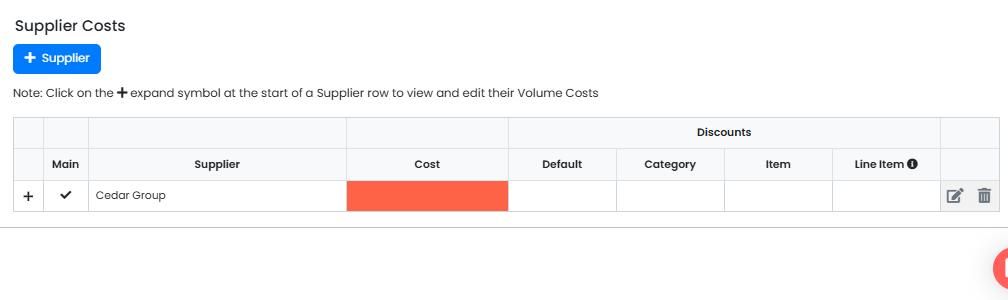
    Supplier Costs table showing one supplier marked with a Main checkmark and its Cost field highlighted in red
  2. On the items page, filter by supplier or some other parameter
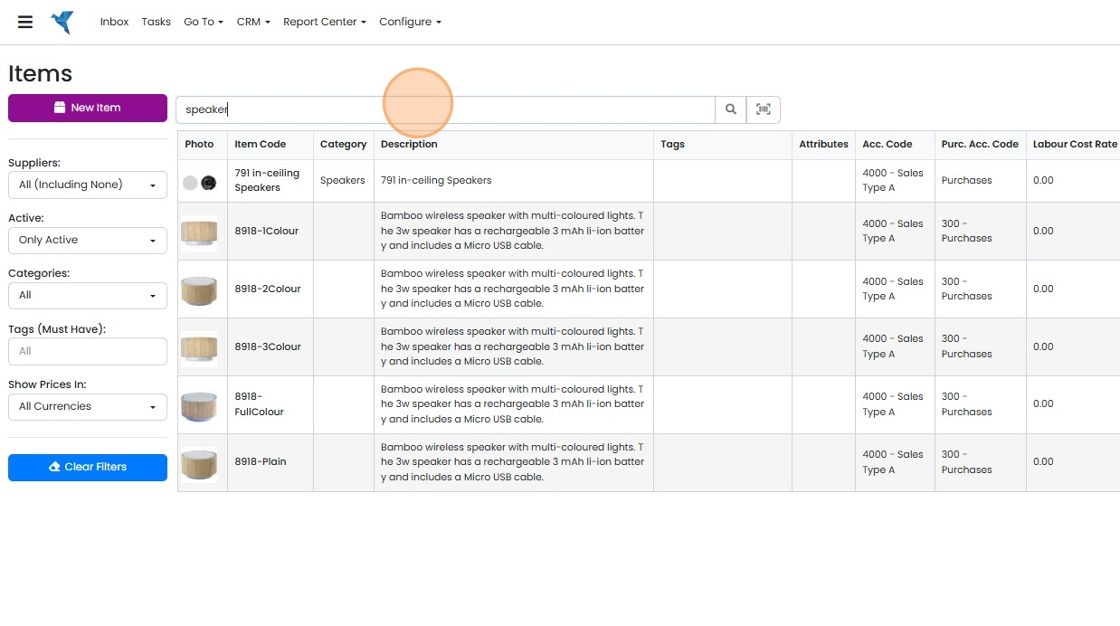
    Items page with
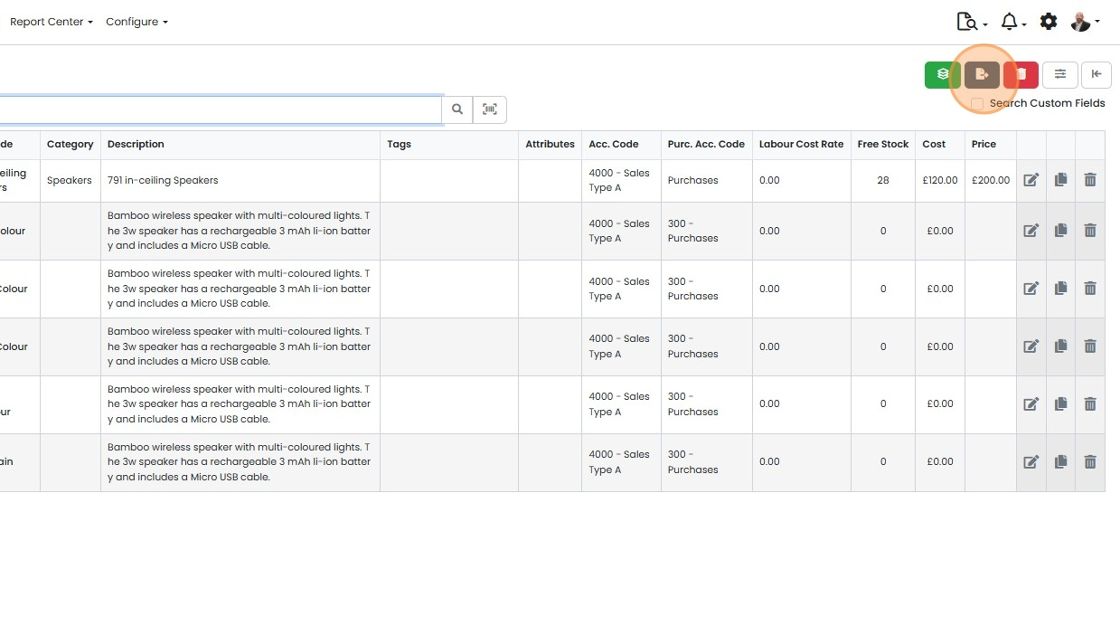
  3. Click here to Export to Spreadsheet

    Items list with the brown Export to Spreadsheet button highlighted in the toolbar above the item table, top right
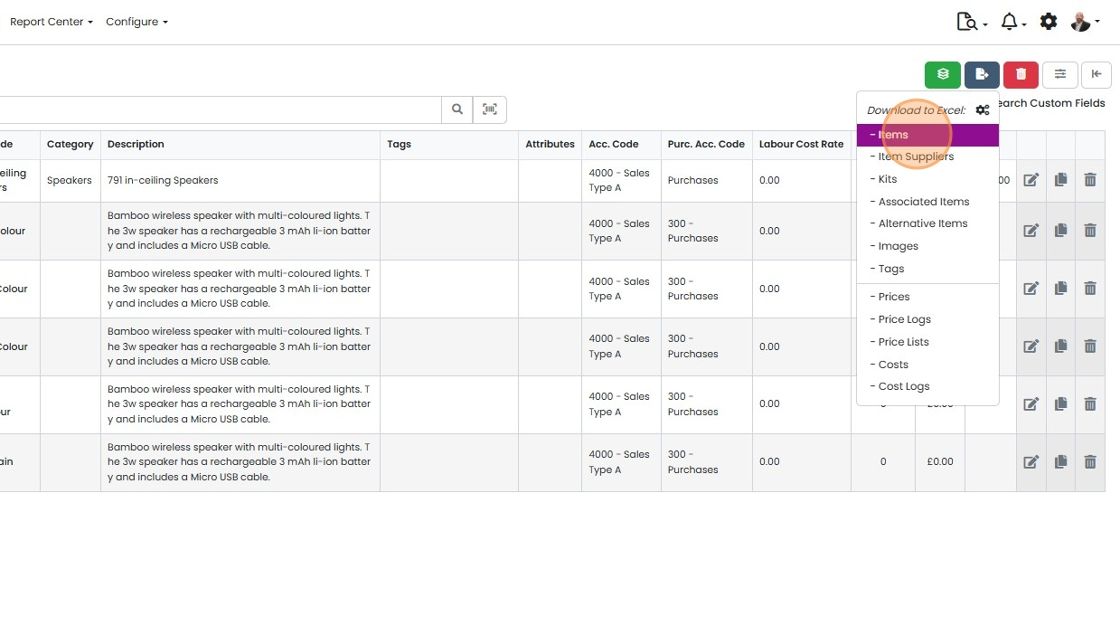
  4. Click "- Items"

    Items list with the Download to Excel menu open from the export button, and the
  5. Click "Download"

    Edit the spreadsheet
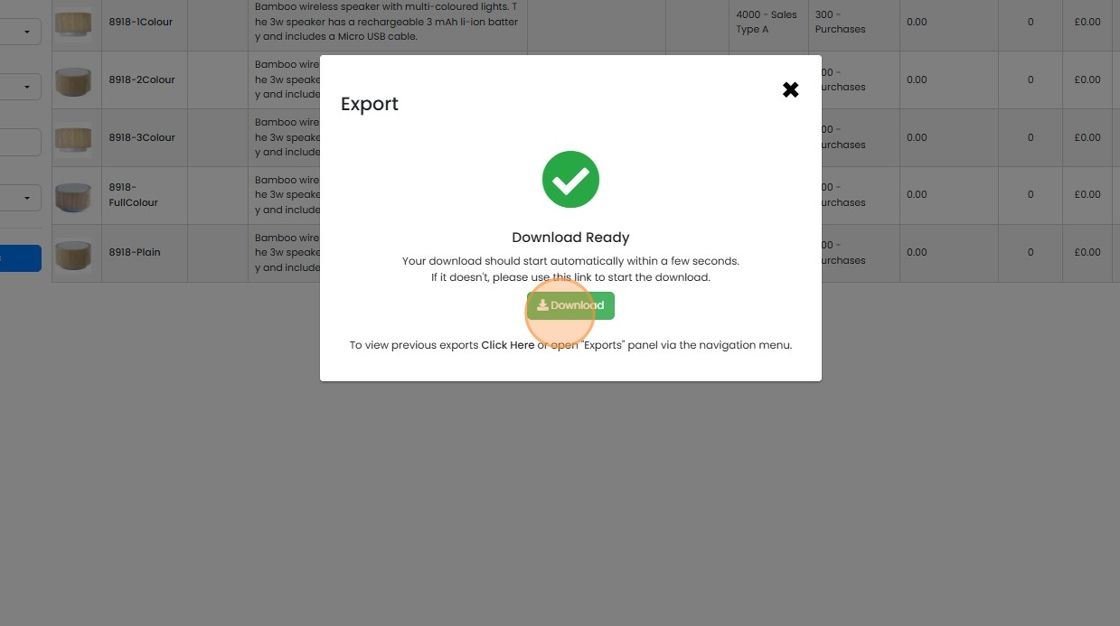
    Export dialog showing Download Ready with a green check mark, and the Download button highlighted to start the file download
  6. Edit the exported file so that the main supplier has been changed to the new one

    Edit the exported file so that the main supplier has been changed to the new one. All the other columns except the item code can be deleted. You may wish to update the cost using this file

    Import the updated file
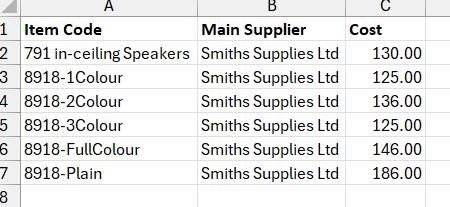
    Spreadsheet with Item Code, Main Supplier and Cost columns, showing six items all set to the same new main supplier
  7. Click on the cog

    Items list with product rows and the settings cog icon highlighted in the top-right toolbar next to notifications
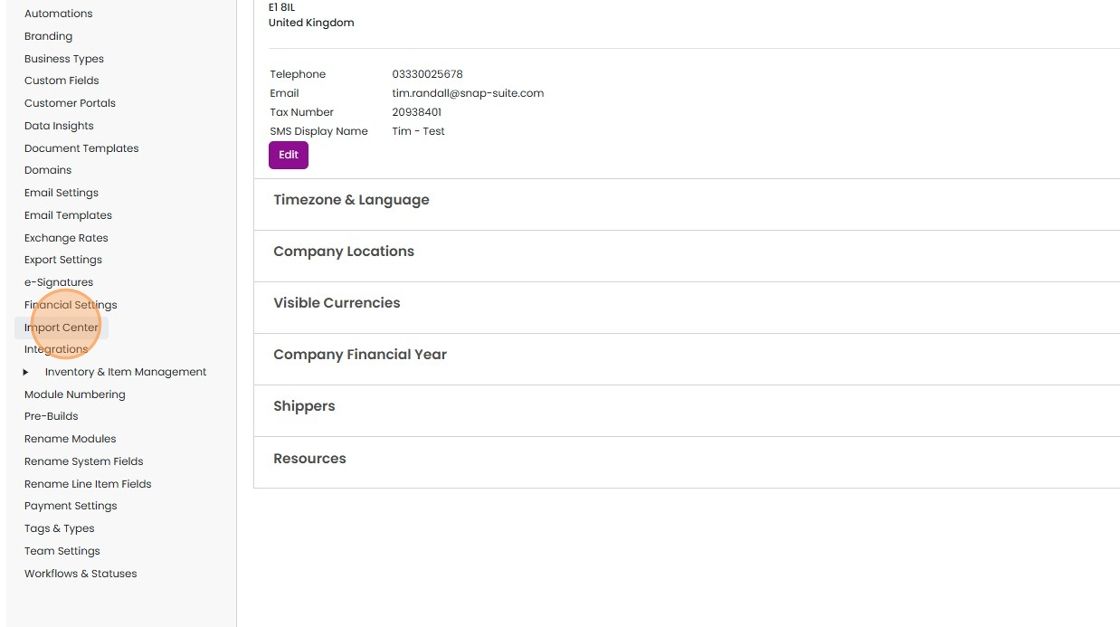
  8. Click "Import Center"

    Settings menu with Import Center highlighted in the left sidebar, beside the company details and settings sections
  9. Click "Flexi"

    Import Center in Settings with the Flexi tab highlighted, showing the Flexi Import Items step 1 of 3 upload panel
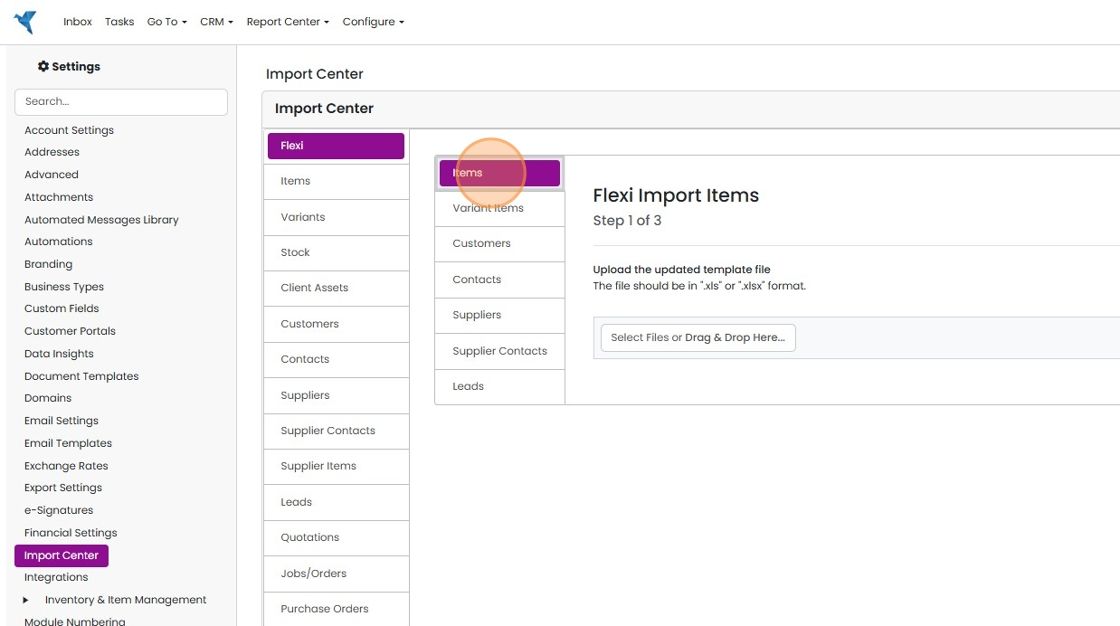
  10. Click "Items"

    Import Center with Flexi selected and the Items tab highlighted, showing Flexi Import Items step 1 of 3 upload field
  11. Click "Select Files or Drag & Drop Here..." and select the file to import
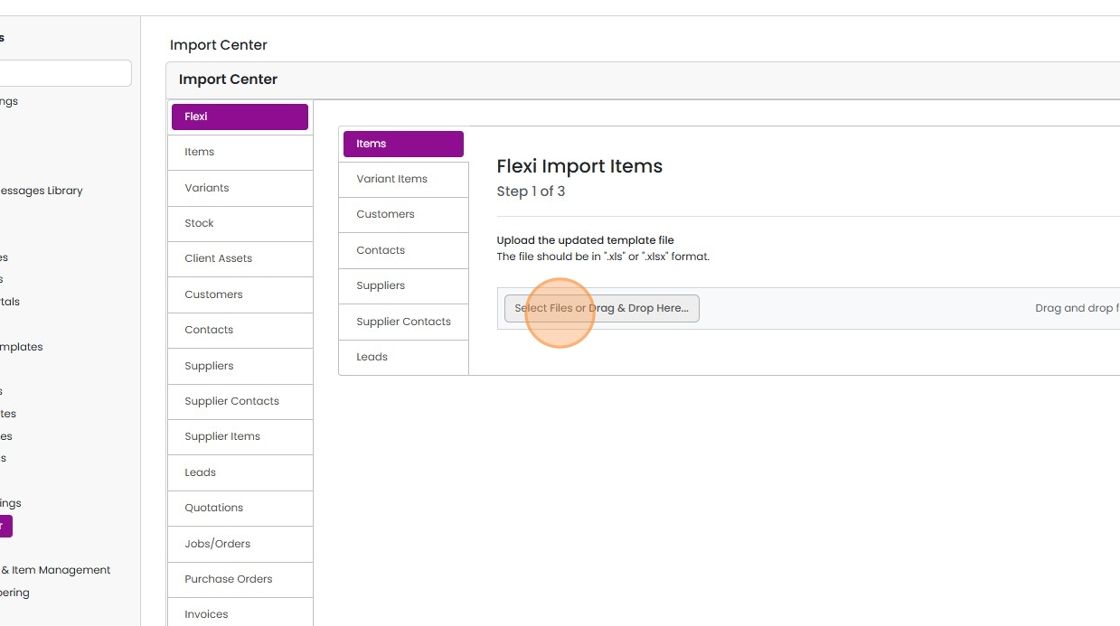
    Import Center Flexi Import Items step 1 of 3, with the Select Files or Drag & Drop Here... button highlighted
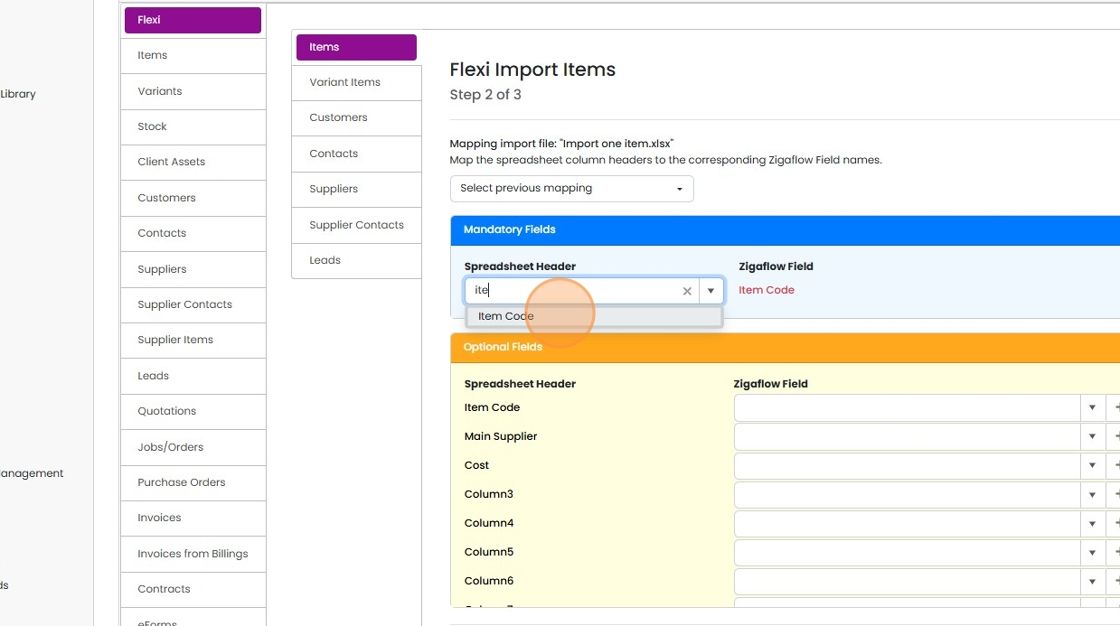
  12. Click "Item Code"

    Flexi Import Items step 2 of 3, Item Code option highlighted in Spreadsheet Header dropdown for the mandatory Item Code field
  13. Match the "Main Supplier" column to the field
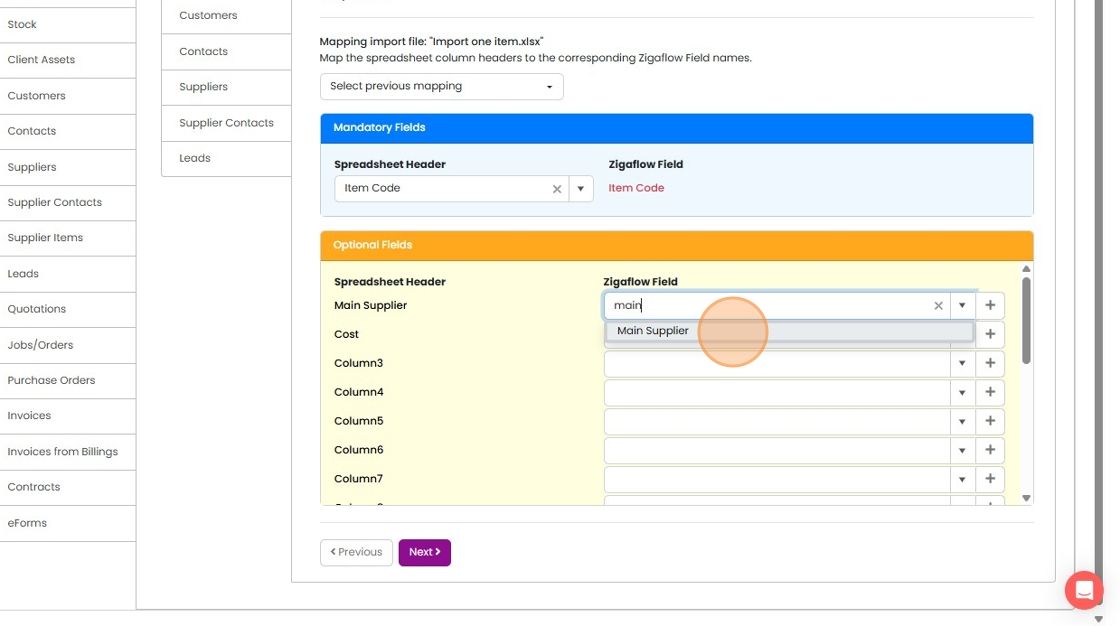
    Import mapping screen with
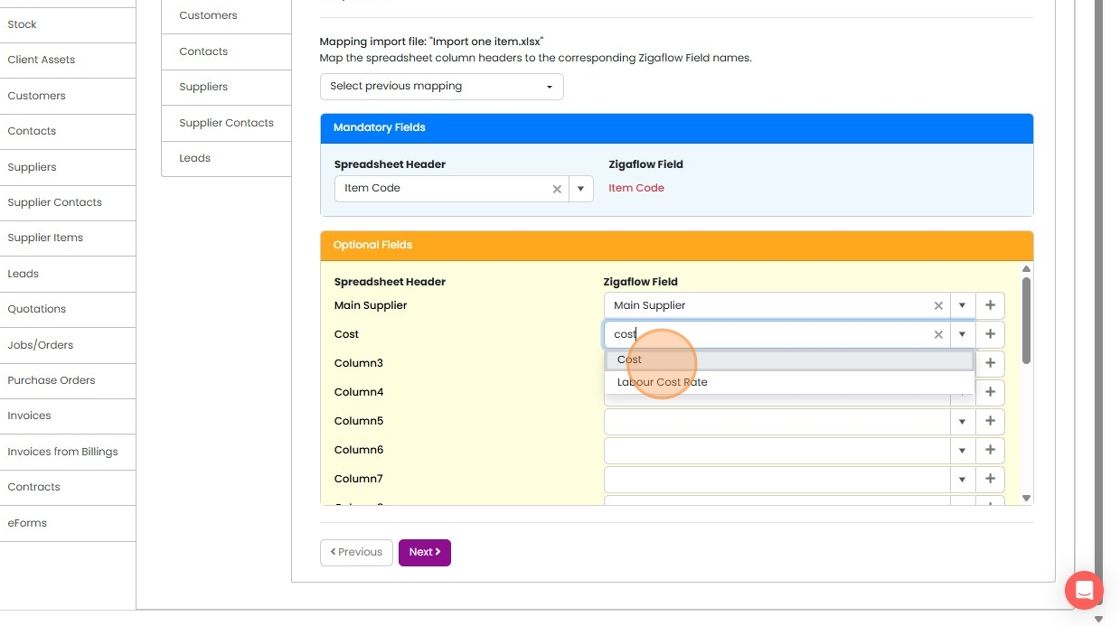
  14. And the same with the cost

    Import mapping Optional Fields with
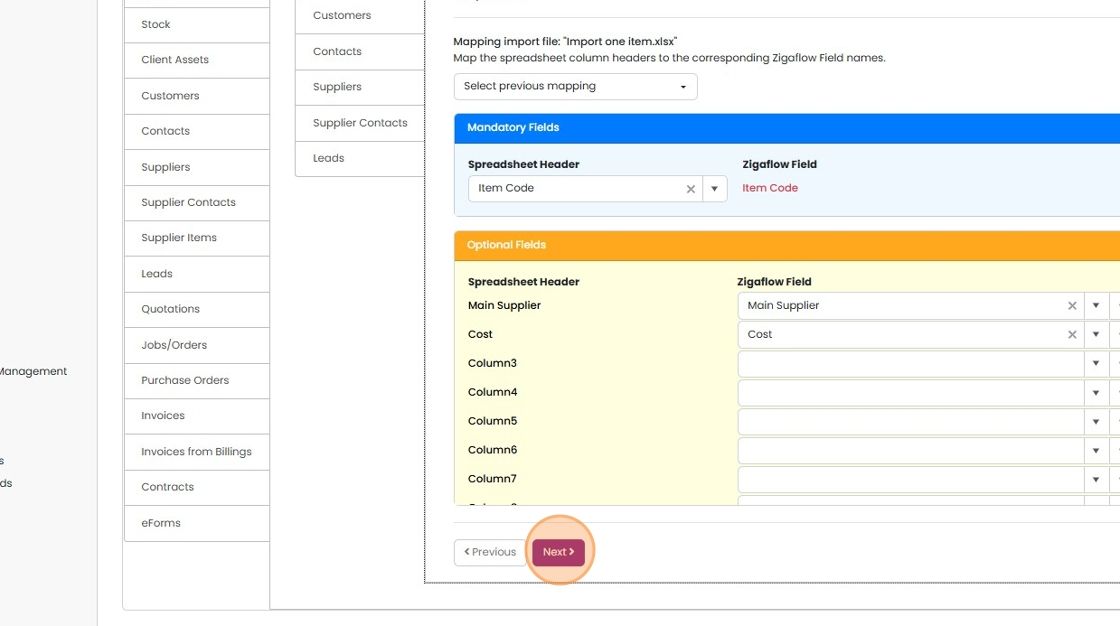
  15. Click "Next"

    Check the updated items

    Import field mapping screen with Item Code, Main Supplier and Cost mapped, and the Next button highlighted at the bottom
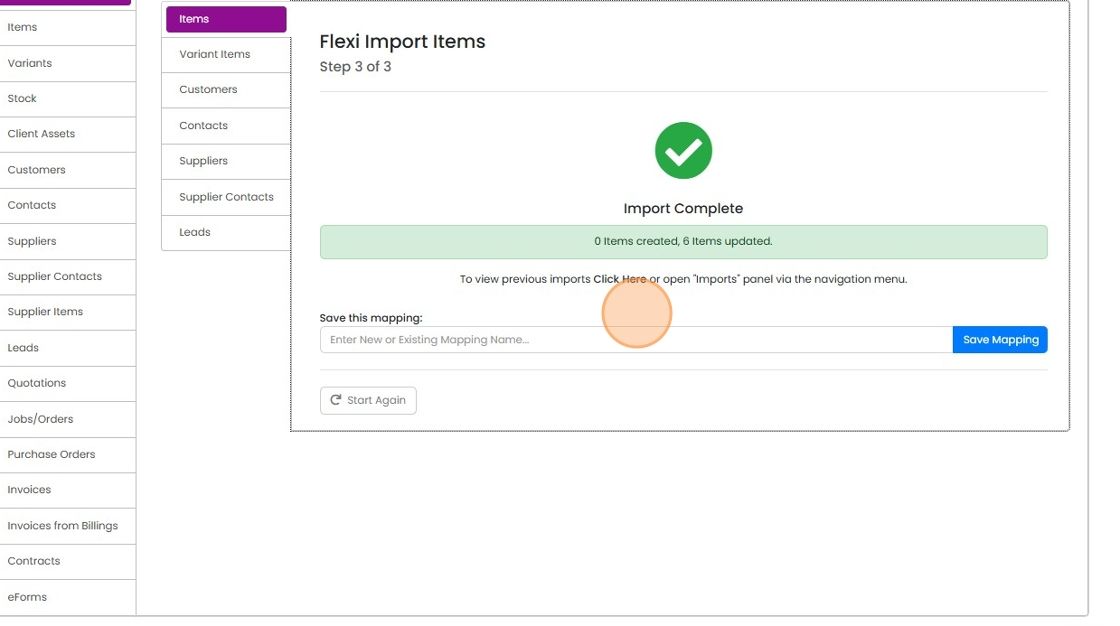
  16. The items will be updated

    Flexi Import Items step 3 of 3 showing Import Complete with 0 items created, 6 items updated, highlighting the Click Here link
  17. Click "Costs" in the item to review the update
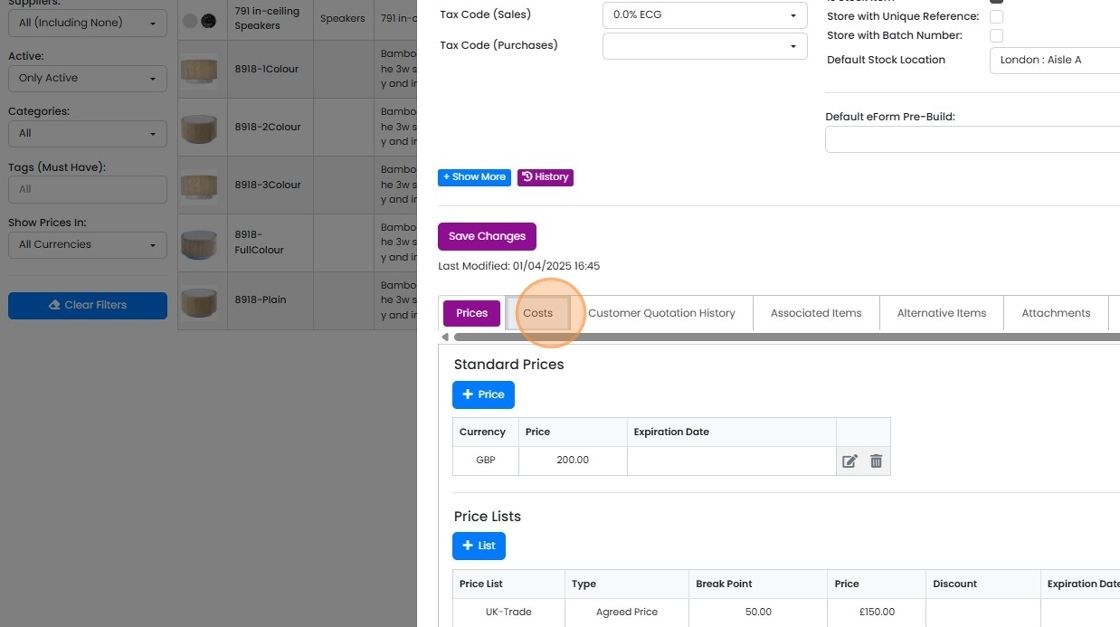
    Item details panel with the Costs tab highlighted next to Prices, above the Standard Prices and Price Lists tables
  18. The new supplier has been made the main one

    Supplier Costs table with a checkmark in the Main column on the first supplier row, now set as the main supplier
  19. The cost is update in the above field

    Item edit panel with the Cost field highlighted, showing the updated value of 130.0000 in GBP above Cost inc. Labour

Where you have multiple items and you want to set a new main supplier, use this method:

Frequently asked questions

Next step

Adding suppliers to an itemTo add suppliers to an item in Zigaflow, edit the item, click Costs, then click + Supplier. Click Add As Main for the main supplier, or click Add for a non-main supplier. You can add more than one supplier. You can also enter a different cost for each supplier, or leave it empty.

Was this helpful?

See Zigaflow on your own workflow

Book a demo and we will walk through quoting, jobs and purchasing the way your team runs them.

Or see how Zigaflow would fit your business, free