Deliver work
Creating one delivery note from multiple jobs/orders
The short answer
To create one delivery note from several jobs/orders, put the jobs/orders in the same project. Go To Projects, open the project, open its Jobs/Orders, click Create Delivery Note, select the jobs/orders, choose the delivery note pre-build, and click Submit. Zigaflow then creates the delivery note.
Steps
Click "Go To"

Click "Projects"
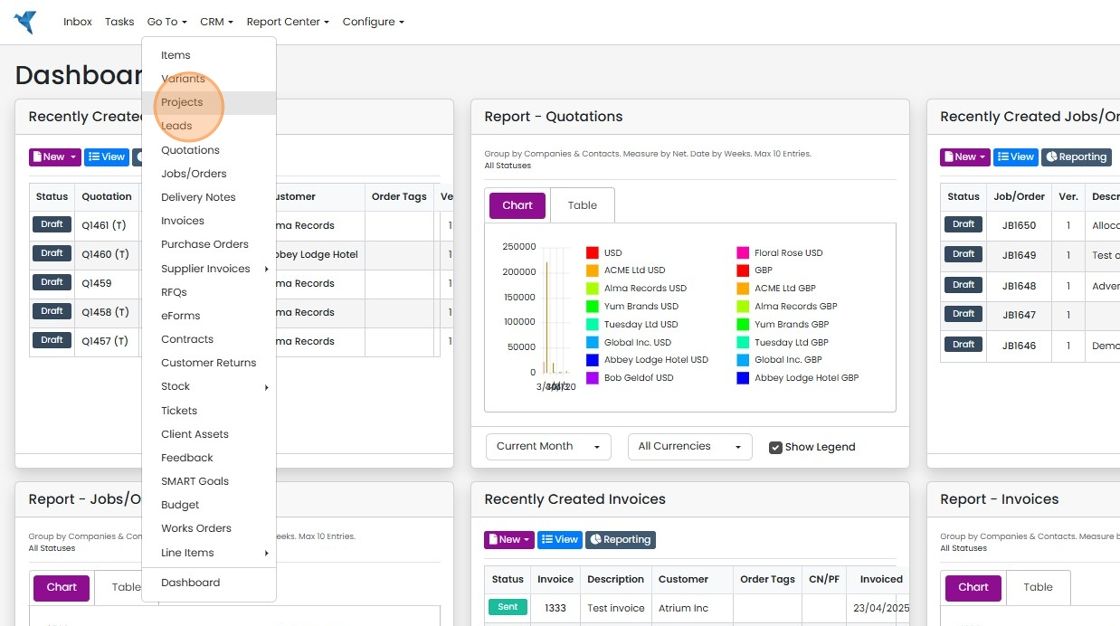
Open the project

Click on the Jobs/Orders (or whatever it is called in your account)
Create the delivery note

Click "Create Delivery Note"
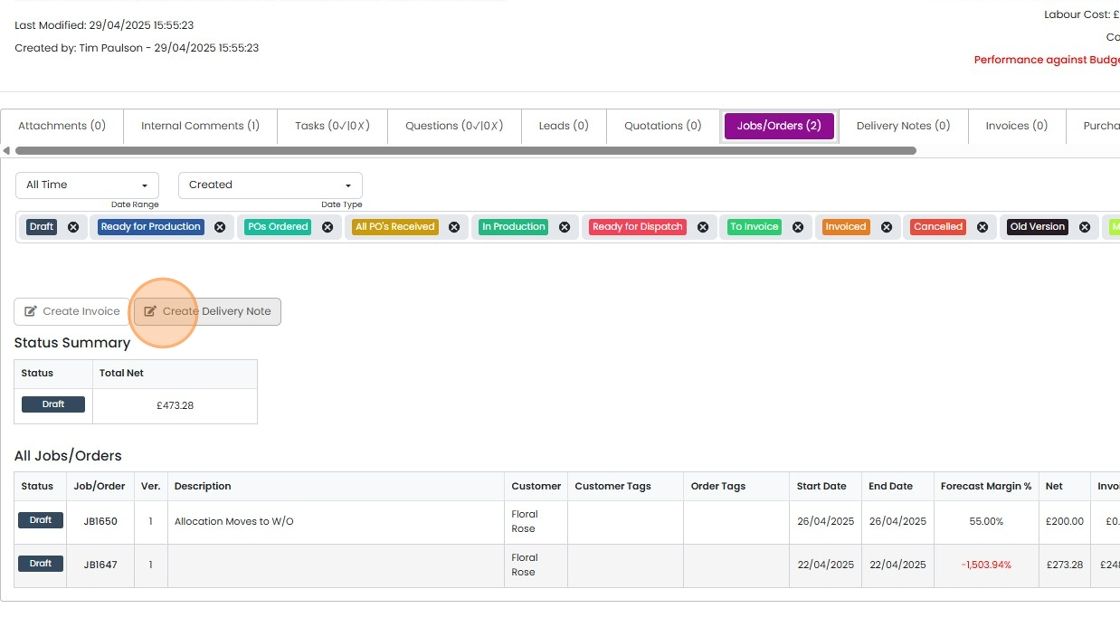
Select the jobs/orders to create the delivery note for
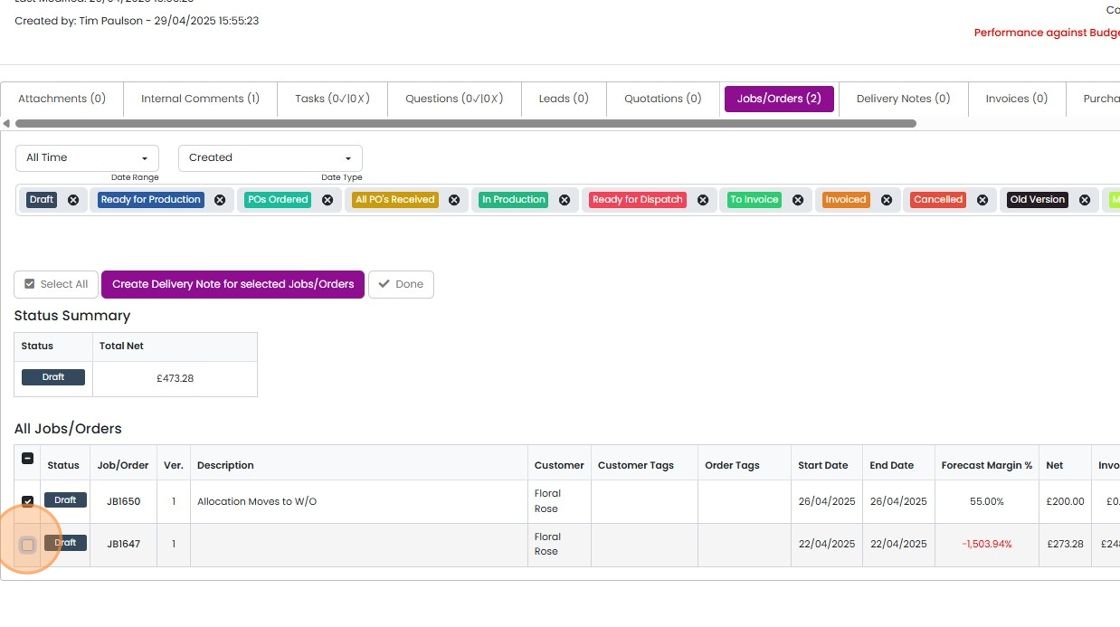
Click here
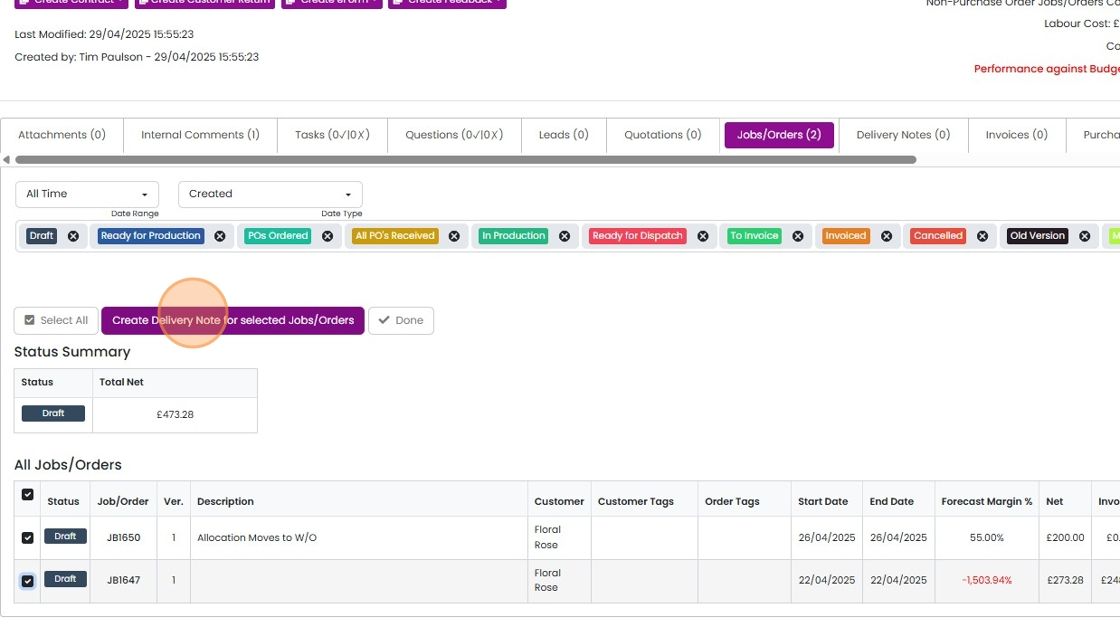
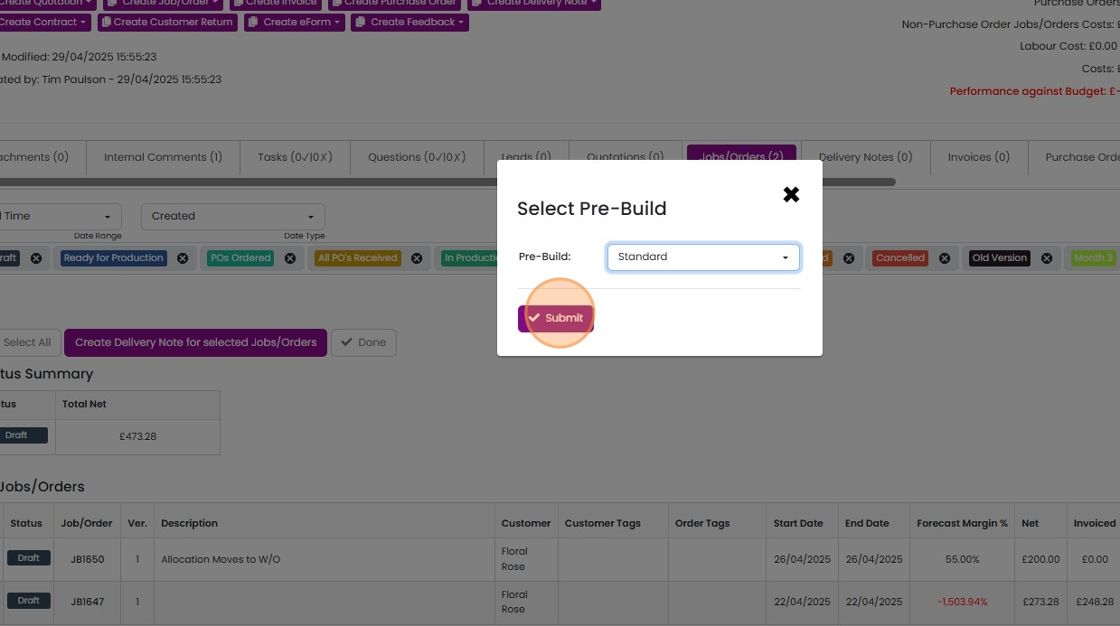
Select the delivery note pre-build and click "Submit"
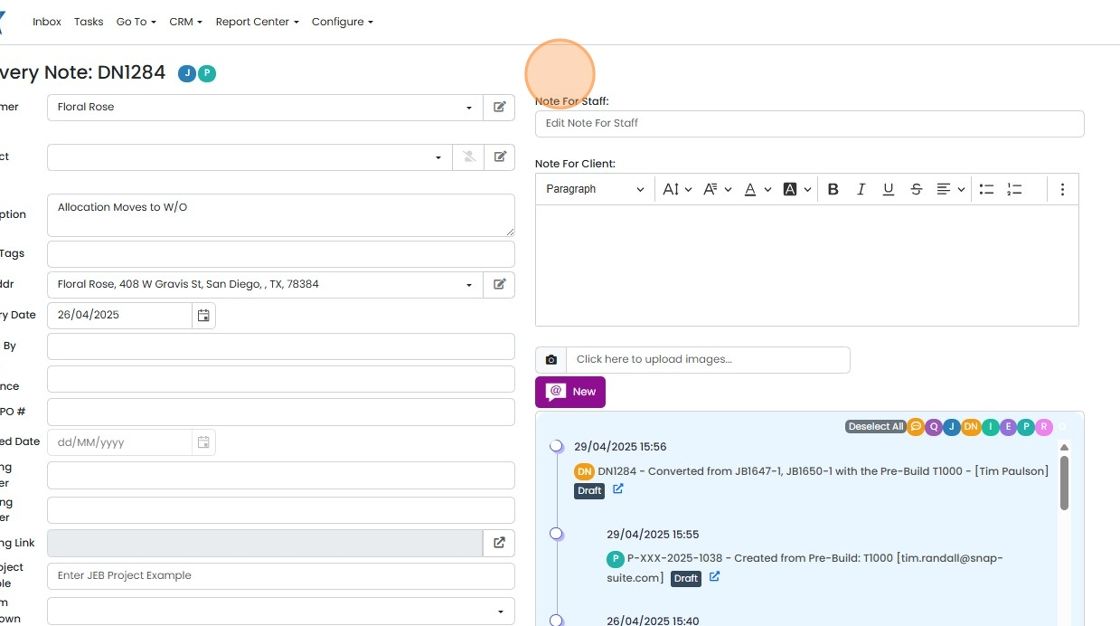
The delivery note is created
Learn more: delivery notes in Zigaflow


For this to work, the jobs/orders must be in the same project.
Open the project's jobs/orders
Frequently asked questions
Next step
Go and Momentum plansWas this helpful?