Win work

Merge companies/customers

In Zigaflow

The short answer

To merge duplicate companies or customers in Zigaflow, go to CRM, open Customers or Companies, choose Bulk Action, then Merge. Select the record you are removing, search for the record to keep as the master, confirm the merge details, and click Merge. Quotes, jobs, sales orders and contacts are copied to the remaining record.

Steps

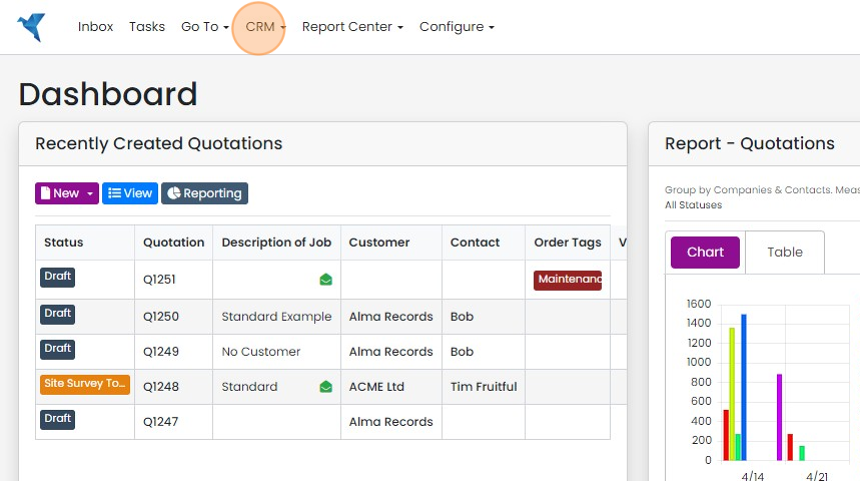
  1. Click "CRM"

    Zigaflow Dashboard with the CRM menu highlighted in the top navigation bar, between Go To and Report Center
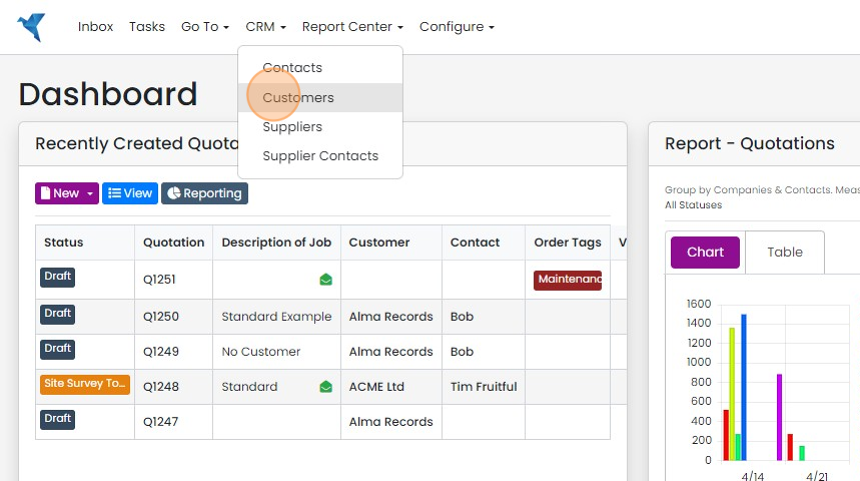
  2. Click "Customers"/ "Companies"

    Dashboard with the CRM menu open, highlighting the Customers option between Contacts and Suppliers
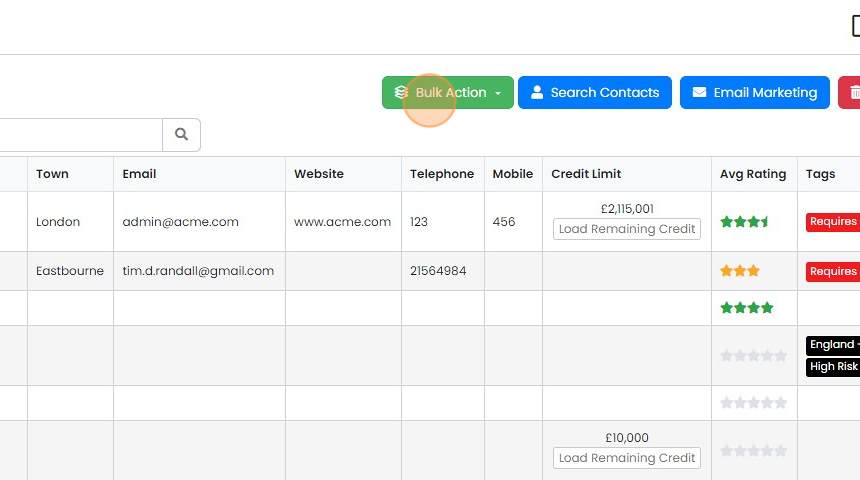
  3. Click "Bulk Action"

    Customers list with the Bulk Action button highlighted beside Search Contacts and Email Marketing above the table
  4. Click "Merge"

    Choose the records to merge
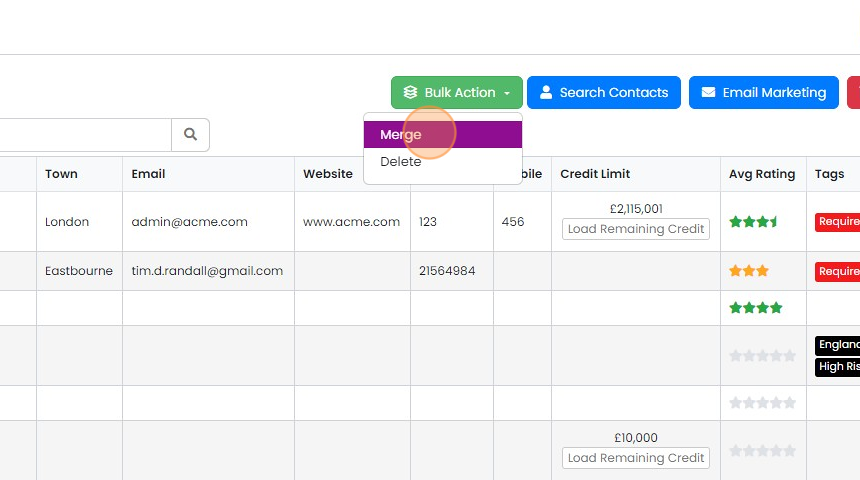
    Bulk Action dropdown open above the customer list, with the Merge option highlighted above Delete
  5. Select the Company/Customer that you are removing and merging into the one that will remain
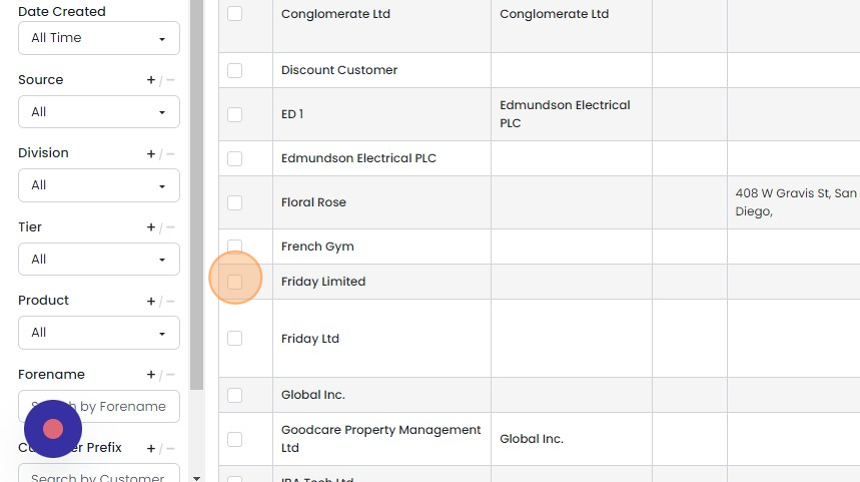
    Customer list with filter panel, the selection checkbox highlighted beside a company row to mark it for removal and merging
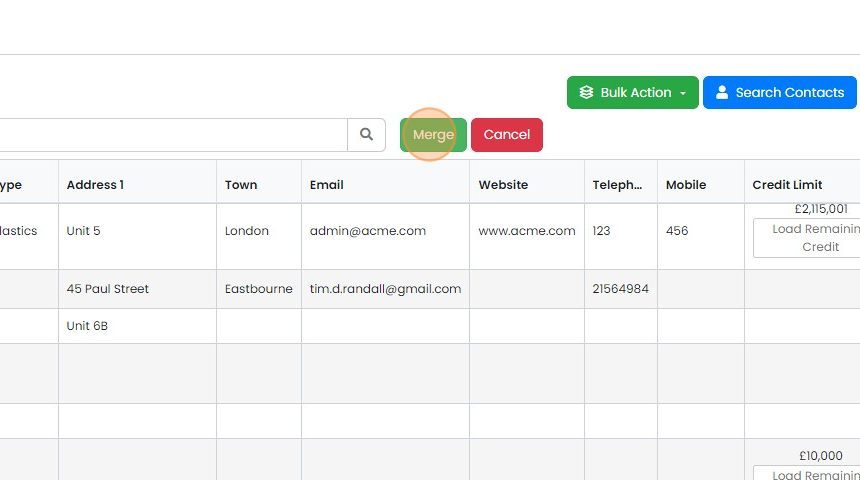
  6. Click "Merge"

    Customer list with the green Merge button highlighted next to Cancel, above the table of customer records
  7. Note which company/customer will be deleted
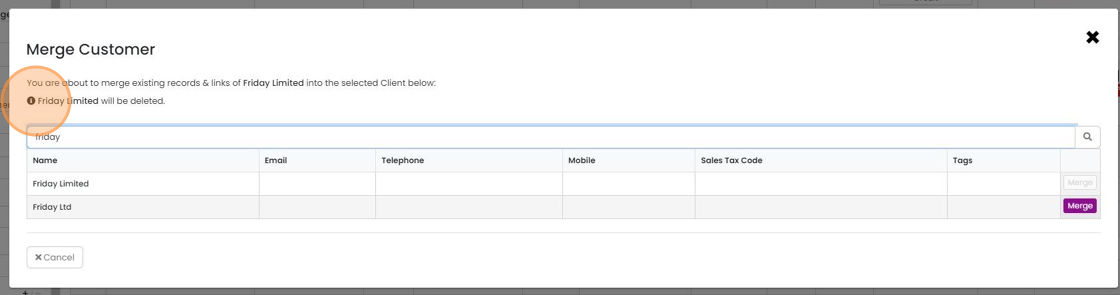
    Merge Customer dialog with the warning naming which customer will be deleted highlighted above the search and results list
  8. Search for the customer/company which will be the "master"
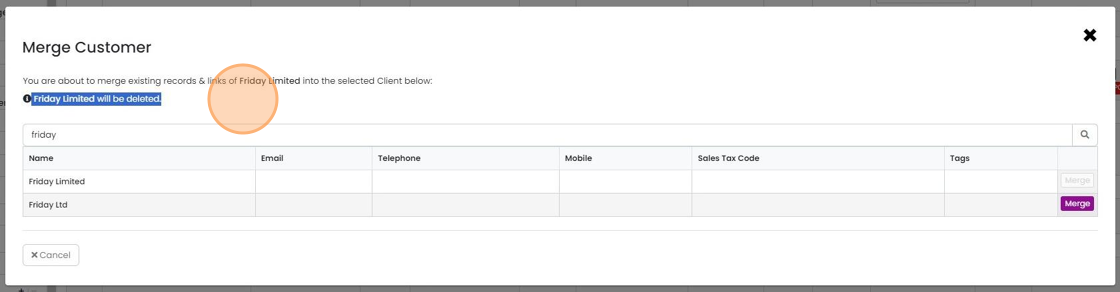
    Merge Customer dialog with a search for the master customer, the warning that the merged record will be deleted, and Merge buttons
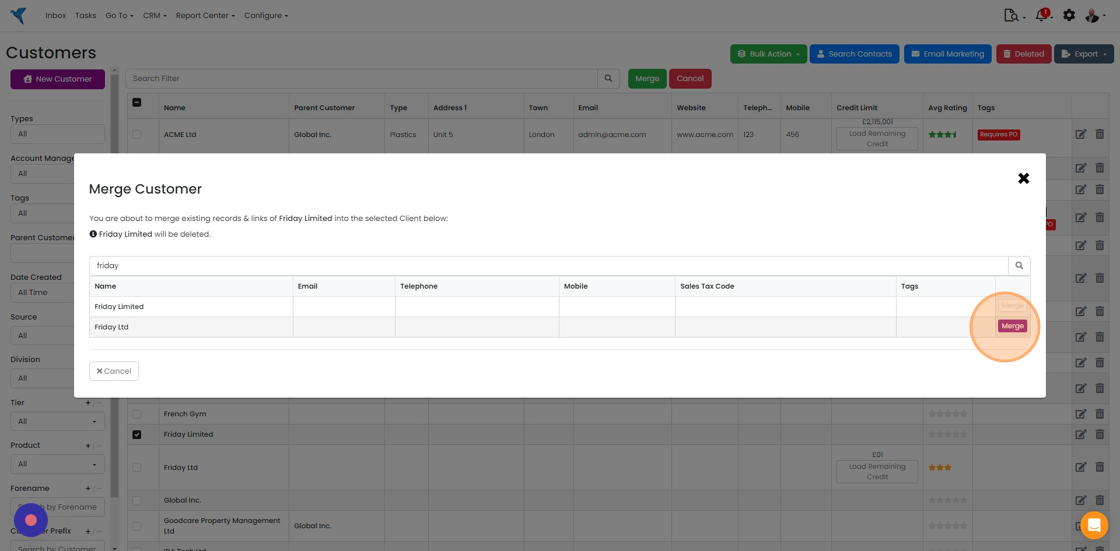
  9. Click "Merge"

    Confirm the merge

    Merge Customer dialog with search results, highlighting the Merge button on the second matching customer row
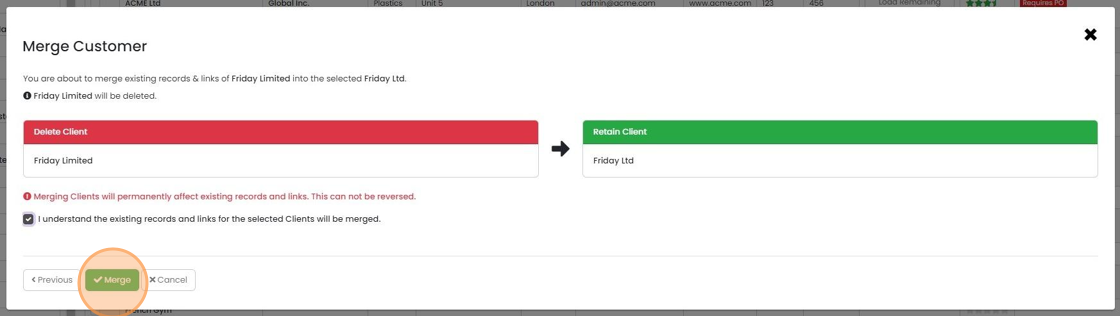
  10. Review the merge details and click on the tick box
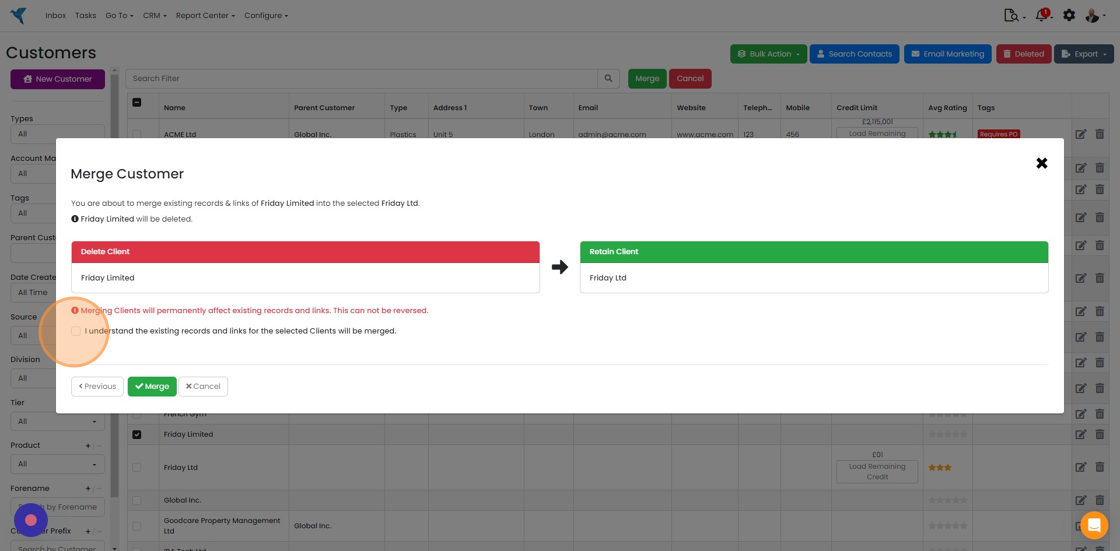
    Merge Customer dialog with Delete Client and Retain Client panels, highlighting the
  11. Click "Merge"

    Merge Customer dialog with Delete Client and Retain Client panels, confirmation box ticked and the Merge button highlighted
  12. All the Quotes, Jobs/Sales Orders, contacts, etc., from the first customer/company will be copied to the...

    All the Quotes, Jobs/Sales Orders, contacts, etc., from the first customer/company will be copied to the second one.

    Click "Close"
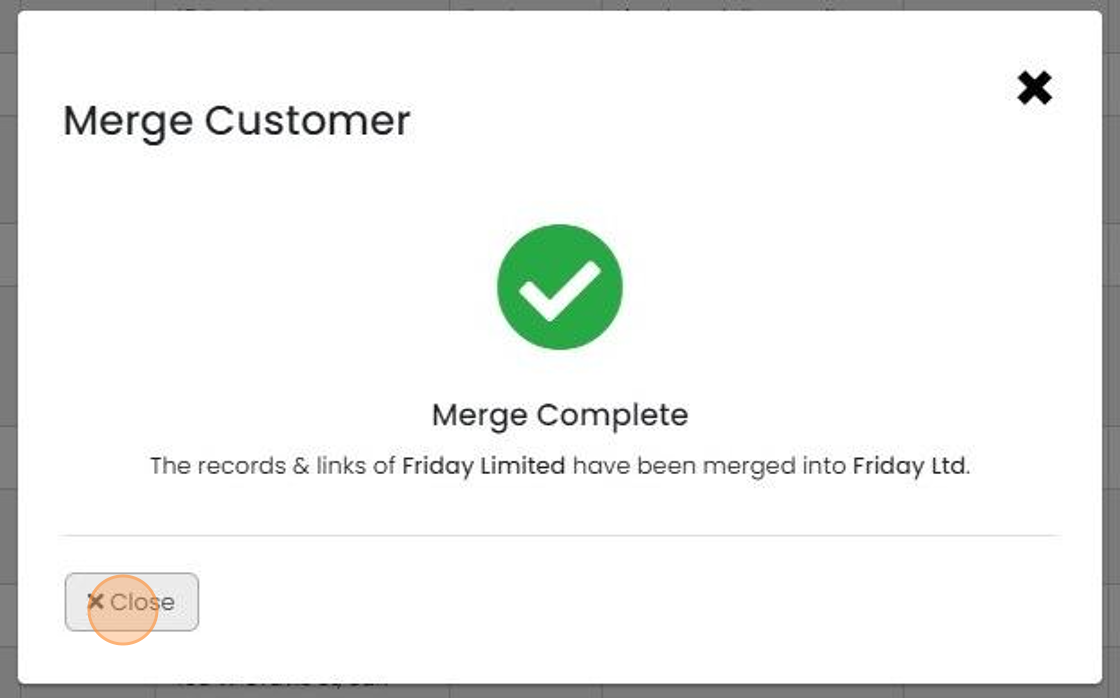
    Merge Customer dialog showing a green check and Merge Complete message, with the Close button highlighted

Open the merge tool

Frequently asked questions

Was this helpful?

See Zigaflow on your own workflow

Book a demo and we will walk through quoting, jobs and purchasing the way your team runs them.

Or see how Zigaflow would fit your business, free