Moving leads to another workflow/board
The short answer
To move leads to another workflow or board in Zigaflow, go to Leads, choose Bulk Action, and pick "- Workflow" to move them as they are or "Workflow via Pre-Build" to inherit new automated emails and tasks. Then select the leads, click Update Workflow, choose the workflow, and click Select next to the status.
Steps
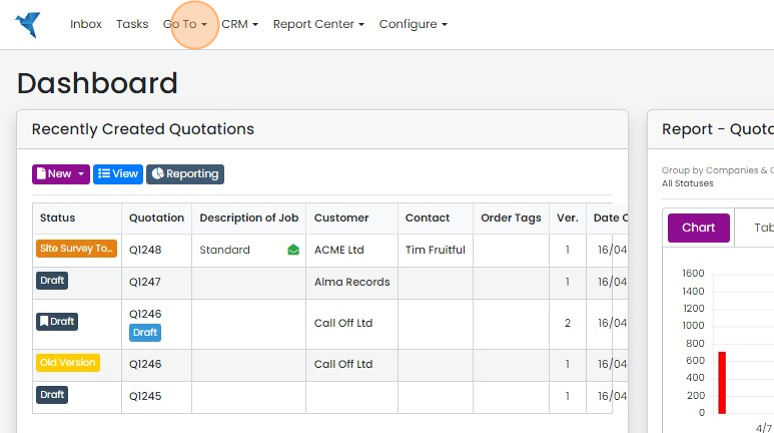
Click "Go To"
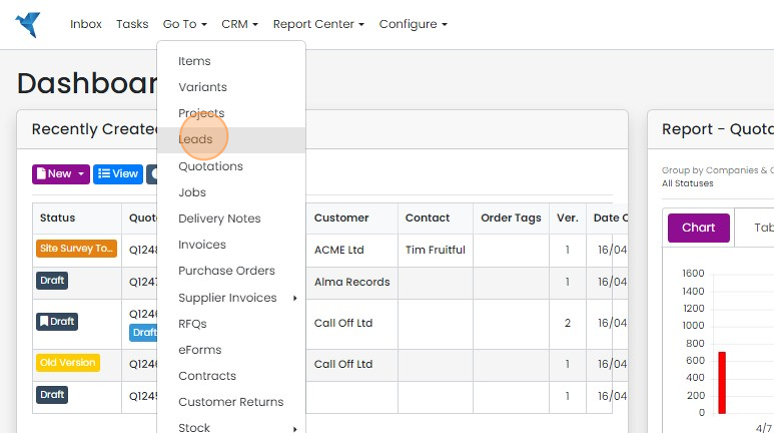
Click "Leads" or whatever you have renamed the module to
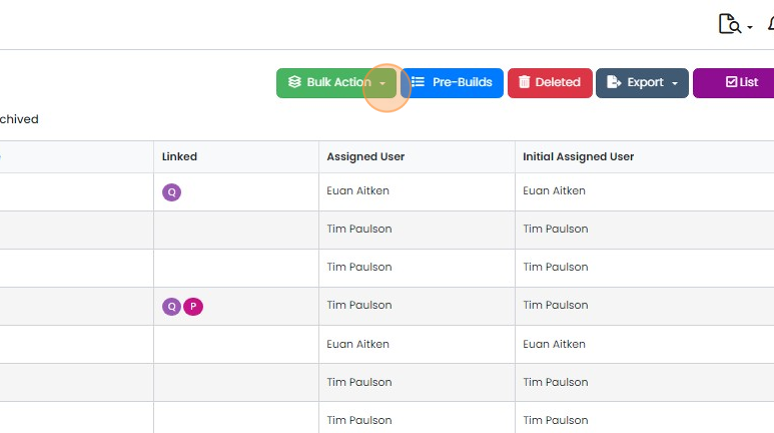
Click on "Bulk Action"
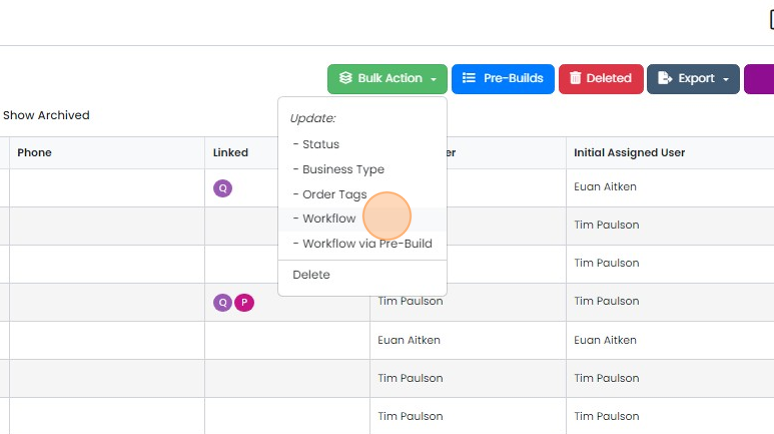
Click "- Workflow" to move the leads as they are or "Workflow via Pre-Build" to inherit a different...
Click "- Workflow" to move the leads as they are or "Workflow via Pre-Build" to inherit a different prebuild's functionality at the same time, such as automated emails and tasks
Select and move the leads
Select the lead(s) to move
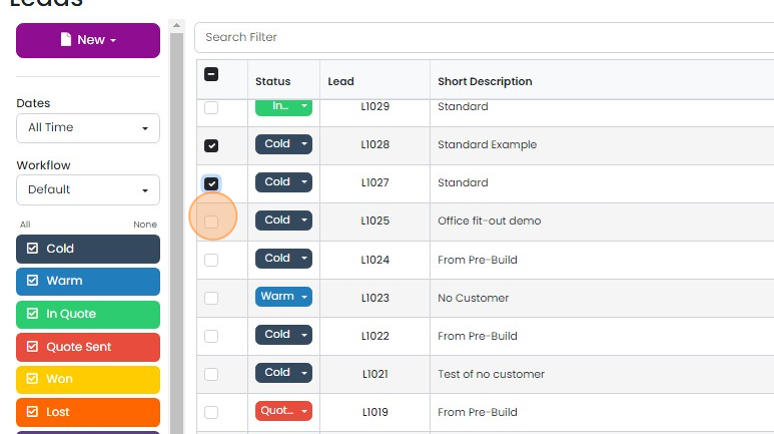
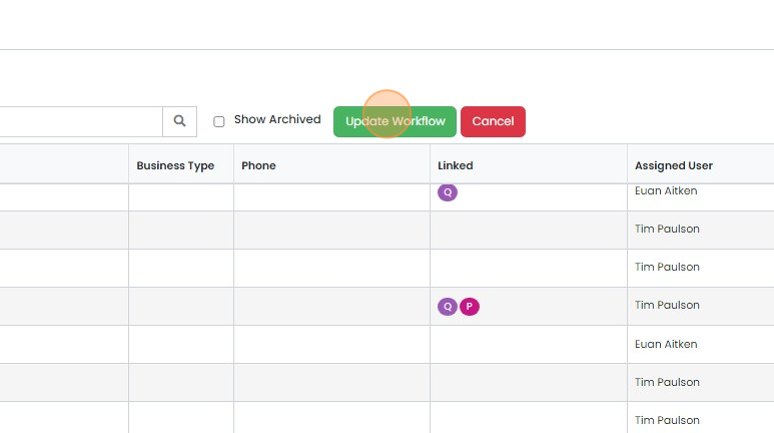
Click "Update Workflow"
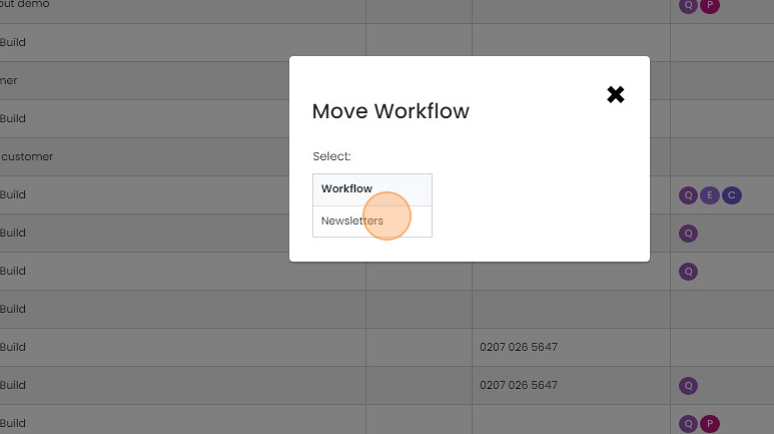
Select the workflow to move them to, in this example it is "Newsletters"
Click on the "Select' button next to the status in the workflow you want to move them to
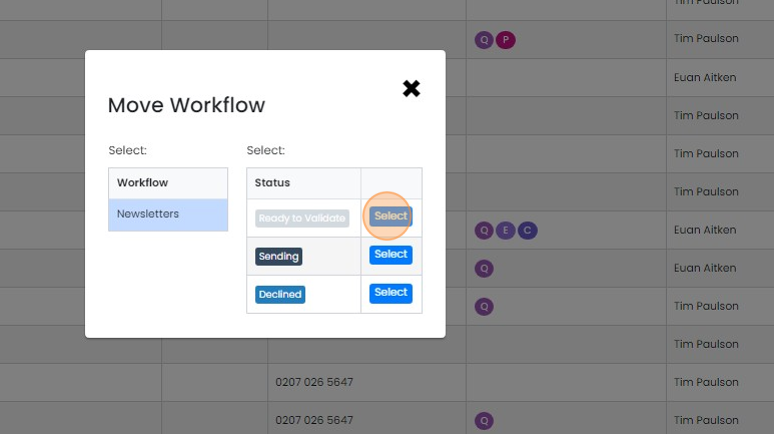
The lead(s) are then moved to the other workflow
Learn more: leads in Zigaflow


Leads/Opportunities/Enquiries or whatever else you have called them can be moved to another workflow or board. They can be moved 'As is' without inheriting any new automated emails or tasks, or by selecting the option to move via a pre-build, they can inherit a new set of automated emails and tasks.
Choose how to move the leads
Frequently asked questions
Next step
Go and Momentum plansWas this helpful?