Adding section totals to a quotation
The short answer
To add section totals to a quotation, open Document Templates in Zigaflow and edit a template. Add section total rows to the top or bottom of the items table, then insert variables such as {SectionNet}, {SectionTax} and {SectionTotal}. Preview the template, then save it.
Steps
Click here
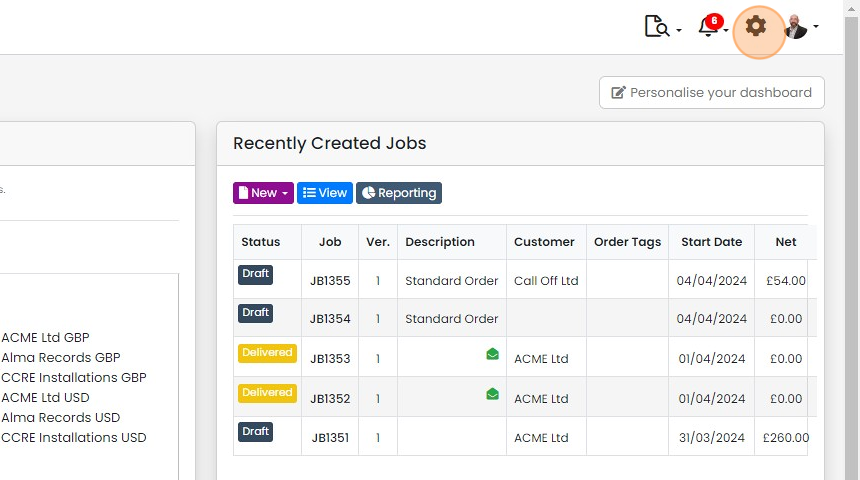
Click "Document Templates"
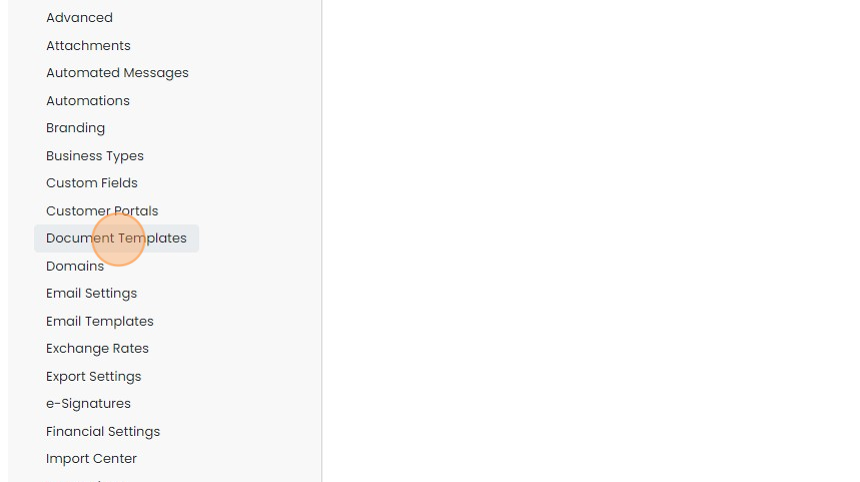
Edit a document template
Add section total rows

Add any section total rows to the bottom or top of the items table
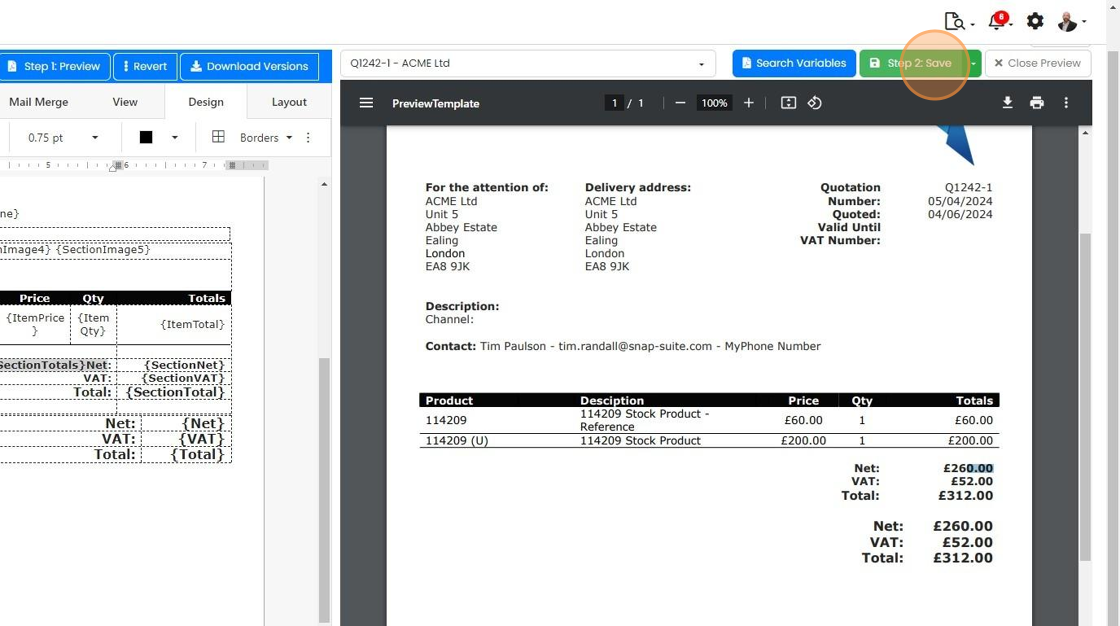
Add any section total rows to the bottom or top of the items table. If you have a grand totals, these should be in a separate table. In the example below there is a space between the two tables.

Add in one or more section total variables, for example
{SectionNet}
{SectionTax}
{SectionTotal}
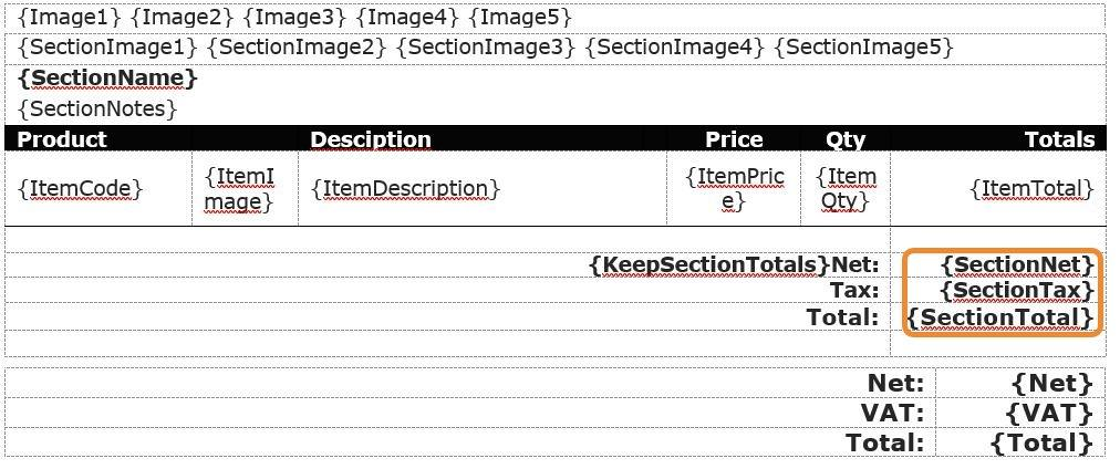
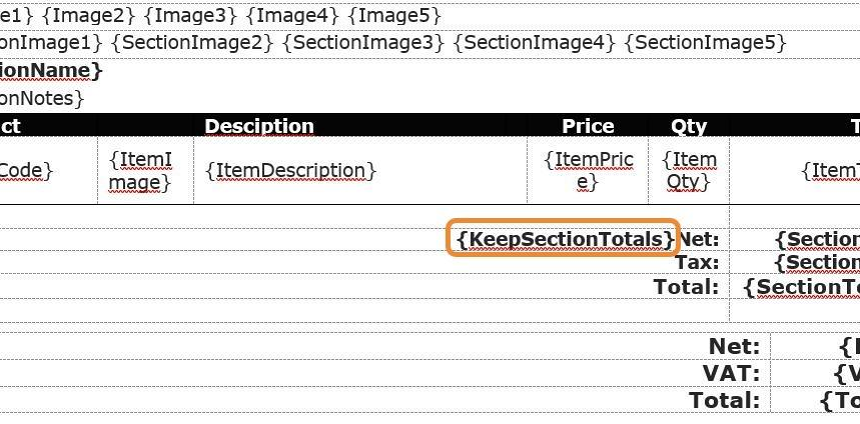
Zigaflow will automatically remove the section totals rows if there is only one section when it renders
Zigaflow will automatically remove the section totals rows if there is only one section when it renders. To stop this happening, add variable {KeepSectionTotals} to the table
Preview and save the template
When you are ready, click "Step 1: Preview"

If you are happy with the result, click "Step 2: Save"
Learn more: document templates in Zigaflow


Open a document template
Frequently asked questions
Next step
Every planWas this helpful?