Get set up

Setting the document and email templates on a pre-build

In Zigaflow

The short answer

To set the document and email templates on a pre-build, click the Cog, click Prebuilds, choose a module, and open or create a pre-build. Click Choose Templates to set document templates, and pick a default email template. Zigaflow uses them automatically when a quotation, job/order, or similar is created from the pre-build.

Steps

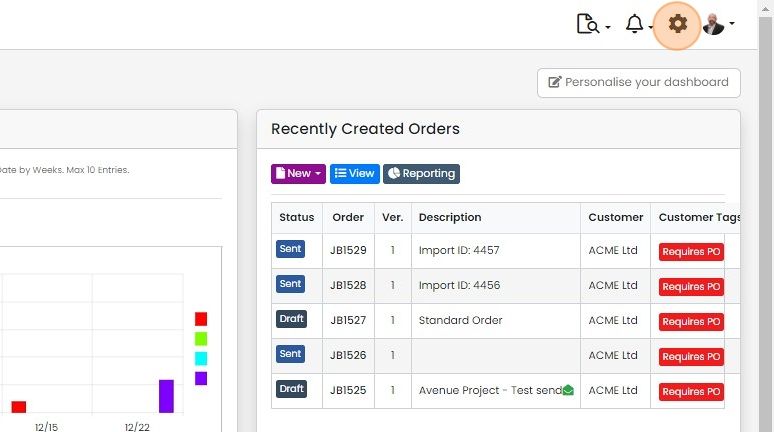
  1. Click on the Cog

    Zigaflow dashboard with the settings cog icon highlighted in the top-right toolbar, beside the notifications bell
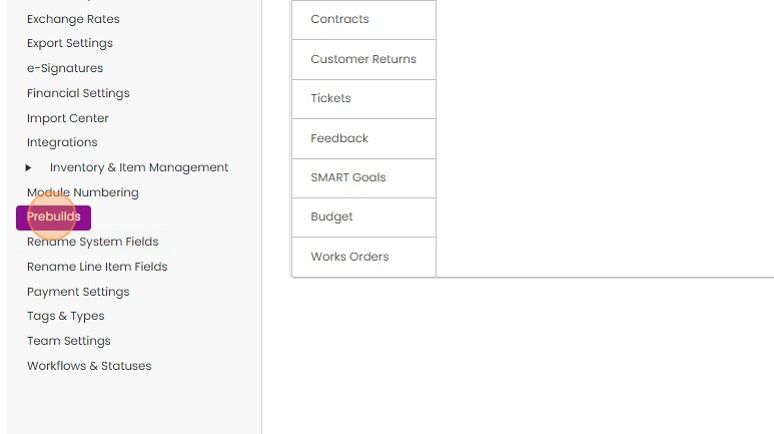
  2. Click "Prebuilds"

    Settings menu in Zigaflow with the Prebuilds option highlighted in the left sidebar, between Module Numbering and Rename Fields
  3. Click on the module you want to work on
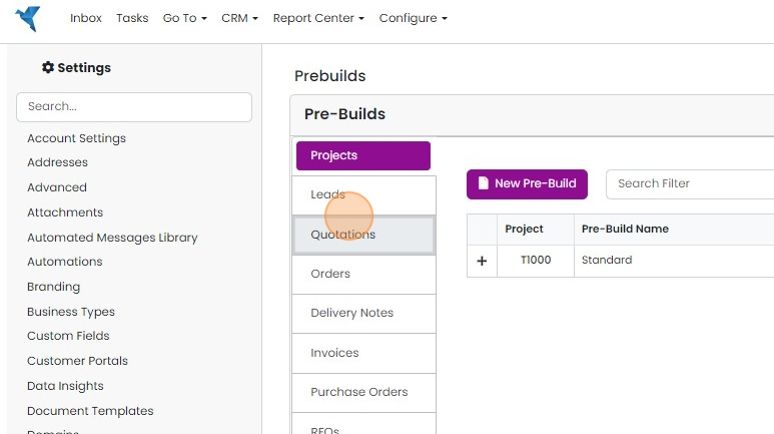
    Prebuilds settings with module tabs listed on the left, Quotations tab highlighted below the selected Projects tab
  4. Edit a pre-build or create a new one

    Set the document templates
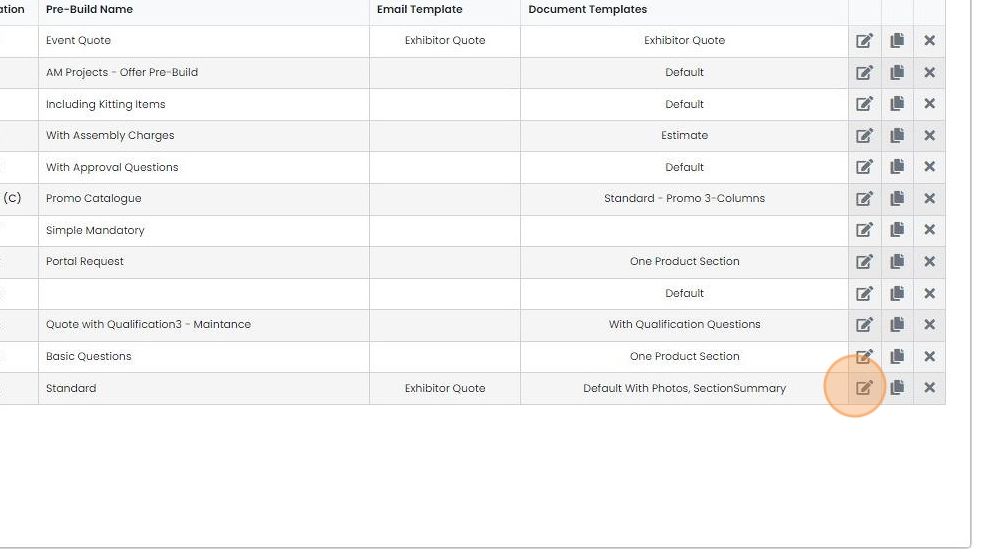
    Pre-builds list with Email Template and Document Templates columns, edit icon highlighted on the Standard pre-build row
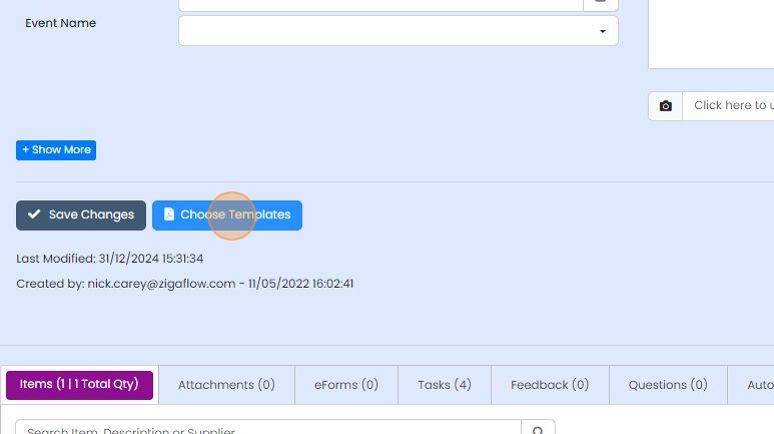
  5. Click "Choose Templates"

    Pre-build record with the Choose Templates button highlighted next to Save Changes, above the Items and Attachments tabs
  6. Change or set the first document template

    Pages table with the Name dropdown open, highlighting the
  7. Tick to finalize the selection

    Pre-Build Quotation Creation panel with the tick button highlighted next to the (Body) Default With Photos template
  8. To add more templates, click "Add Page"
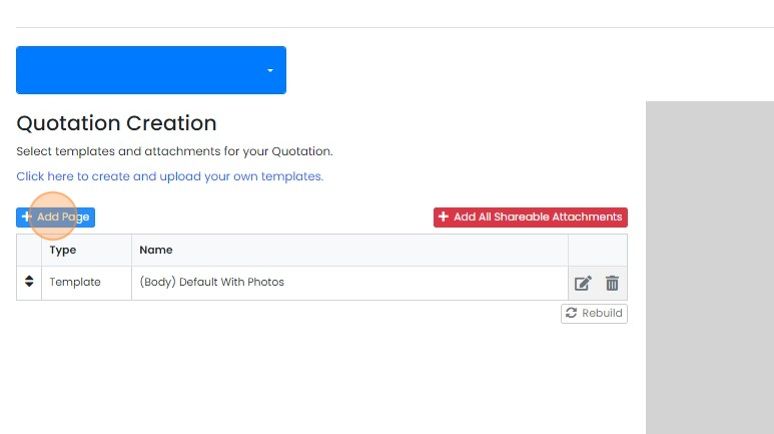
    Quotation Creation screen with the Add Page button highlighted above the template list showing (Body) Default With Photos
  9. Select the additional template

    Set the default email template
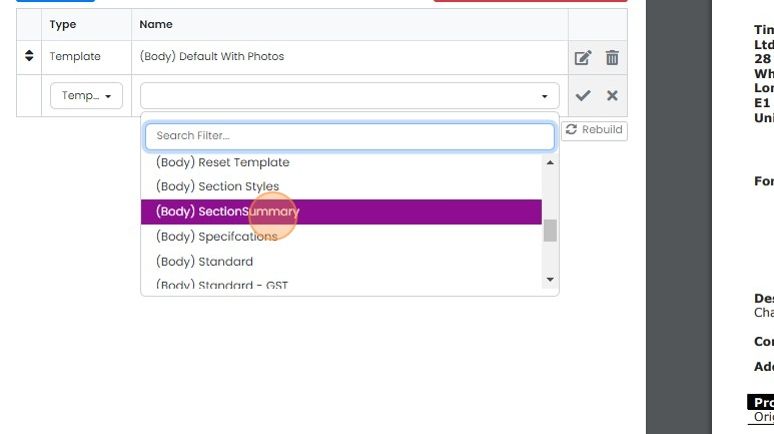
    Template Name dropdown open below the Type and Name table, with (Body) SectionSummary highlighted in the list
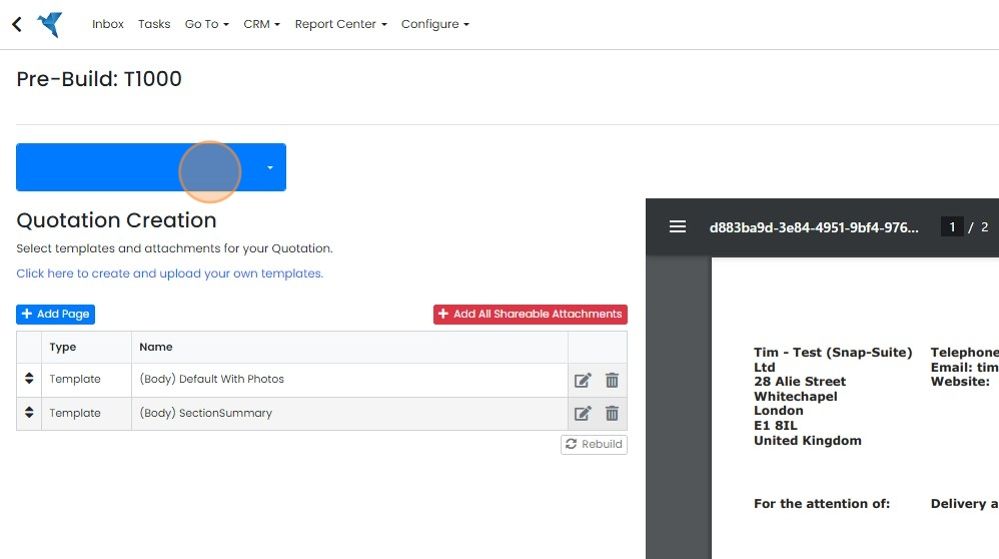
  10. To set the default email, click here

    Pre-Build Quotation Creation screen with the unlabeled blue dropdown button highlighted for setting the default email
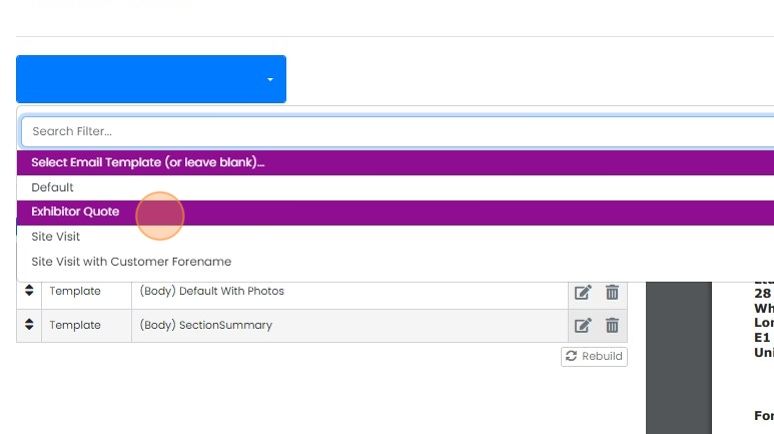
  11. Select the required template

    Email template dropdown open with Search Filter, highlighting the Exhibitor Quote option among Default and Site Visit choices

Open the pre-build

Frequently asked questions

Next step

Setting up a pre-buildTo set up a pre-build, create it and give it a name, because a pre-build without a name does not appear in the 'New' dropdown. Then set the PDF and email templates, add staff notes and default sections and items, and add automated messages, tasks, questions/playbooks, eForms, attachments and feedback.

Was this helpful?

See Zigaflow on your own workflow

Book a demo and we will walk through quoting, jobs and purchasing the way your team runs them.

Or see how Zigaflow would fit your business, free