Get set up
Add an existing item/SKU to an existing variant
The short answer
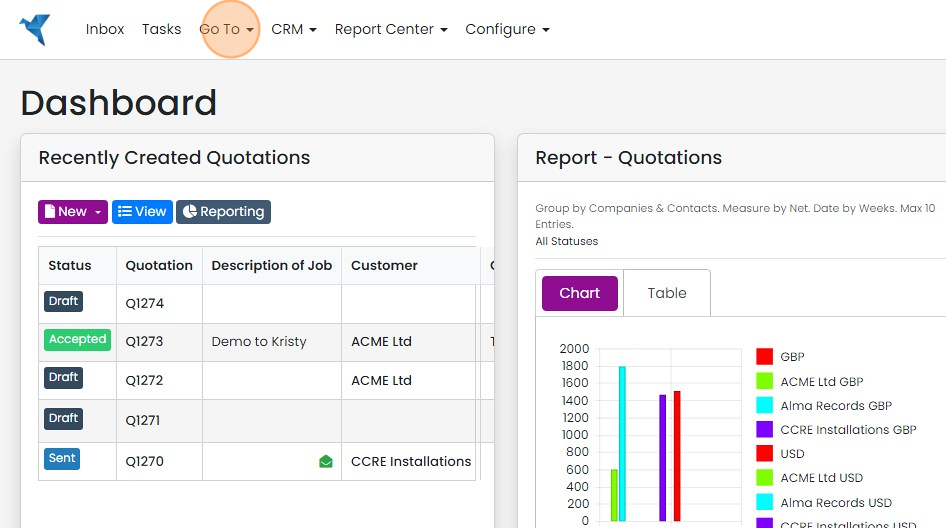
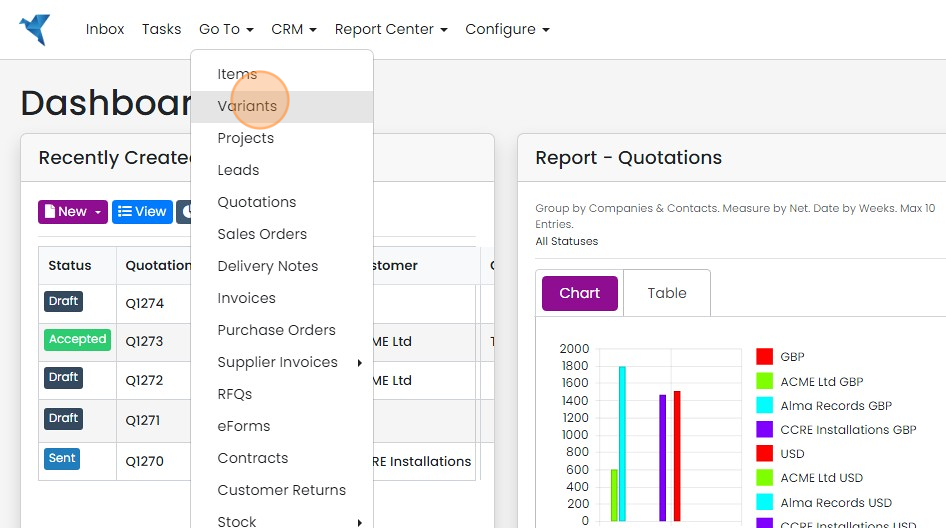
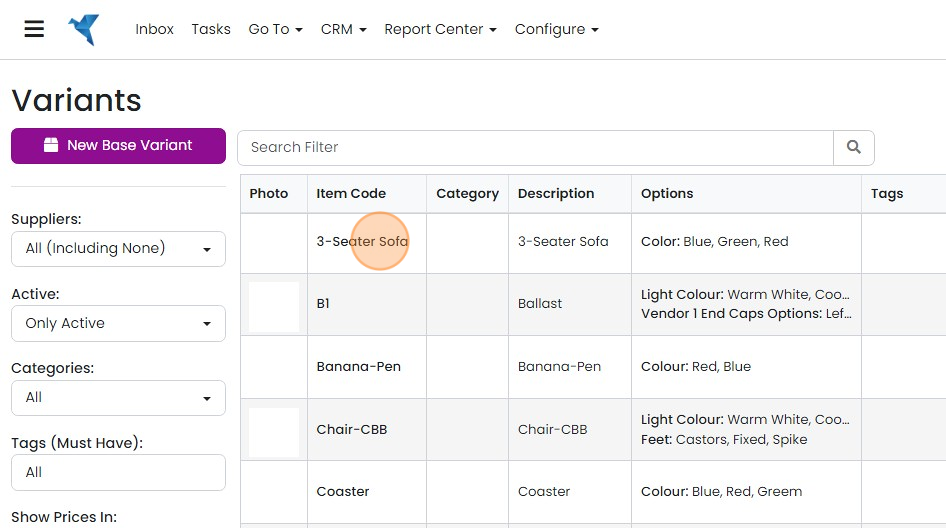
To add an existing item or SKU to an existing variant in Zigaflow, click Go To, then Variants, and open the variant. Add the option value first and save. Then click Add Existing Item, select the item, associate the option, such as color, with the new SKU, click Add Item to SKU, and save.
Steps
Click "Go To"
Click "Variants"
Click on the variant to add the SKU
Add the option value
Select the option
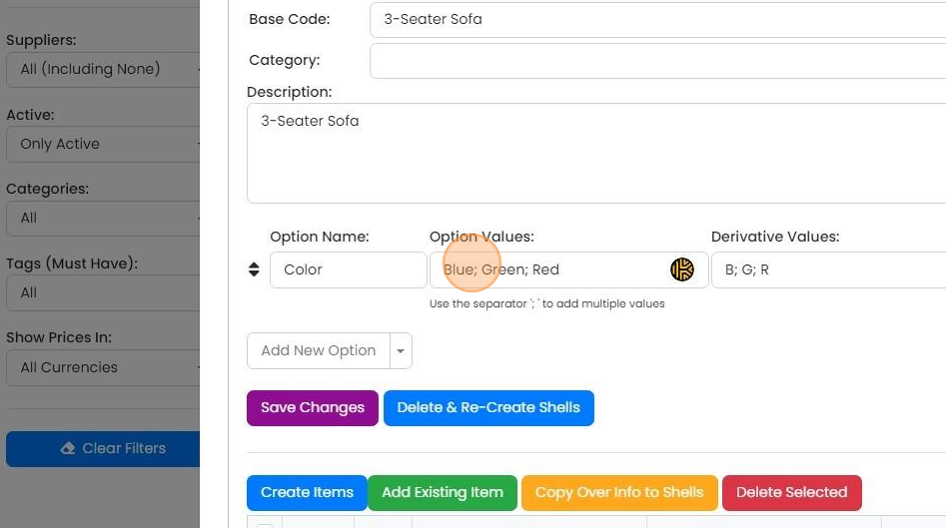
Add the value and derivate value
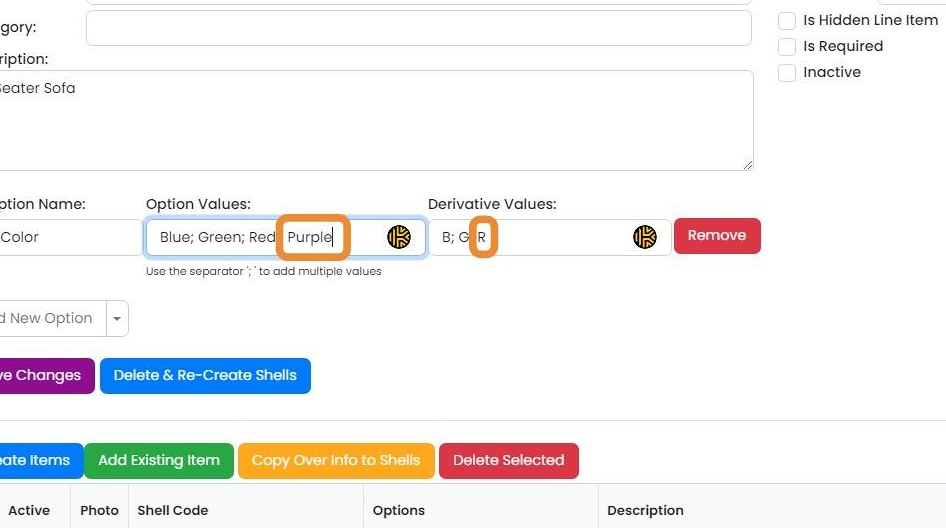
Click "Save Changes"
Add the existing item
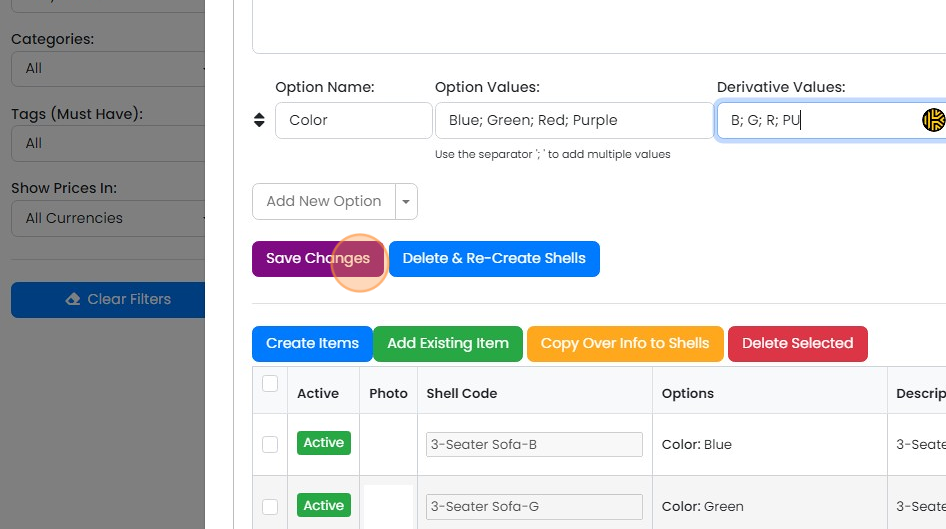
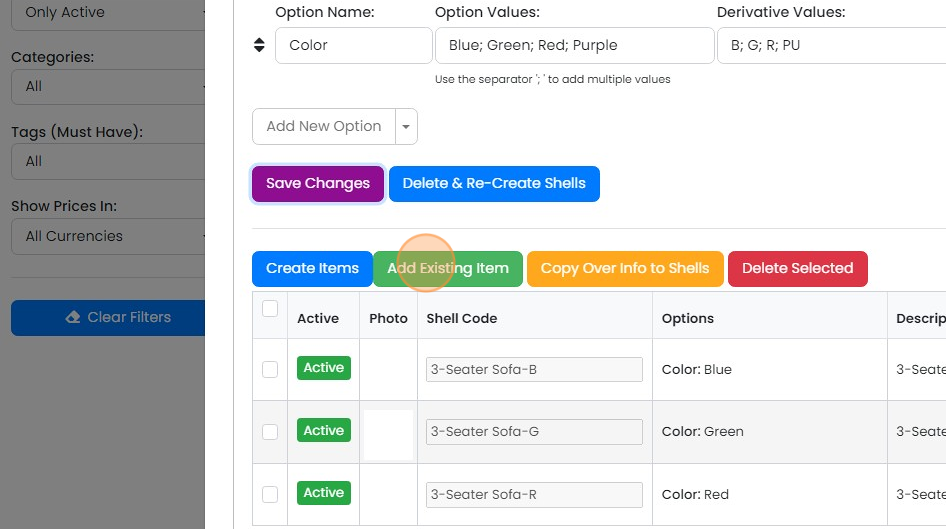
Click "Add Existing Item"
Select the item to add
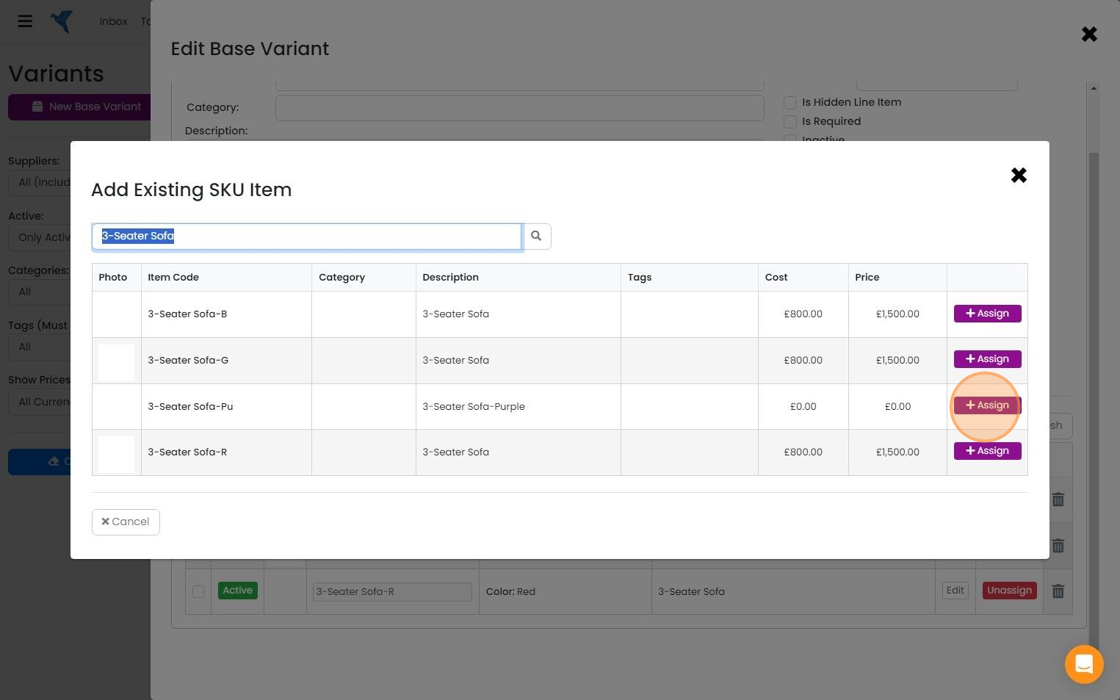
Associate the option with the new SKU (in this case, the color)
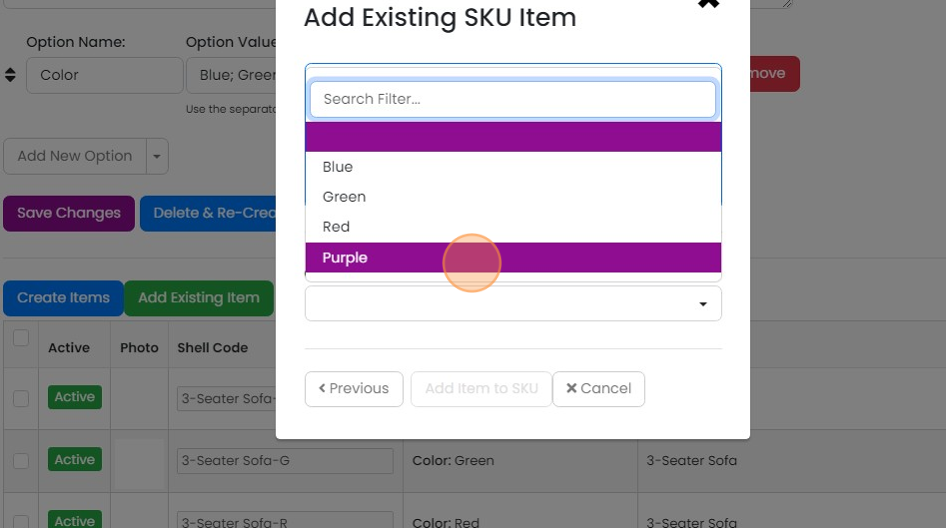
Click "Add Item to SKU"
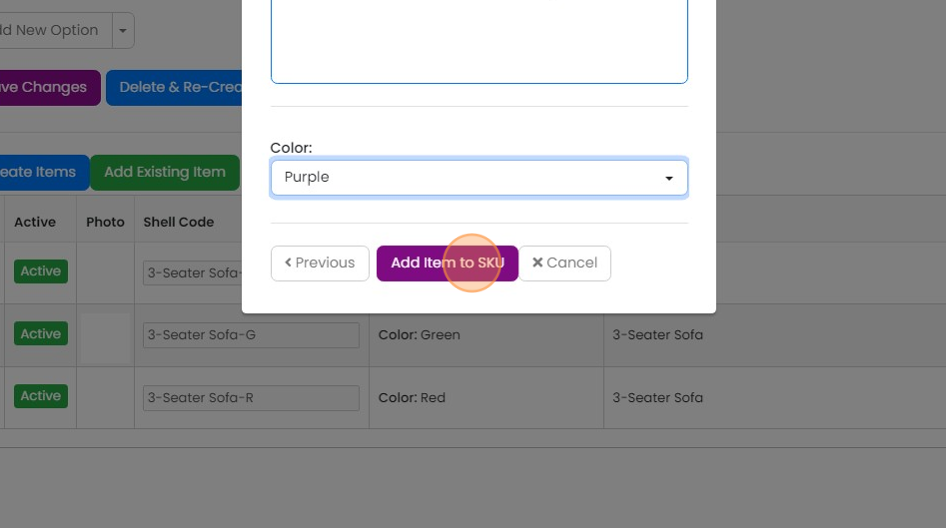
Click "Save Changes"

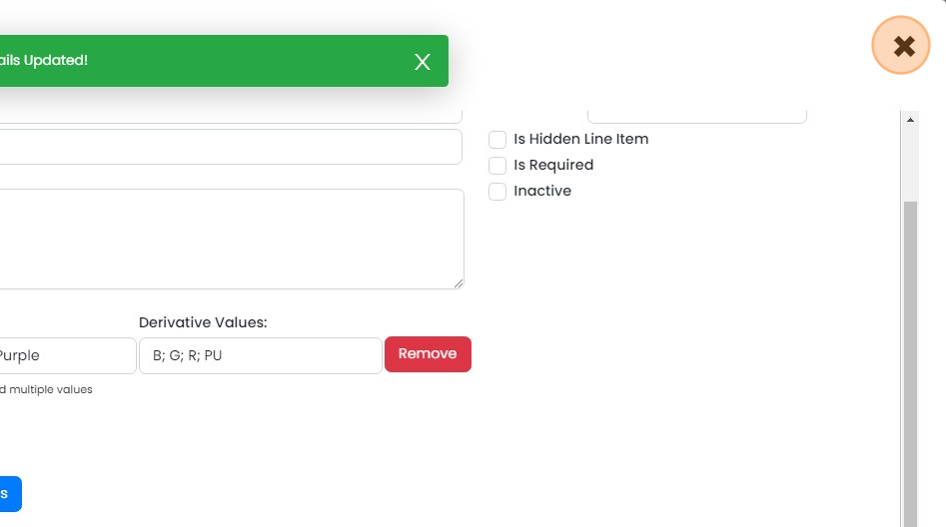
Click "×"
Learn more: kits and variants in Zigaflow


Open the variant
Frequently asked questions
Was this helpful?