Get set up

Add preset options for variants

In Zigaflow

The short answer

To add a preset option for variants, go to Products, click Add New Preset, enter a name, the values separated by semi-colons, and the derivative values separated by semi-colons, then click the tick to save. The preset is then available on the base variants editing screen, so you can reuse the same options across variants.

Steps

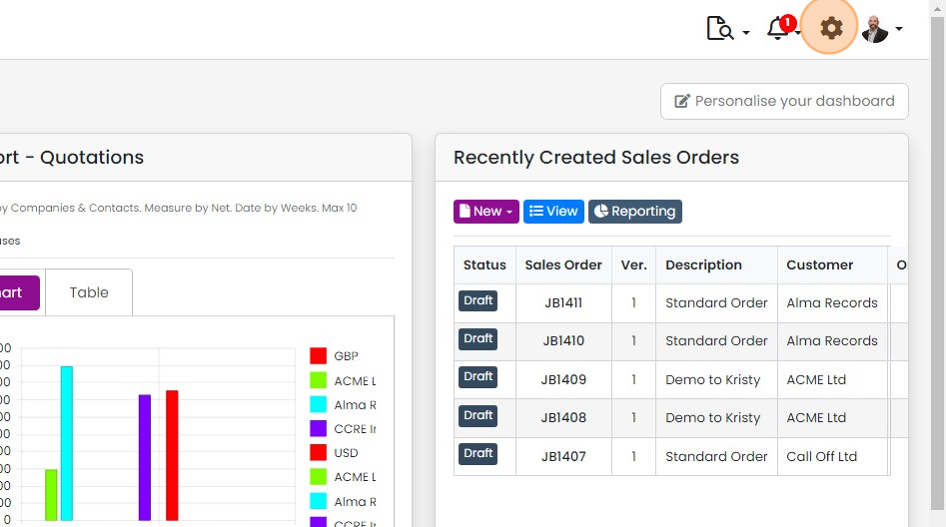
  1. Click here

    Zigaflow dashboard with the gear settings icon highlighted in the top-right toolbar, next to the notifications bell
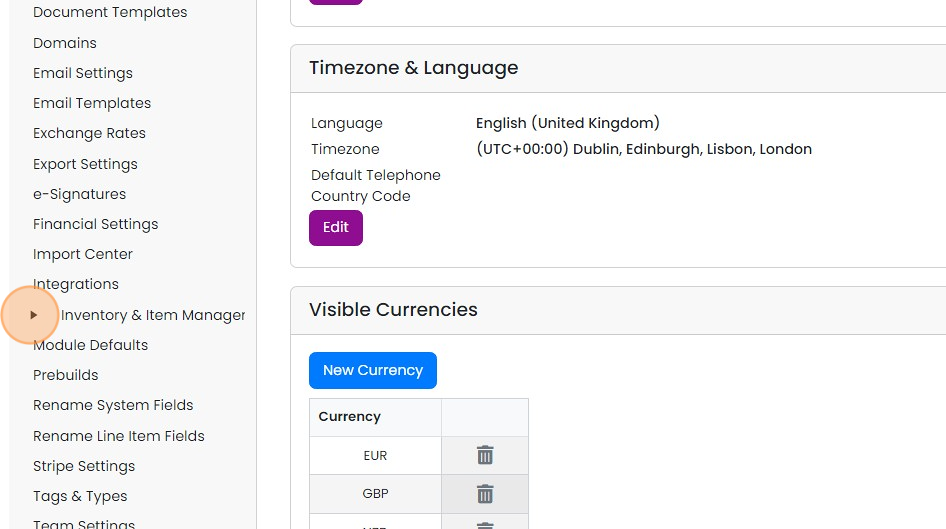
  2. Click here

    Settings menu with the expand arrow next to Inventory & Item Management highlighted, beside Timezone & Language panel
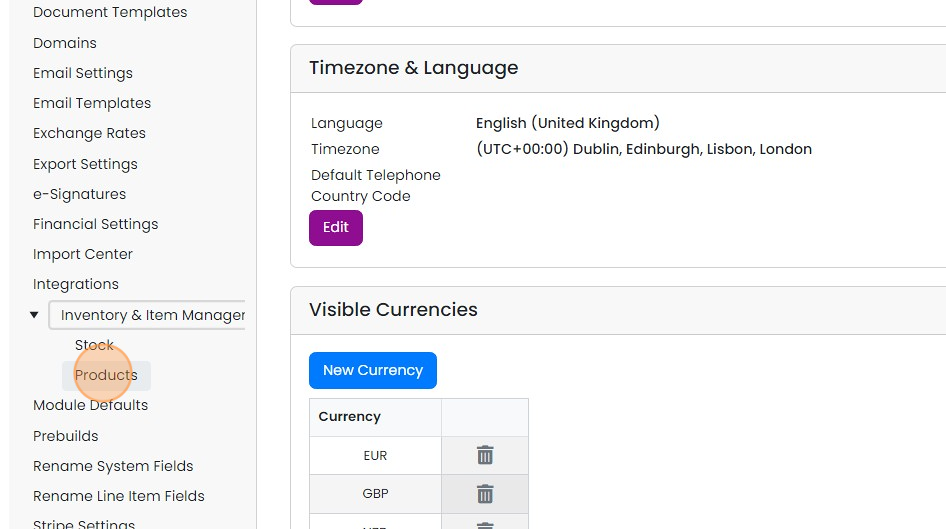
  3. Click "Products"

    Settings sidebar with Inventory & Item Management expanded and the Products option highlighted below Stock
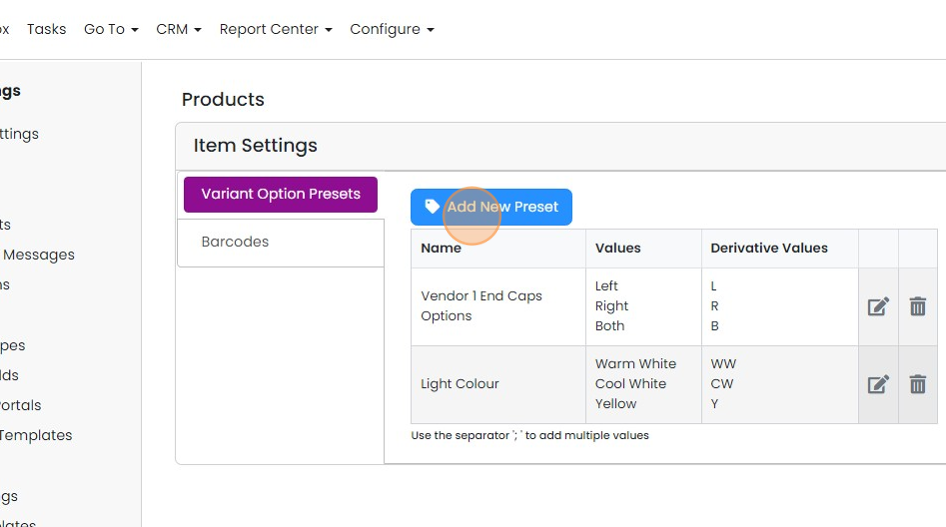
  4. Click "Add New Preset"

    Products Item Settings, Variant Option Presets tab, with the Add New Preset button highlighted above the presets table
  5. Enter a name for the preset, the values separated by semi-colons, and the derivative values separated by...

    Enter a name for the preset, the values separated by semi-colons, and the derivative values separated by semi-colons and click on the tick to save

    New preset row with Name, Values and Derivative Values entered using semicolons, with the save tick button highlighted
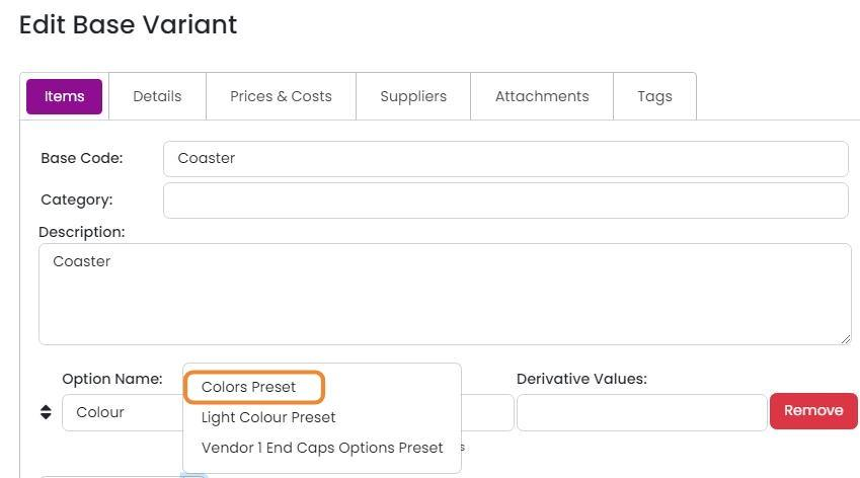
  6. The preset is then available on the base variants editing screen

    Edit Base Variant Items tab with the Option Name dropdown open and the Colors Preset option highlighted

Frequently asked questions

Next step

Creating a variantTo create a variant in Zigaflow, click Go To, then Variants, then New Base Variant, and add a code and description. Add option sets such as color or size, then create the shells, select them, and click Create Items to generate the SKUs and items. Save changes when done.

Was this helpful?

See Zigaflow on your own workflow

Book a demo and we will walk through quoting, jobs and purchasing the way your team runs them.

Or see how Zigaflow would fit your business, free