Make it yours

Bulk emailing direct from leads, quotations, jobs/orders, etc.

In Zigaflow

The short answer

To email several customers at once, open any main module such as Leads or Jobs/Orders, click Bulk Action, then Email Contact. Tick the records to email, choose and edit an email template, click Next, preview the email and click Create & Send. Emails go out in batches over a few minutes.

Steps

  1. In any of the main modules, click on "Bulk Action"
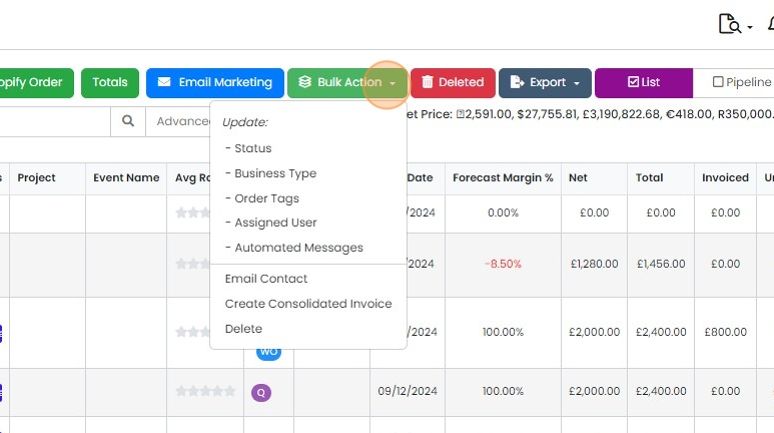
    Bulk Action button highlighted on the list toolbar, with a dropdown showing Update options, Email Contact and Delete
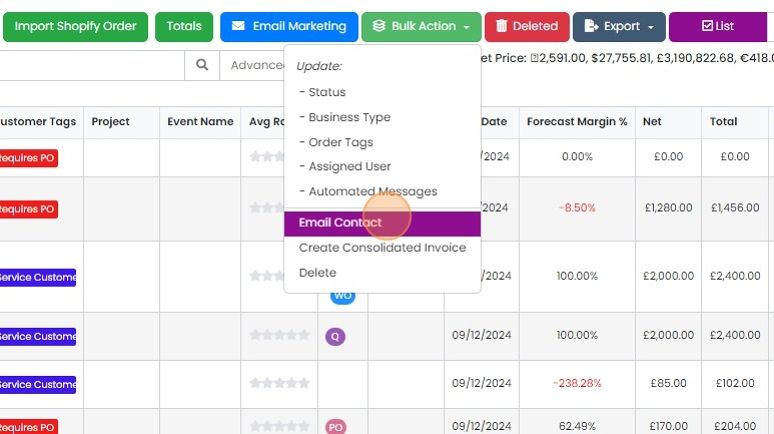
  2. Click "Email Contact"

    Bulk Action dropdown open above a list of orders, with the Email Contact option highlighted under the Update options
  3. Tick the Leads, Jobs/Orders, etc. that are to be the source for the email
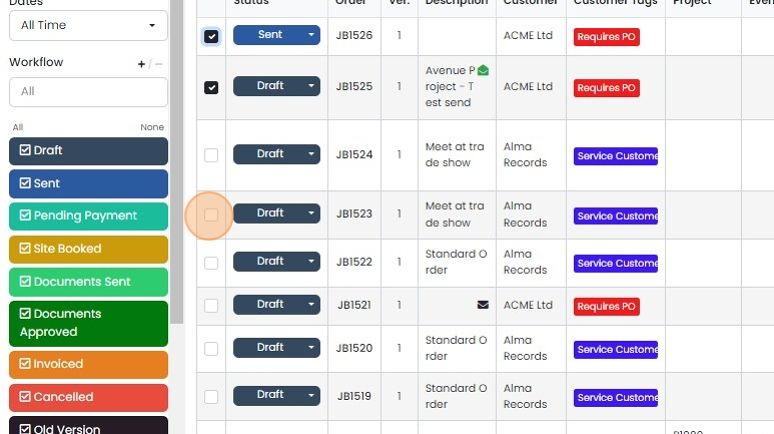
    Jobs list with JB1526 and JB1525 ticked and the selection checkbox for JB1523 highlighted, beside Workflow status filters
  4. Click "Email Contact"

    Choose and edit a template
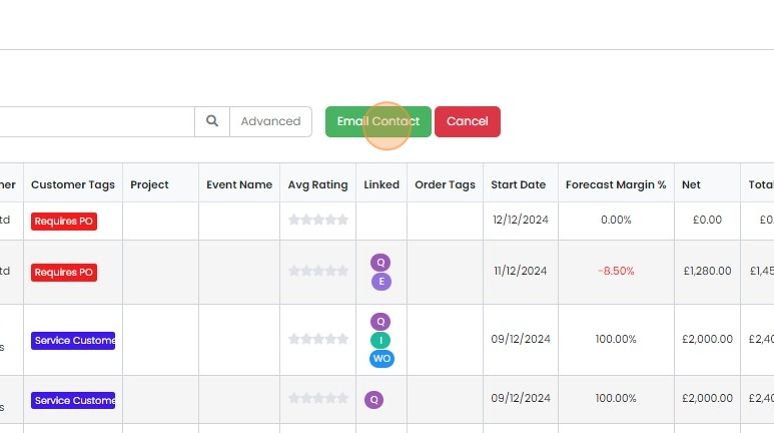
    Email Contact button highlighted next to Cancel above a records list with tags, start dates and forecast margin columns
  5. Select an email template (these can be set up in the Cog -> "Email Templates")
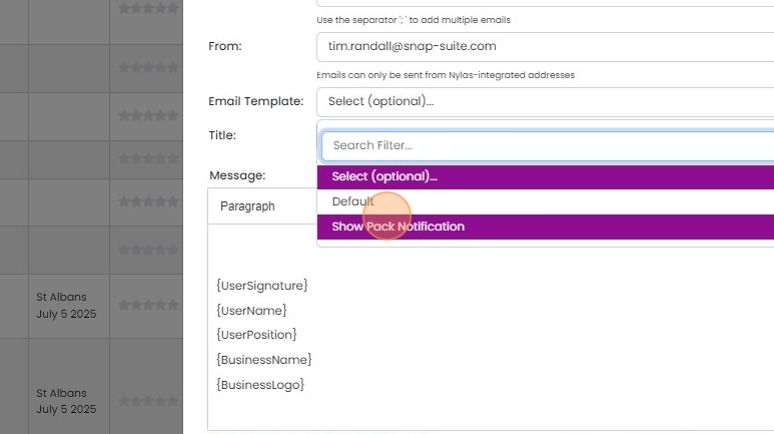
    Email form with the Email Template dropdown open and the Show Pack Notification template highlighted for selection
  6. Save any alterations to the template

    Preview and send the email
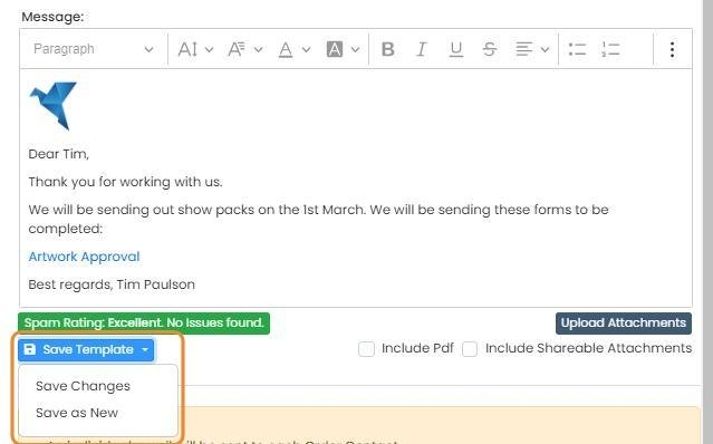
    Email message editor with the Save Template dropdown highlighted, showing Save Changes and Save as New options
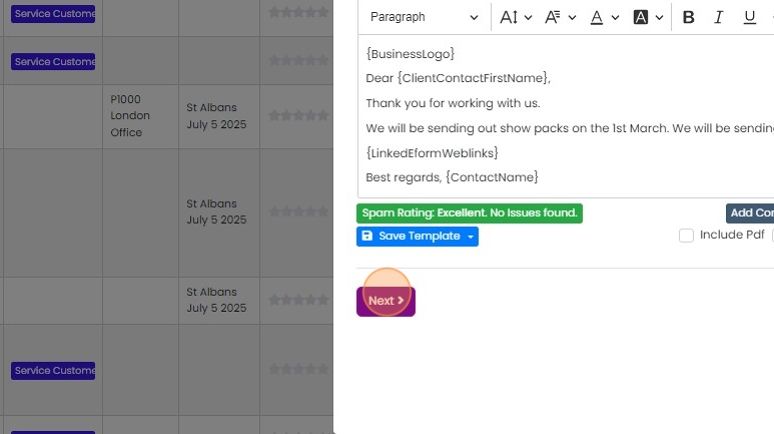
  7. Click "Next"

    Bulk email editor with merge fields and an Excellent spam rating, with the purple Next button below highlighted
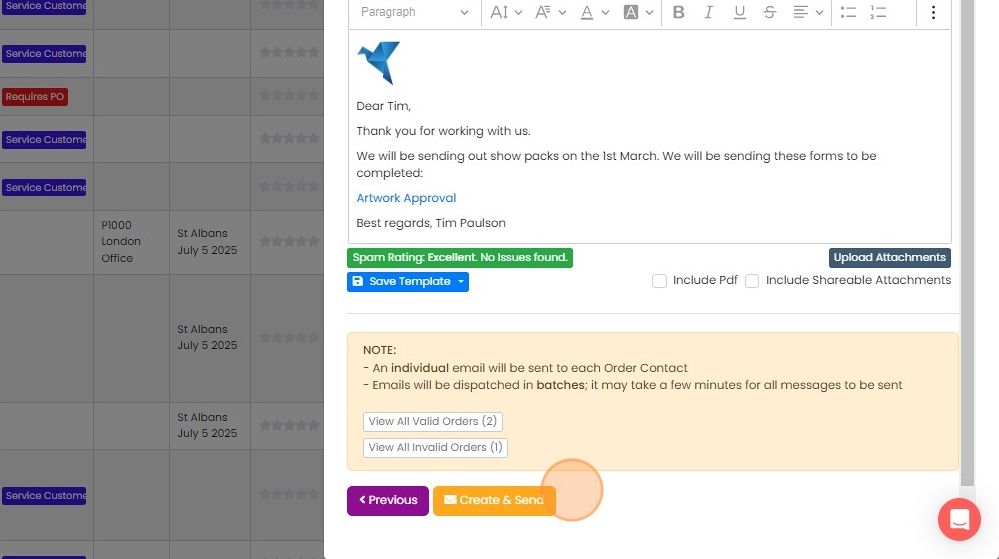
  8. Preview the email and click "Create & Send". They will be send over the next few minutes in batches

    Bulk email preview with message editor, batch sending note and the Create & Send button highlighted at the bottom

Select the records to email

Frequently asked questions

Next step

Managing bulk email templatesAs an admin user, click the Cog, choose Email Templates, then Contacts. Click a bulk email template in the list to edit it. Click Save & Preview to check your changes, or click Save to save without previewing. These templates are used for bulk emailing from Zigaflow, not from MailChimp.

Was this helpful?

See Zigaflow on your own workflow

Book a demo and we will walk through quoting, jobs and purchasing the way your team runs them.

Or see how Zigaflow would fit your business, free