Win work

Calculating a USA tax code on a quotation

In ZigaflowEvery plan

The short answer

Zigaflow works out a USA tax code from the ZIP code. First switch on 'USA Sales Tax' in Financial Settings. Then, in a quote, select the customer, make sure they have a delivery address, click Apply, choose USA Sales Tax and click the tick. The code is set on all items.

Steps

  1. Click on the cog

    Click on the cog
  2. A. Select 'Financial Settings'

    B. Click on Edit

    Step 2
  3. Tick to switch on 'USA Sales Tax'

    Tick to switch on 'USA Sales Tax'
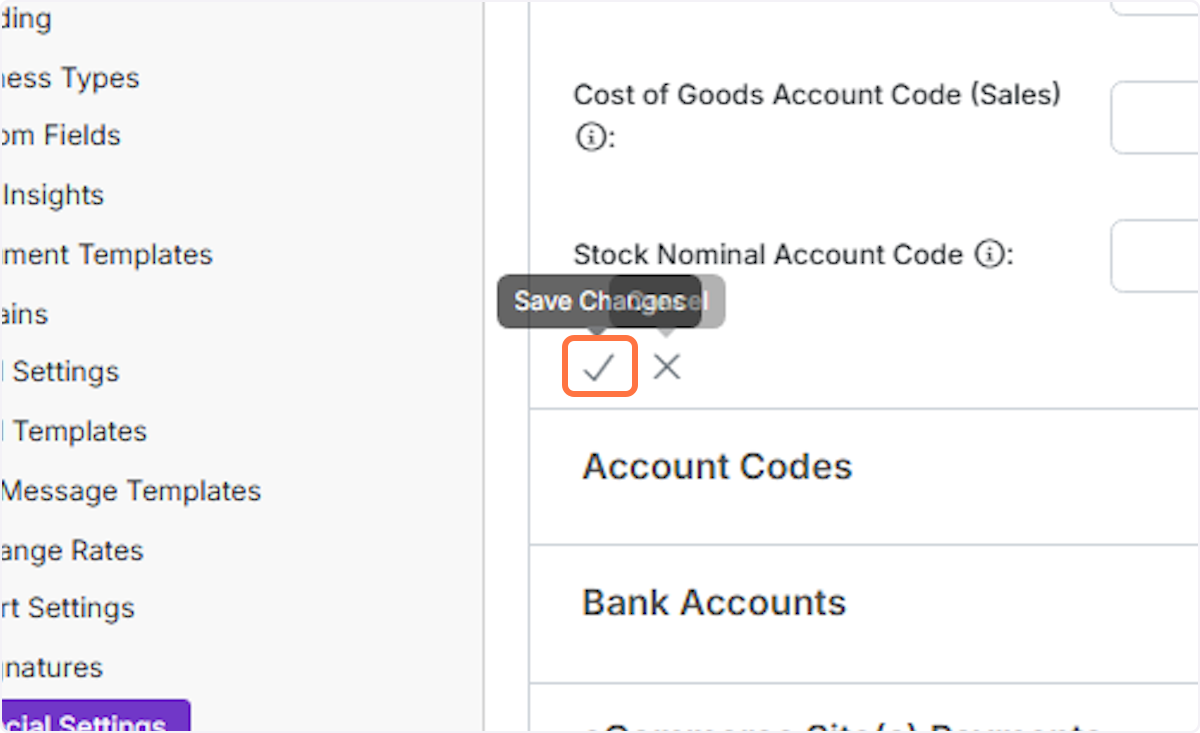
  4. Click on Save Changes

    Click on Save Changes
  5. A. Within a quote, select the customer

    B. Make sure you have a delivery address
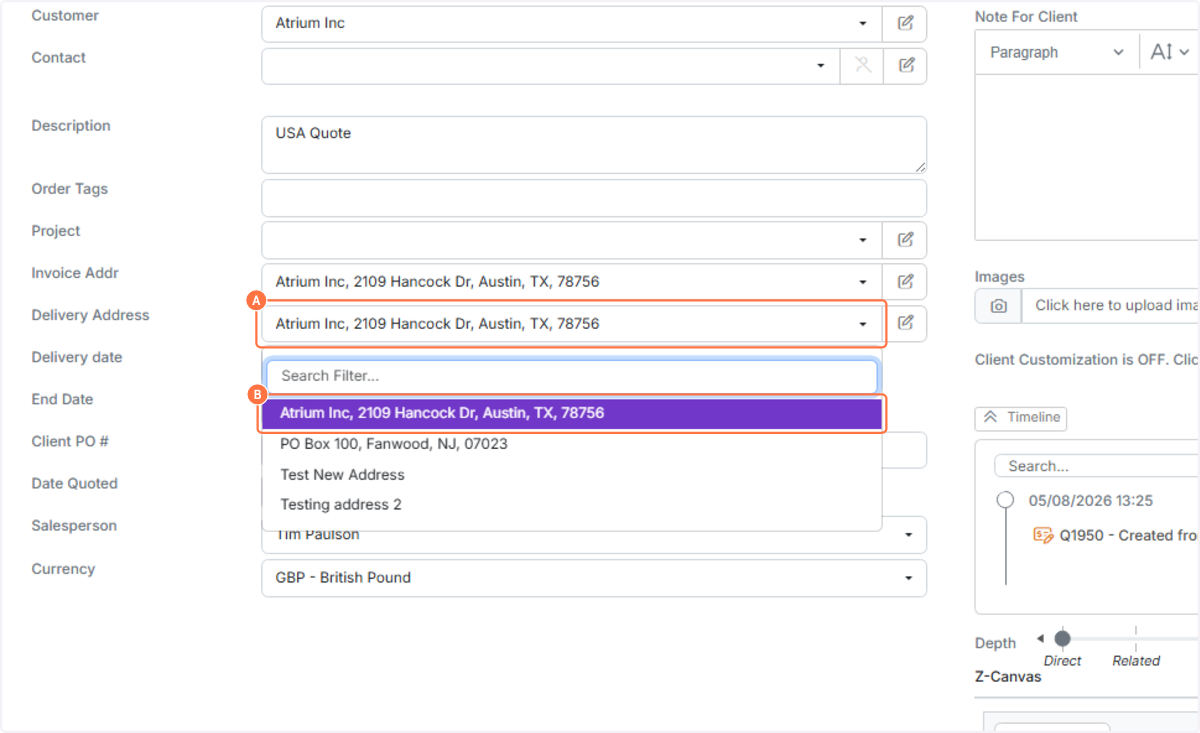
    Step 5
  6. A. Click on the 'Apply' button

    B. Click on - USA Sales Tax
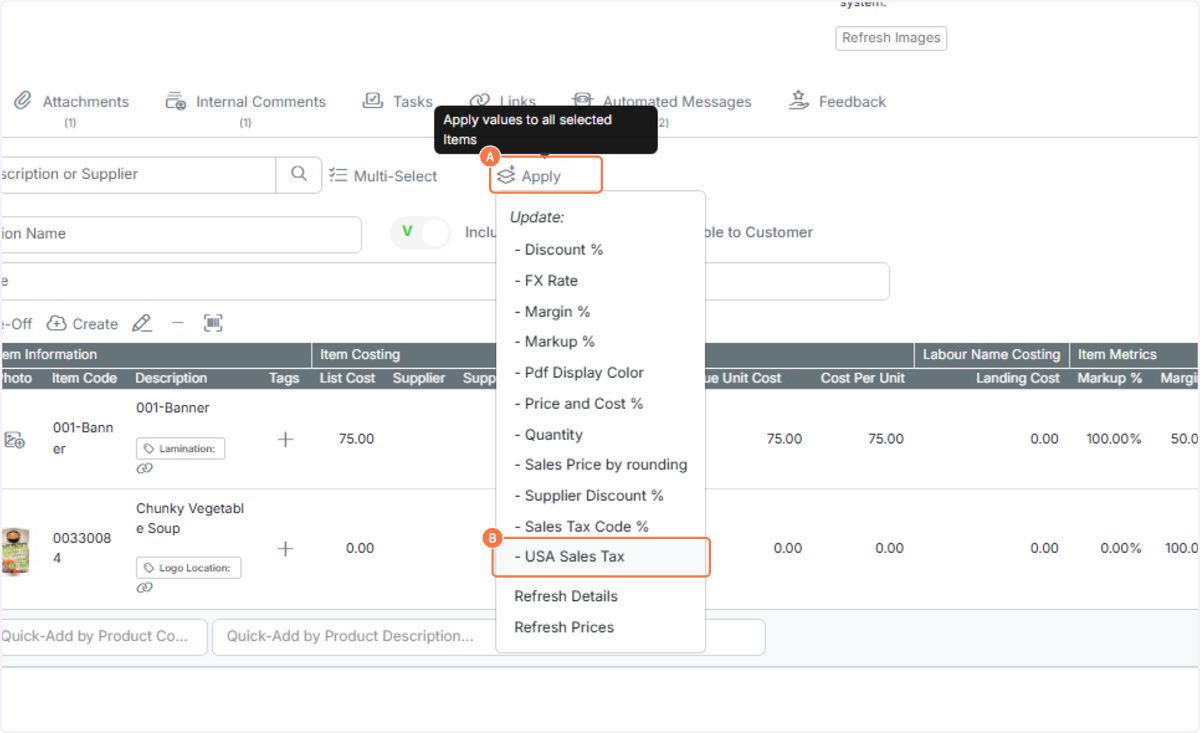
    Step 6
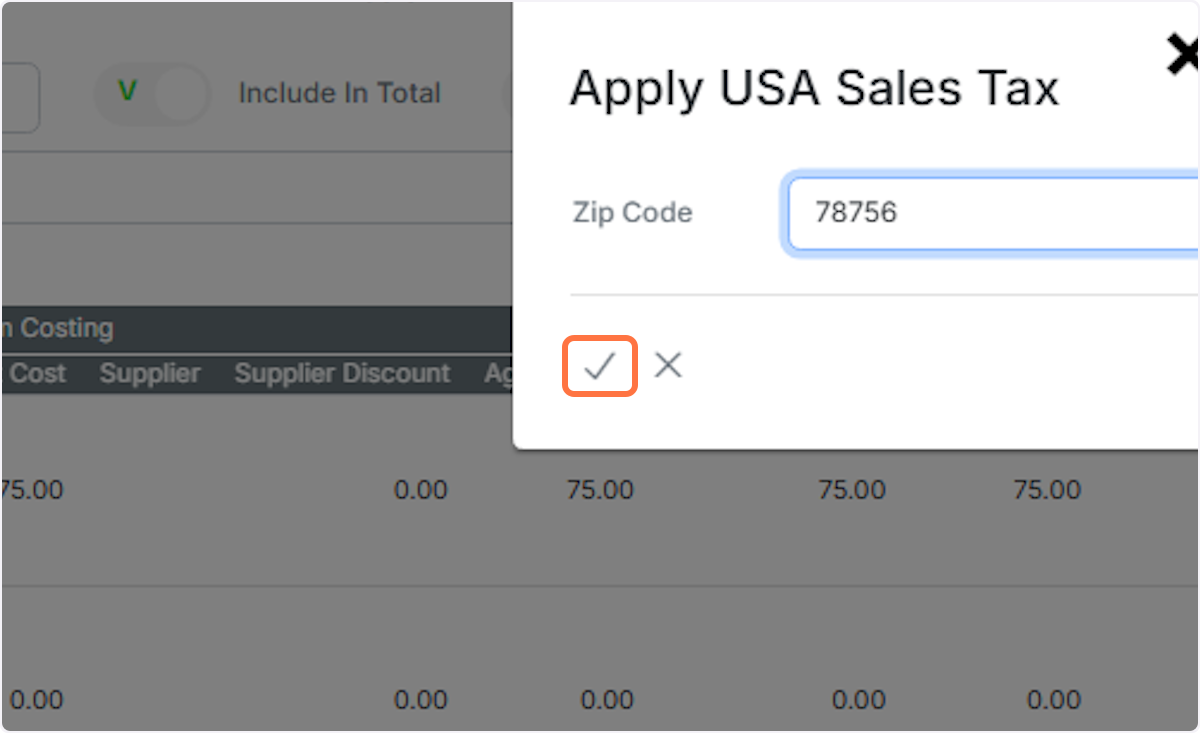
  7. The system takes the ZIP code from the delivery address, although you can enter it instead
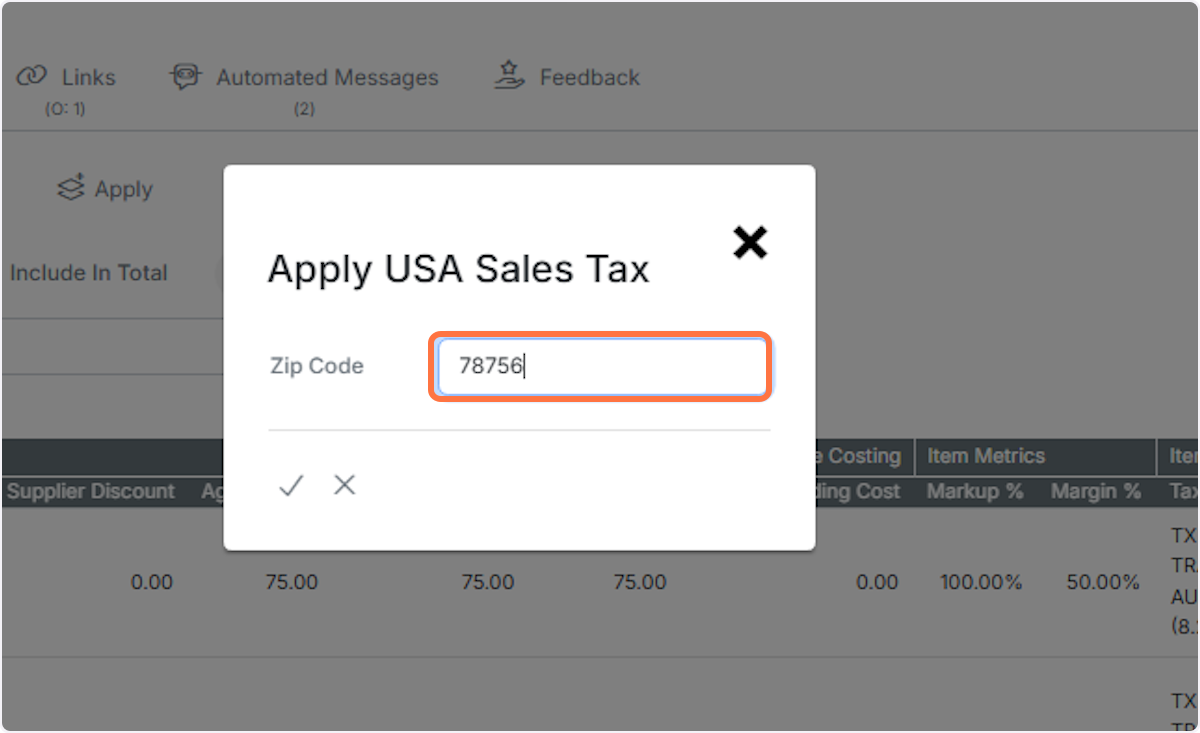
    The system takes the ZIP code from the delivery address, although you can enter it instead.
  8. Click on the tick to apply

    Click on the tick to apply.
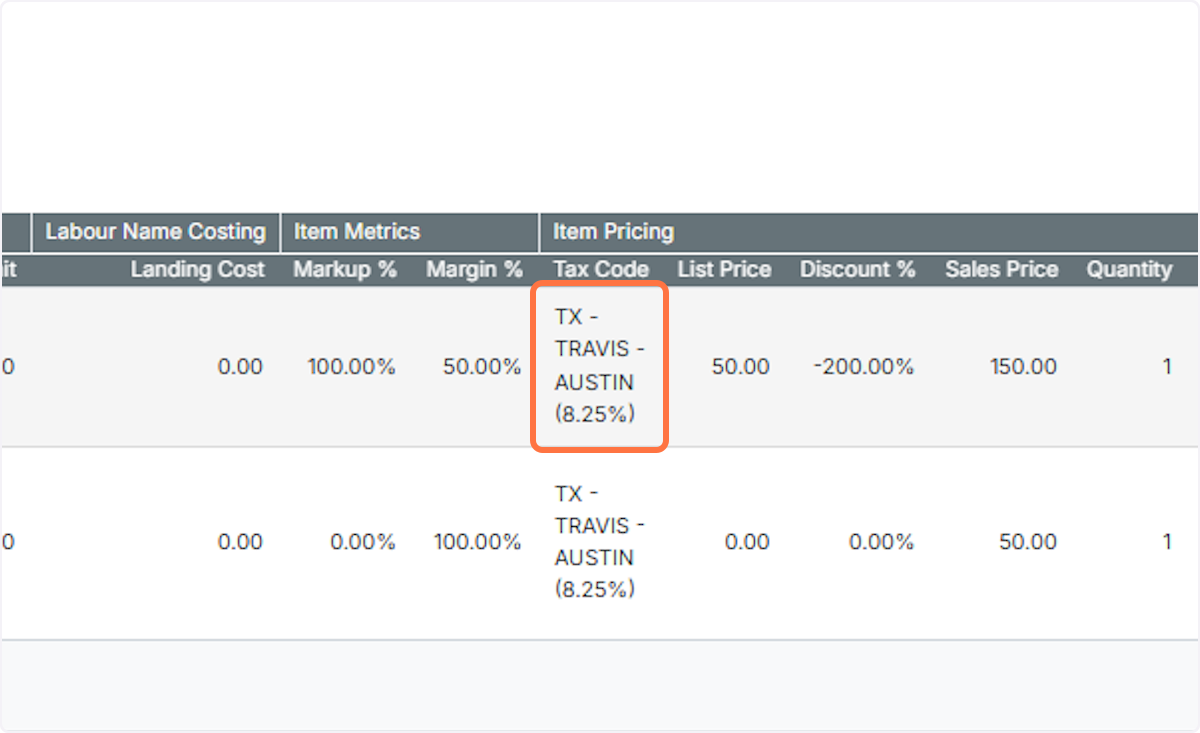
  9. The code is set on all the items on the quote

    ​

    Learn more: quotes in Zigaflow

    The code is set on all the items on the quote.

Frequently asked questions

Next step

Set a customer's tax codeOpen the customer record and set the tax code there. After that, when you set that customer on a quotation or job/sales order, all items added from then on use the customer's tax code instead of each item's code. Items added earlier keep their old codes unless you change them in bulk.

Was this helpful?

See Zigaflow on your own workflow

Book a demo and we will walk through quoting, jobs and purchasing the way your team runs them.

Or see how Zigaflow would fit your business, free