Win work
How to set an item on your quotation as optional
The short answer
To set an item on your quotation as optional, click the Item Menu, then click Set Item Optional. The item is marked as OPTIONAL and appears that way on your quotation. Its values are not included in the totals calculations, so optional items do not inflate your quote total.
Steps
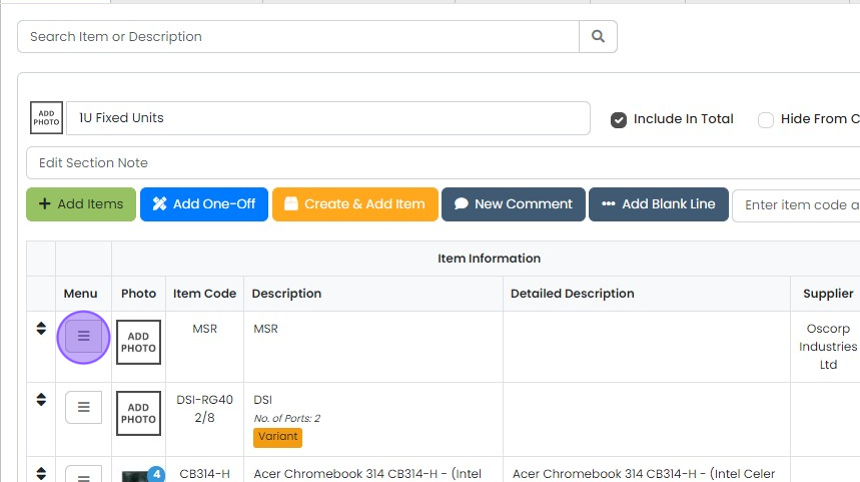
Click the "Item Menu"
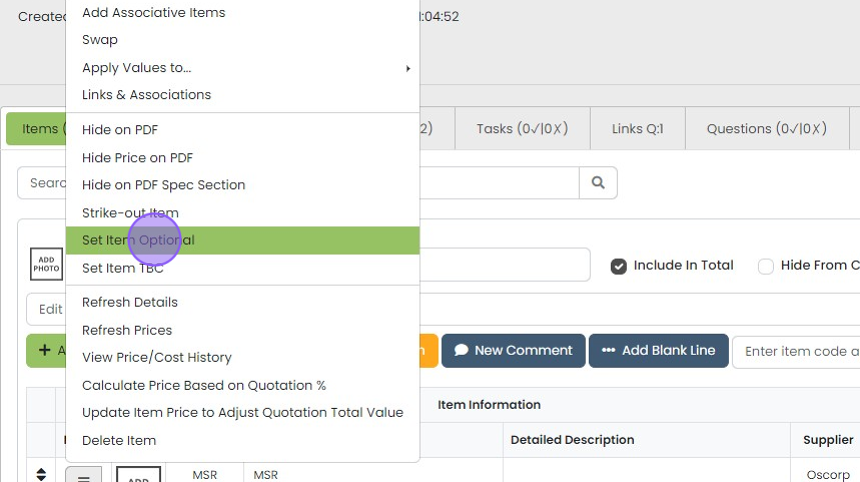
Click "Set Item Optional"
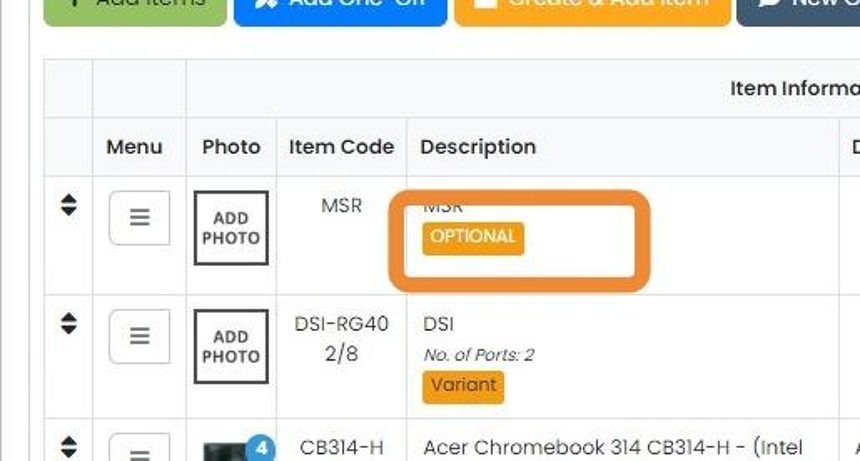
The item will now be marked as "OPTIONAL"
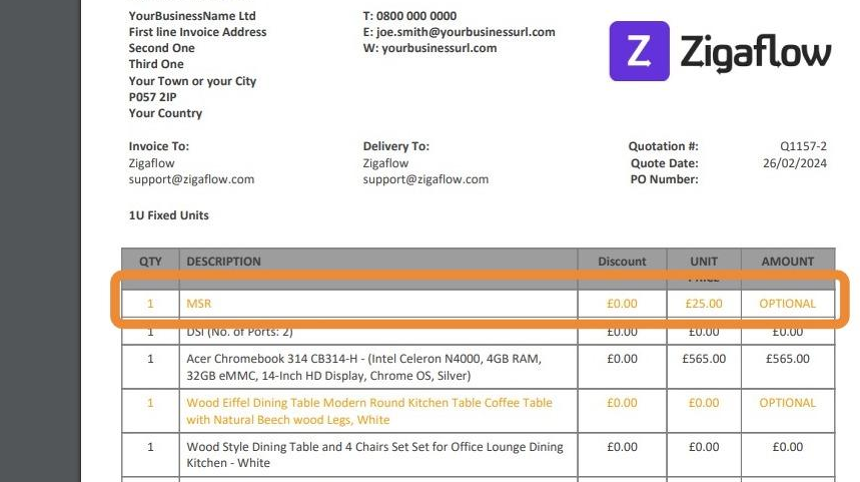
The item will appear on your quotation clearly marked as "OPTIONAL" and the values will not be included in...
The item will appear on your quotation clearly marked as "OPTIONAL" and the values will not be included in totals calculations
Learn more: quotes in Zigaflow


Frequently asked questions
Next step
Every planWas this helpful?