Win work

Importing a section from another quotation

In ZigaflowEvery plan

The short answer

To import a section from another quotation, open the quotation you want to add it to and click the section menu. Choose "Import Section Below" or "Import Section Above", click "From a Quotation", select the quotation, and click "Import". You can import from a pre-build the same way.

Steps

  1. Open the quotation you want to import a section into and click on the section menu
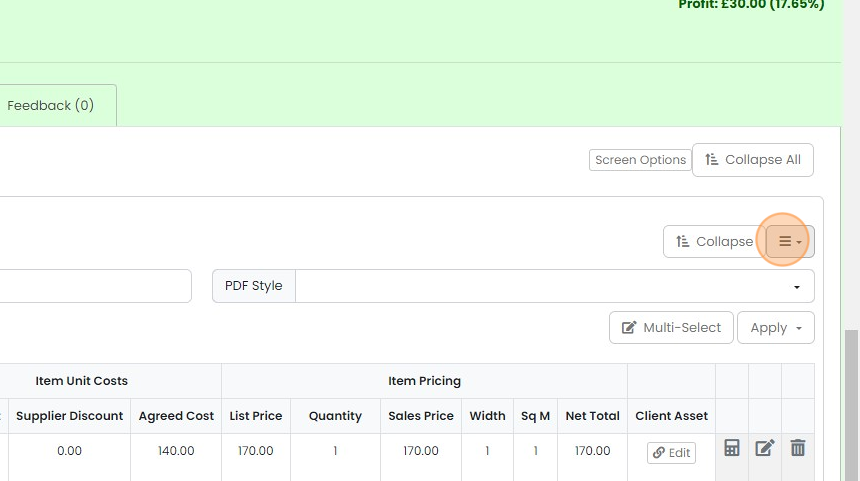
    Quotation section with the hamburger menu dropdown button next to Collapse highlighted, above the line items table
  2. Click "Import Section Below" or "Import Section Above"

    Section options menu on a quote's item pricing table with Import Section Below highlighted, below Import Section Above
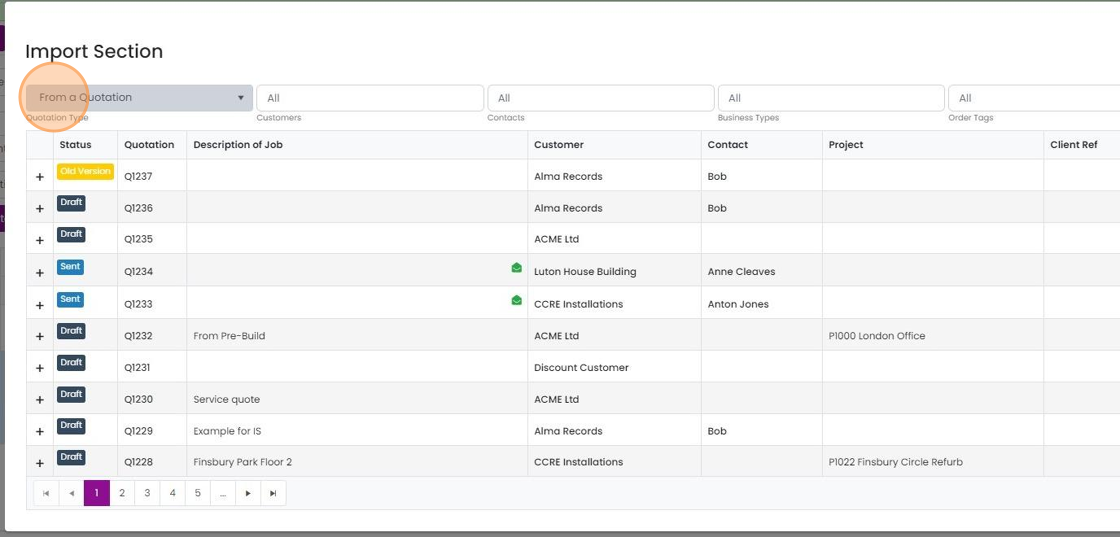
  3. Click "From a Quotation"

    Import Section window with the Quotation Type dropdown set to
  4. Select a quotation to bring the section in from
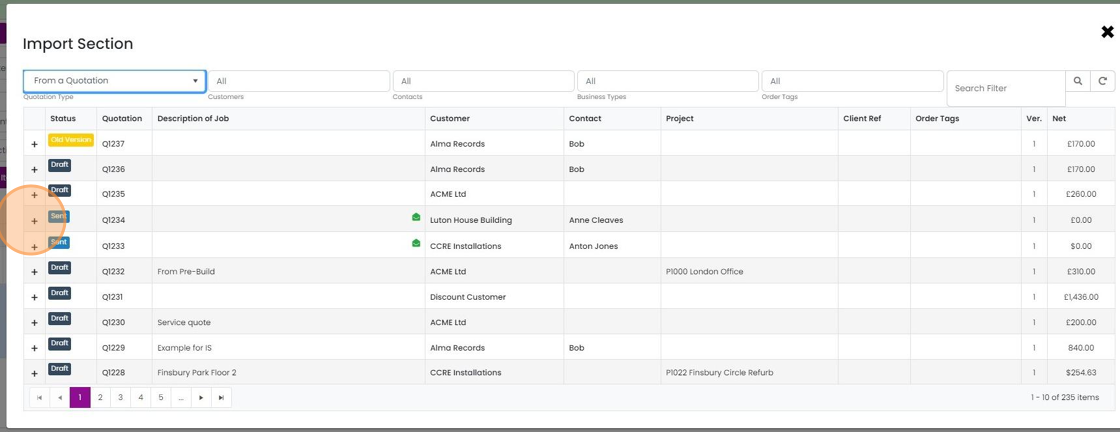
    Import Section window listing quotations by status and number, with the + button highlighted on a row to select it
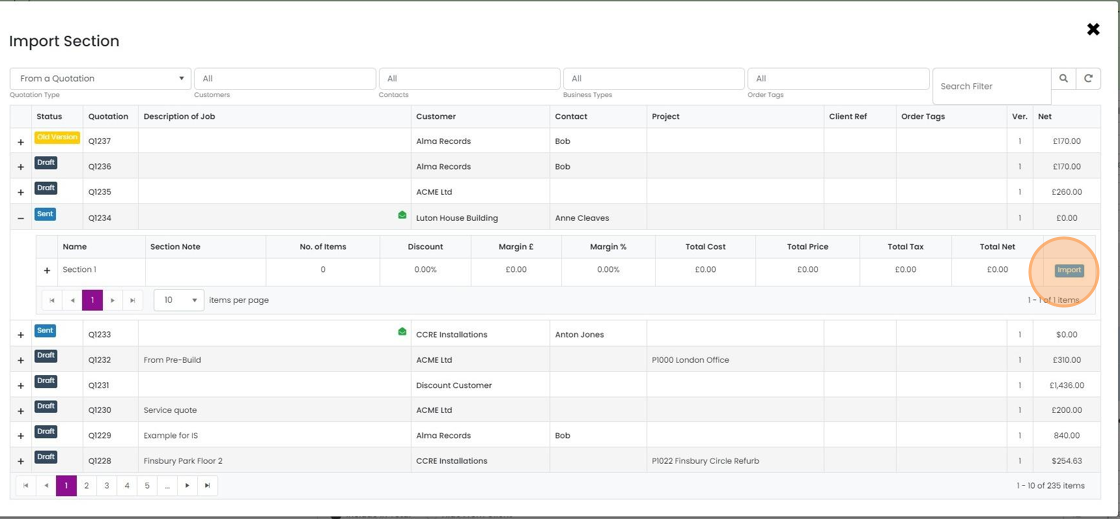
  5. Click "Import"

    Import Section window with quotation Q1234 expanded and the Import button highlighted on its Section 1 row
  6. You can also import from a pre-build in the same way
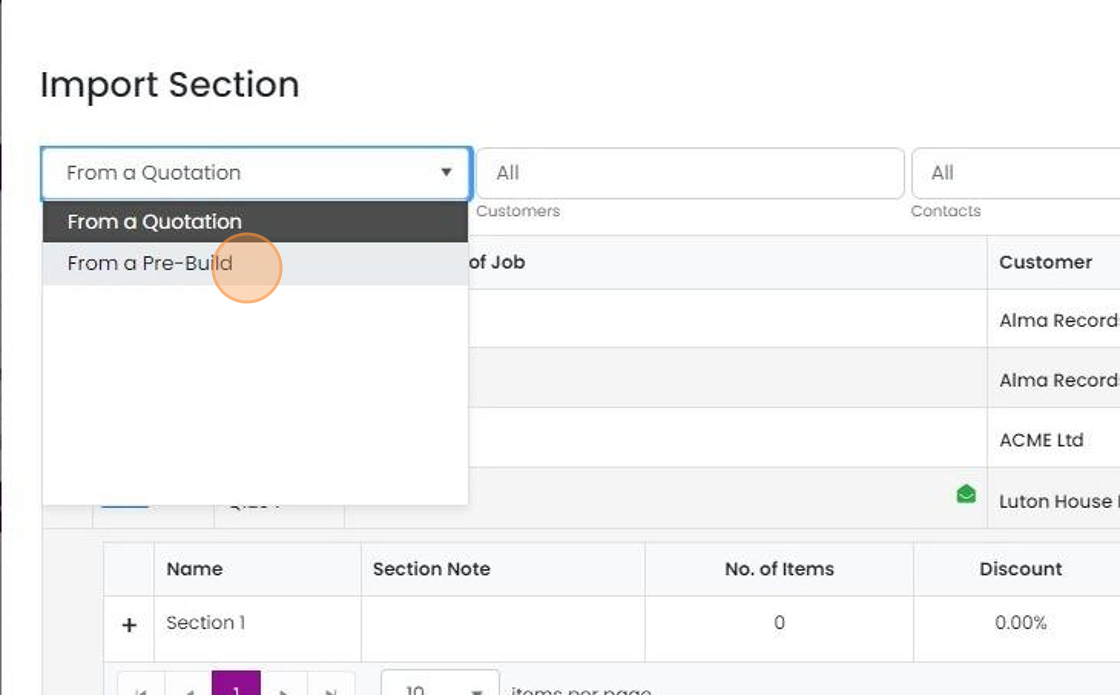
    Import Section source dropdown open, with From a Pre-Build highlighted below the From a Quotation option
  7. Click "×"

    Learn more: quotes in Zigaflow

    Import section dialog listing templates with margin, totals and Import buttons, with the close

Frequently asked questions

Next step

Importing an item from another quotationEvery planTo import an item from another quotation in Zigaflow, open your current quotation and click Add Items, then Previous Quotations. Click Add on each item you want to bring in, then click the × to close the panel. This saves time when you have already quoted an item elsewhere.

Was this helpful?

See Zigaflow on your own workflow

Book a demo and we will walk through quoting, jobs and purchasing the way your team runs them.

Or see how Zigaflow would fit your business, free