Win work
Set up your own quotations workflow
The short answer
To set up your own quotations workflow, click the cog icon, then Workflows, then Quotations, then Edit. Rename your statuses, choose whether each is editable, pick which are visible, set a probability for each, and choose colors. Click Save Changes to finish.
Steps
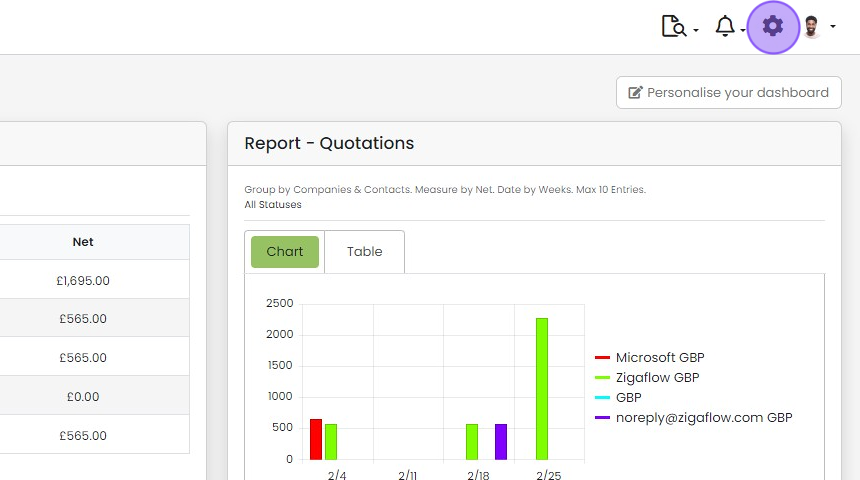
Click the cog icon
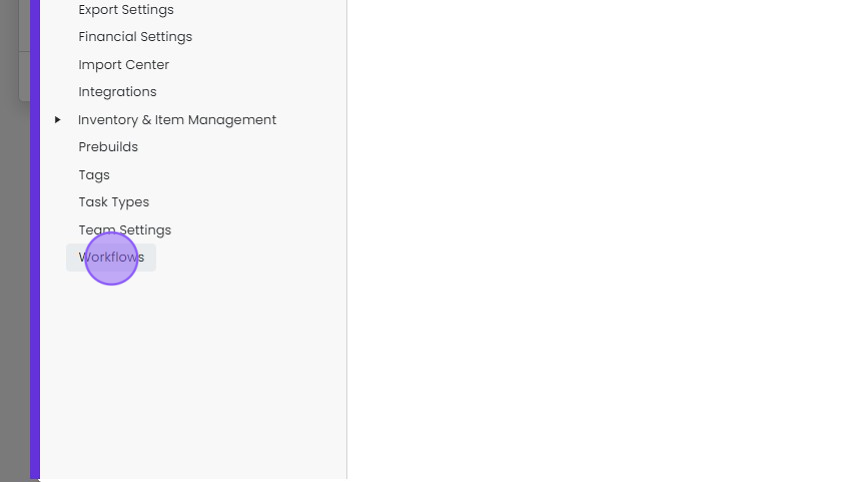
Click "Workflows"
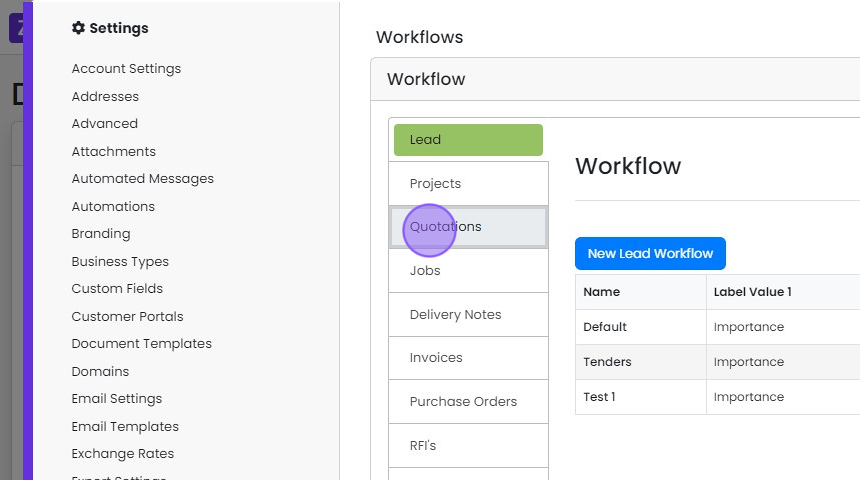
Click "Quotations"
Click "Edit"
Customize your statuses
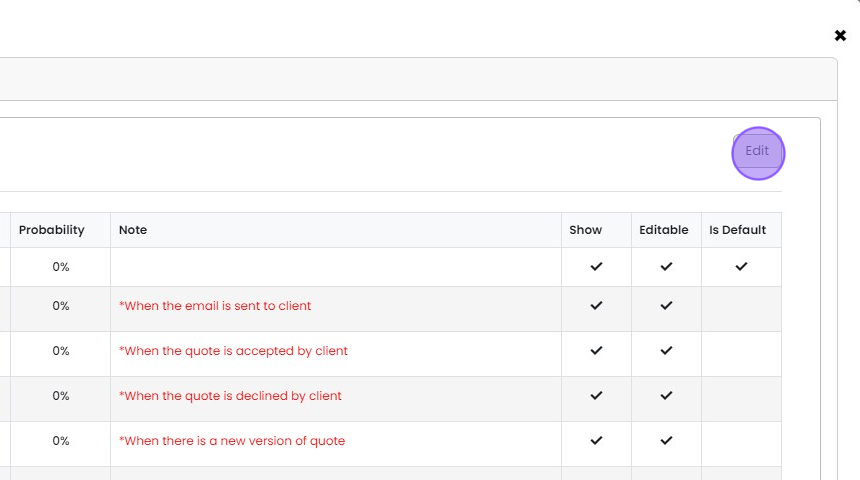
Rename Existing Statuses
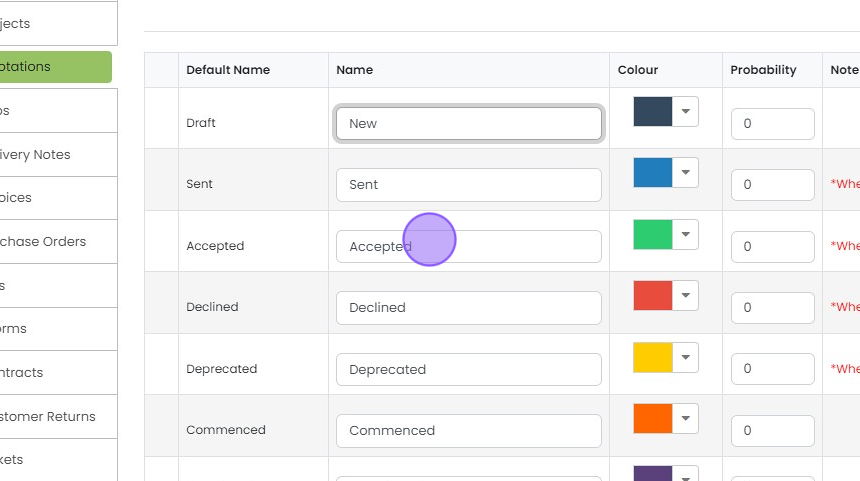
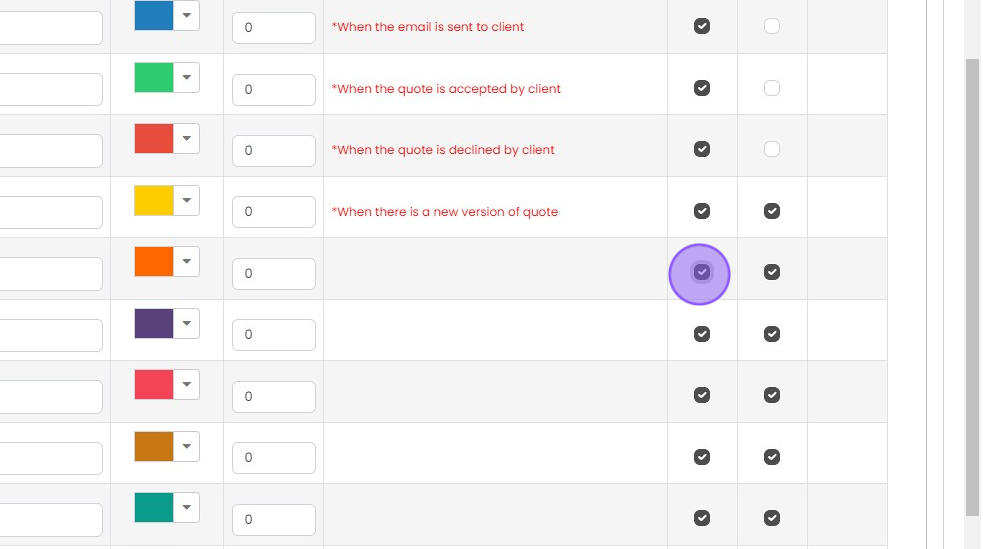
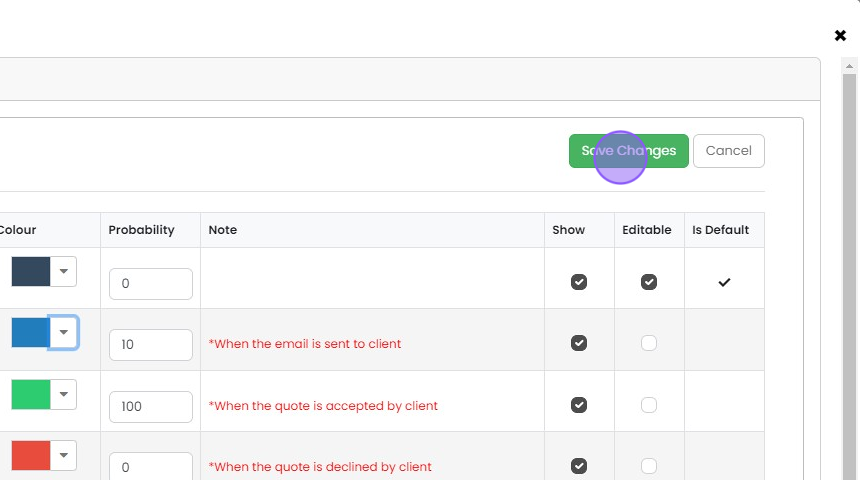
Choose whether each status is "Editable"

Choose which statuses are visible in your workflow
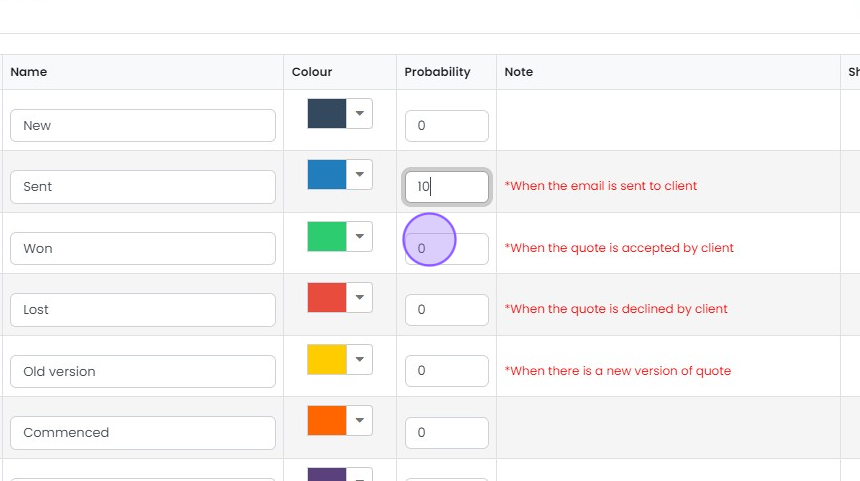
Set a probability against each status
(This is used to calculate weighted forecasts)
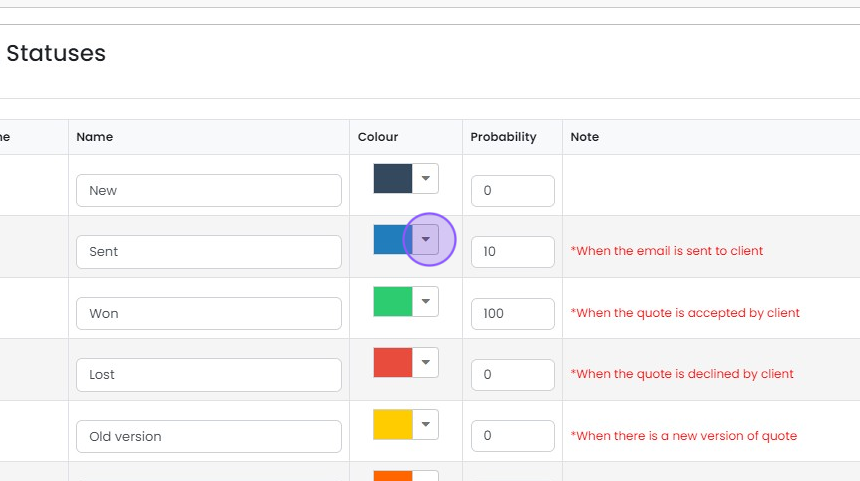
Apply your own choice of colours
Save your workflow
Click "Save Changes"
You have now set up your first quotations workflow
Learn more: workflows in Zigaflow


Open the quotations workflow
Frequently asked questions
Next step
Every planWas this helpful?