Types of reports explained
The short answer
Report Studio in Zigaflow has four report types: current, leaderboard, historical and item. Current shows your pipeline or order book by current status. Leaderboard ranks groupings such as salesperson or customer. Historical records each status change. Item reports by items, products or services. Find them in Report Center, then Report Studio.
Steps
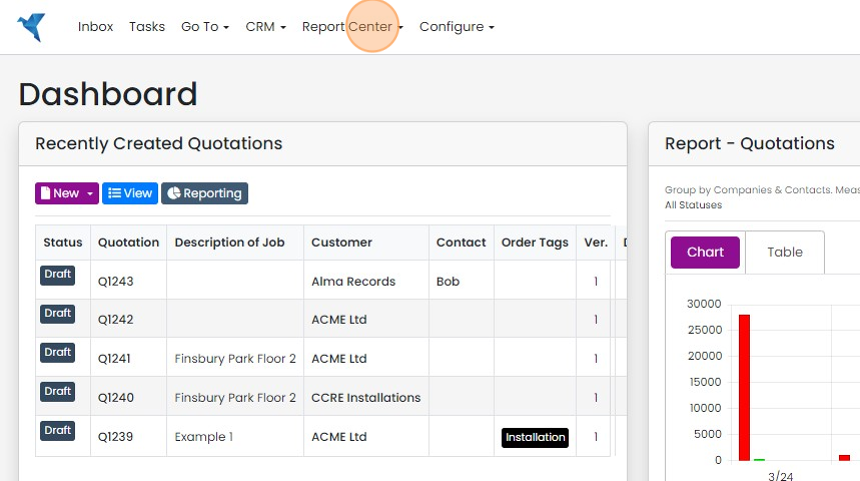
Click "Report Center"
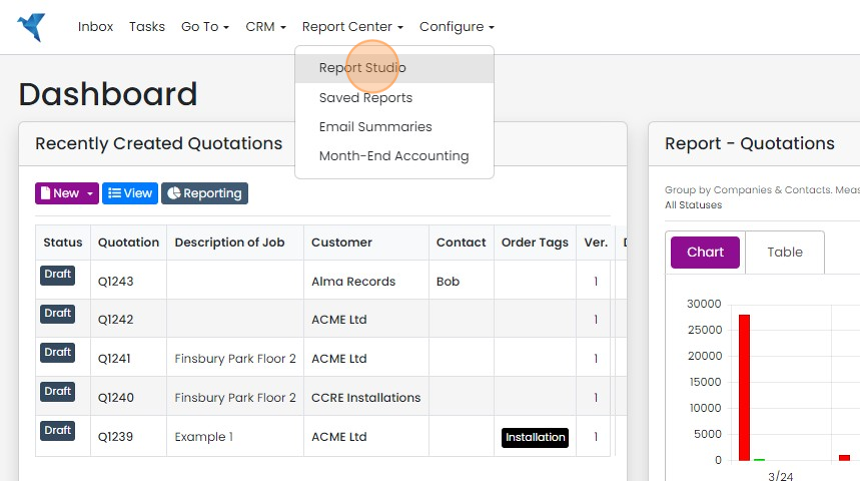
Click "Report Studio"
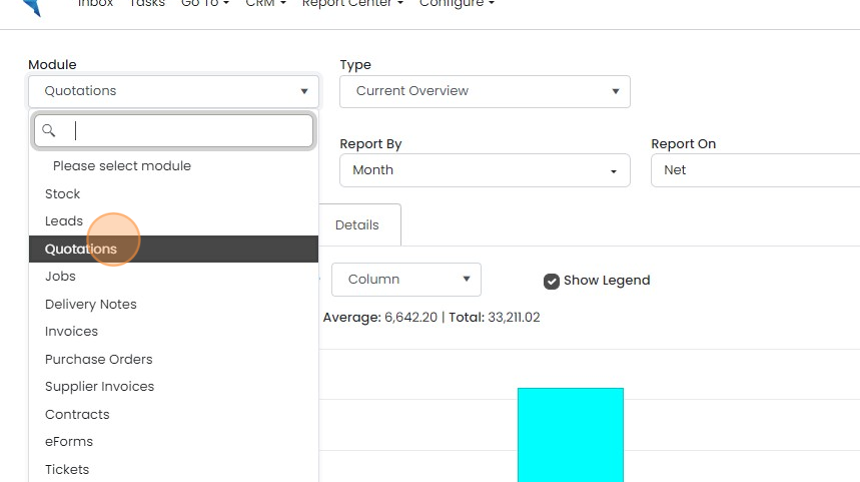
Select the module to report on - in this example we will look at Quotations
Current overview
"Current Overview" - this reports on the Quotations, Jobs/Sales Orders (depending on the module selected)...
"Current Overview" - this reports on the Quotations, Jobs/Sales Orders (depending on the module selected) based on current statuses.
This is ideal for seeing the value of your pipeline or order book. It is based on the current status of the Quotations, Jobs/Sales Orders, etc.
You can view this data in a chart.
Metrics leaderboard
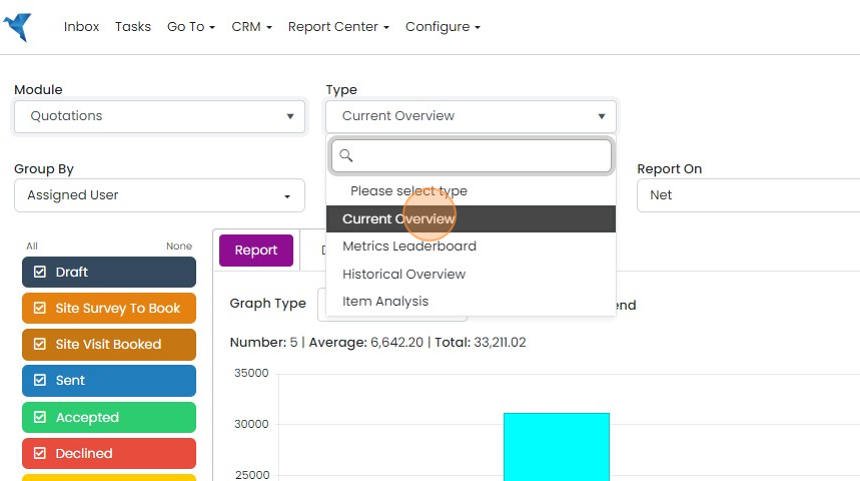
Click "Metrics Leaderboard"
Click "Metrics Leaderboard". This gives your groupings in a leadboard format. For example, you can group by "Assigned User" (i.e. salesperson), or Customer to see your best performing.
This data doesn't show in a chart.
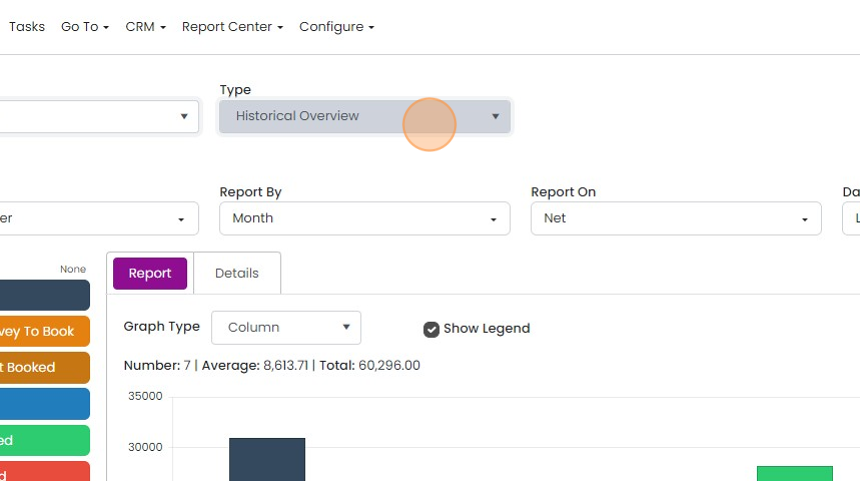
Historical overview

"Historical Overview" has a record for each time a quotation, Job/Sales Order, etc., moves through a status
"Historical Overview" has a record for each time a quotation, Job/Sales Order, etc., moves through a status. This is ideal if you want to see the value of quotations sent last week. It will report on all quotations that passed through the "Sent" status during that period.
However, it is important to remember that if you select multiple statuses on this report, for example, "Sent" and "Accepted", a quotation may have moved into both of these statuses and will therefore have its value appear twice in the report.
In summary, use "Current" for the pipeline as it is today, and "Historical" for how it has changed.
In summary, use "Current" for the pipeline as it is today, and "Historical" for how it has changed.
Item analysis
"Item Analysis" - this reports by the items/products/services
"Item Analysis" - this reports by the items/products/services. You can still group by Customers, or Assigned Users, etc. and then filter by an item code
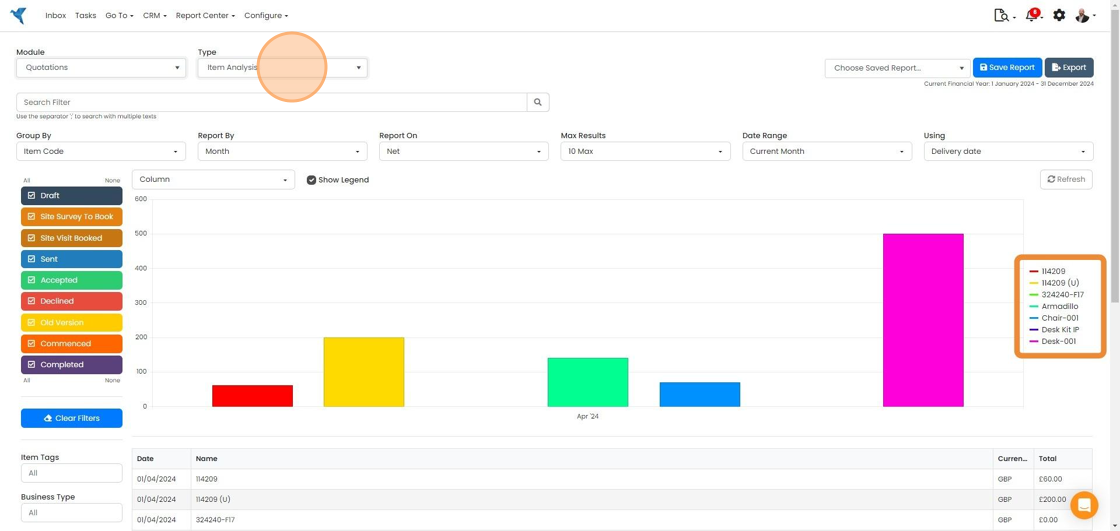
Items can also be filtered for here, using semi-colons to separate them
Learn more: reporting in Zigaflow


There are four types of reports in Zigaflow:
- Current
- Leaderboard
- Historical
- Item
These are explained in this article.
Open Report Studio
Frequently asked questions
Next step
Quotes, Go and Momentum plansWas this helpful?