Get set up

Update a kit's price in the list

In Zigaflow

The short answer

To update a kit's price in the items list, open the kit, click the Prices tab, edit the price, and complete the update. This only works if the Kit price is used. If you use Kit Item Prices, change those items' prices instead, and the overall price on quotations and jobs reflects it.

Steps

  1. Prices can only be changed if the Kit price is used

    Prices can only be changed if the Kit price is used. If you are using 'Kit Item Prices', change those items' prices, and this will reflect in the overall price on the Quotation, Job/Sales Order, etc.

    Item edit panel with Is Kit and Use Kit Price checkboxes ticked, Use Kit Price highlighted, below Tax Code and Expiration Date
  2. Click on the Prices tab, then edit the price
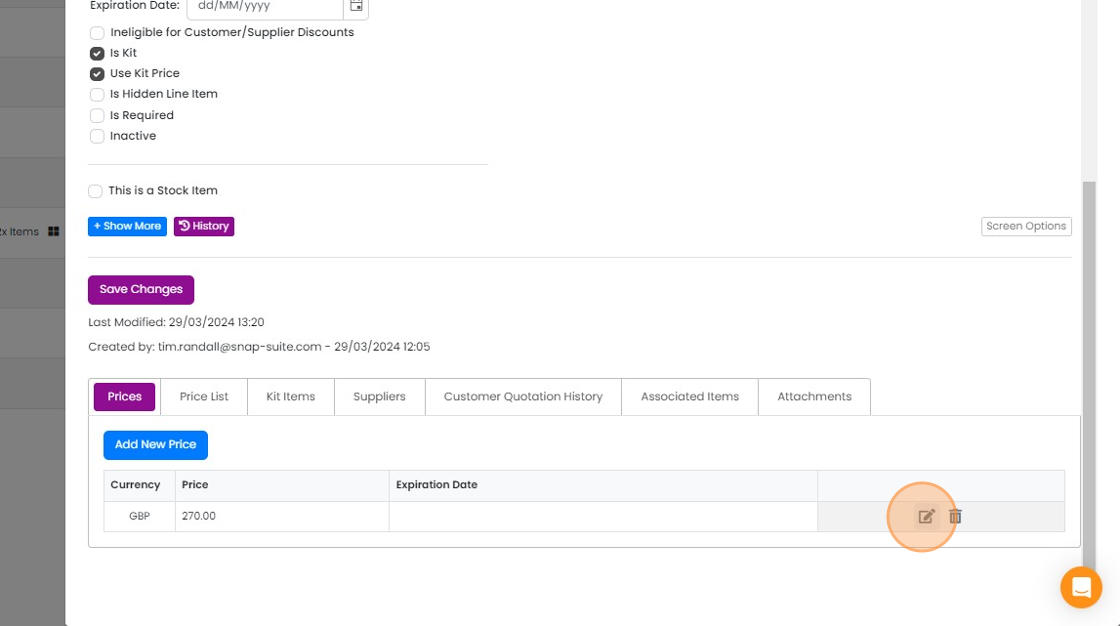
    Prices tab of a kit item showing a GBP 270.00 price row, with the edit (pencil) icon highlighted next to the delete icon
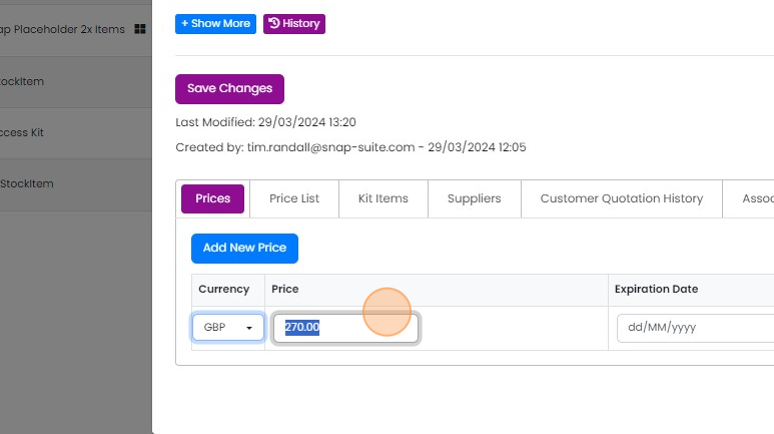
  3. Update the price

    Prices tab of a kit item with the Price field highlighted showing 270.00 in GBP, next to the Expiration Date field
  4. Complete the update

    Learn more: kits in Zigaflow
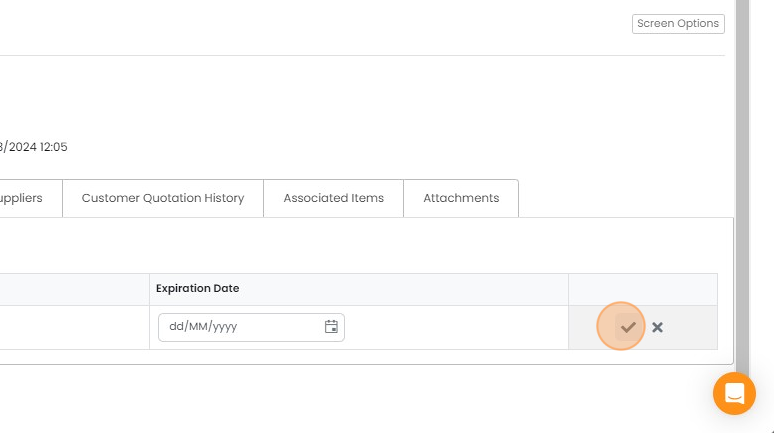
    Kit record tab with Expiration Date field in edit row, checkmark save button highlighted to complete the price update

Frequently asked questions

Next step

Changing between kit pricing methodsTo change a kit's pricing method in Zigaflow, click the kit's menu. Choose "Use Kit Price & Calculate New Kit Price" to give the kit its own price, worked out from its kit items, which you can edit. Choose "Use Kit Item Prices" to switch back to pricing from the kit items.

Was this helpful?

See Zigaflow on your own workflow

Book a demo and we will walk through quoting, jobs and purchasing the way your team runs them.

Or see how Zigaflow would fit your business, free