Create a new version of a quotation
The short answer
To create a new version of a quotation, open the quotation, click the status button, and choose "Create Version" or "Create Version via Pre-Build". Zigaflow makes a copy with an increased version number and sets the original quotation to the status 'Old Version'. This lets you track changes.
Steps
Open the quotation and click on the status button
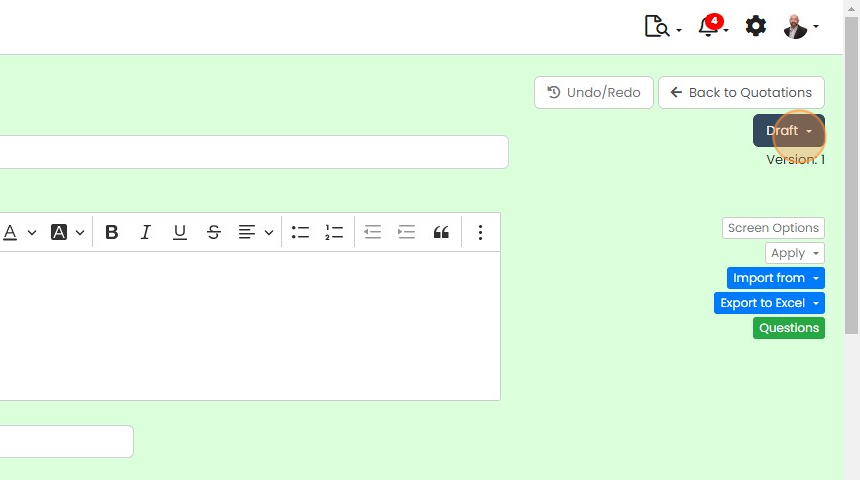
Select either
"Create Version" - this is a copy with a new version number
"Create Version via Pre-Build" - this is a copy with inheriting the tasks and automated messages from the pre-build
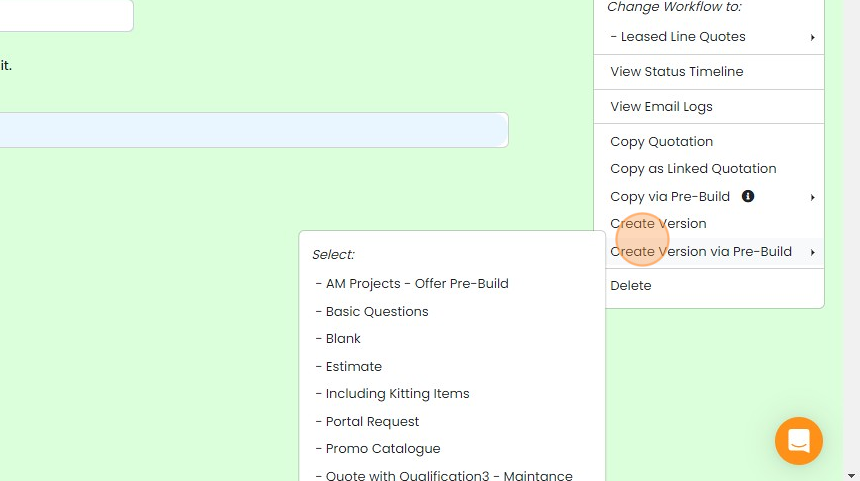
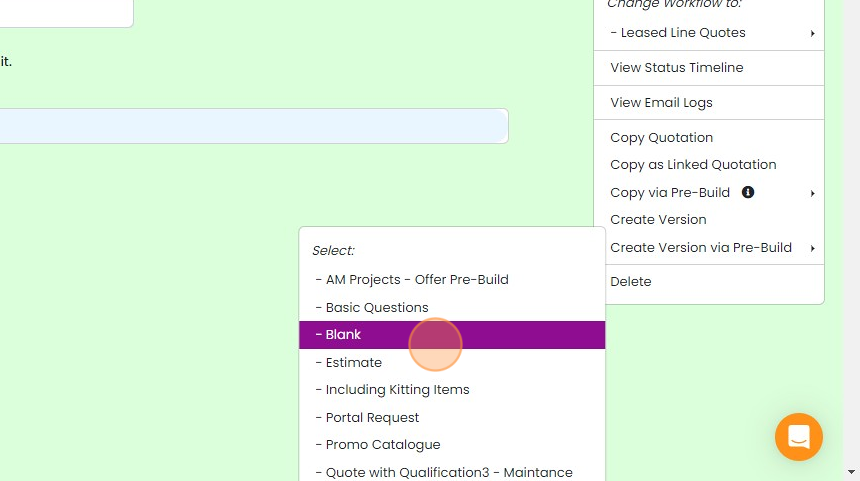
When creating via a pre-build, select the pre-build
The quotation is created with an increased version number
The quotation is created with an increased version number. The old version is moved to the status of 'Old Version'.
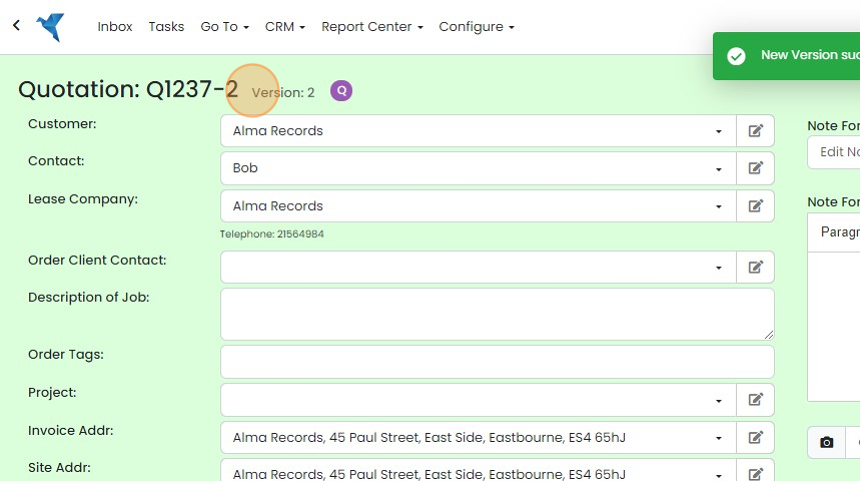


A new version is identical to the source quotation except that it has an increased
version number (i.e. version 2). The source quotation is set to the status of 'Old Version'.
Frequently asked questions
Next step
Every planWas this helpful?