Win work
Create an automated message customer approval chaser
The short answer
To create an automated message that chases customers for approvals, click the cog, then Prebuilds, then eForms, and edit an eForm. Open Automated Messages, click New Automated Message, and choose Blank. Name the message, set the business days to wait, the trigger status and the time, then add the email text, sender and recipient.
Steps
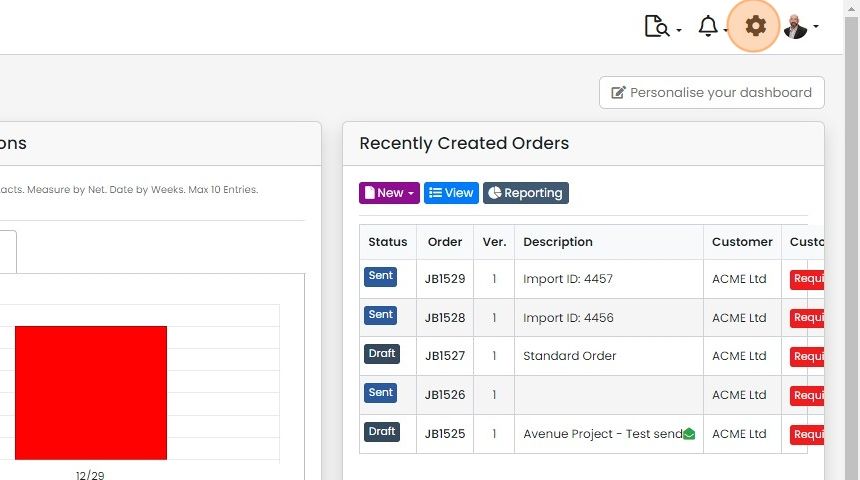
Click on the Cog
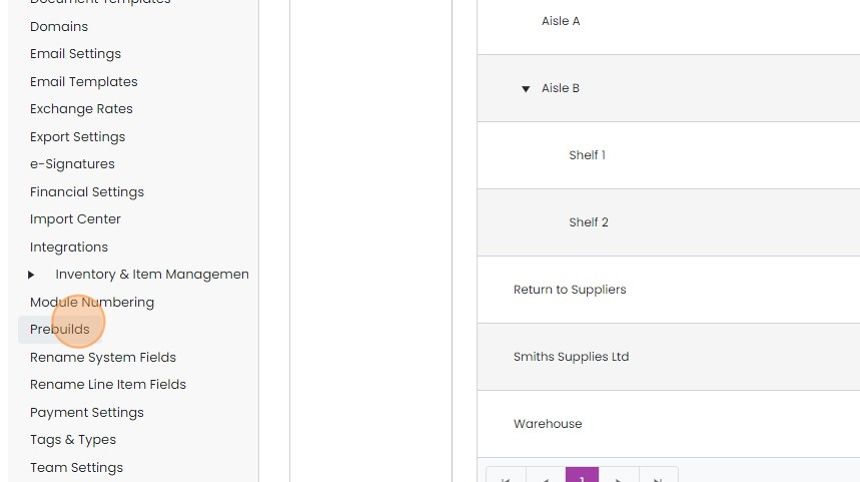
Click "Prebuilds"
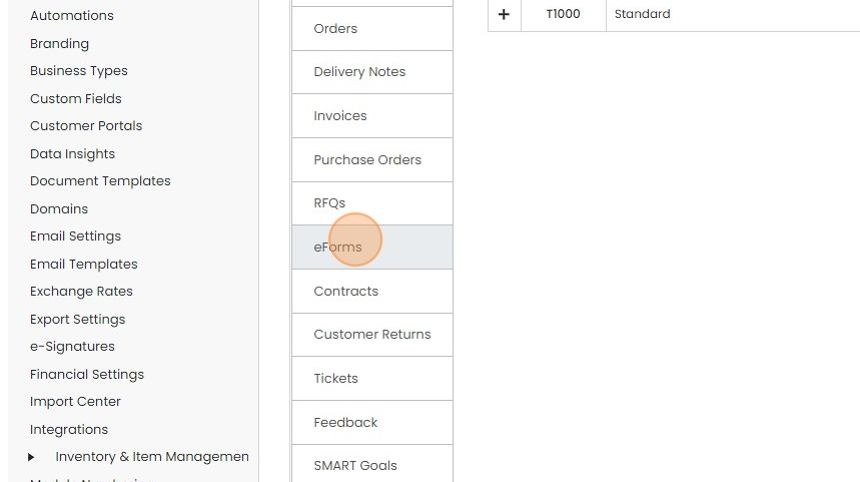
Click "eForms"
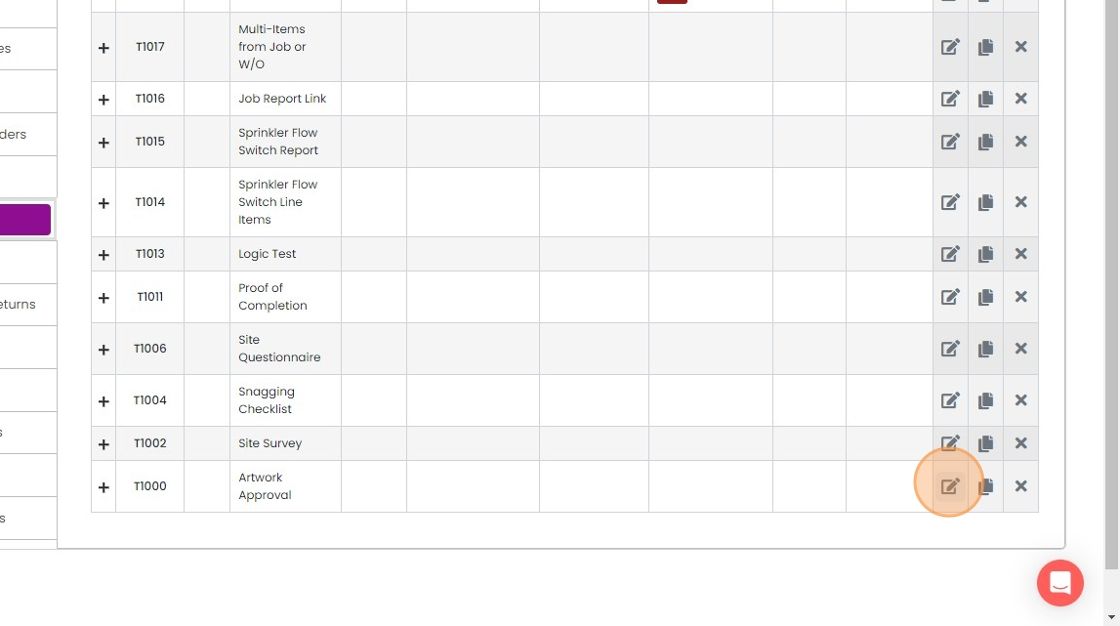
Edit an eForm
Click "Automated Messages"

Click "New Automated Message"

Click "Blank"

Give the messsage a name and set the number of business days to wait before sending the message
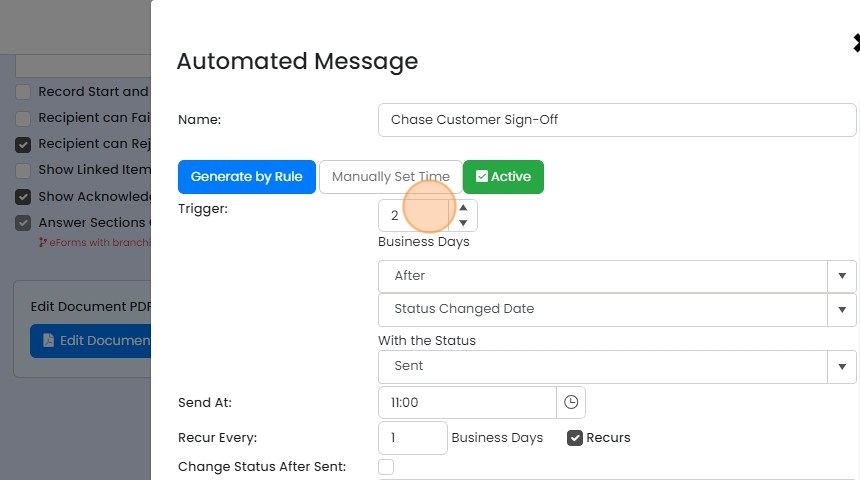
Set the status to trigger on
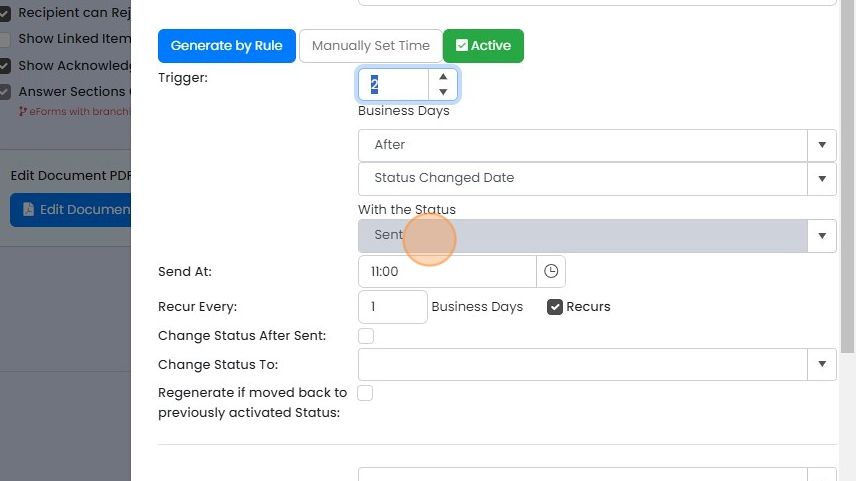
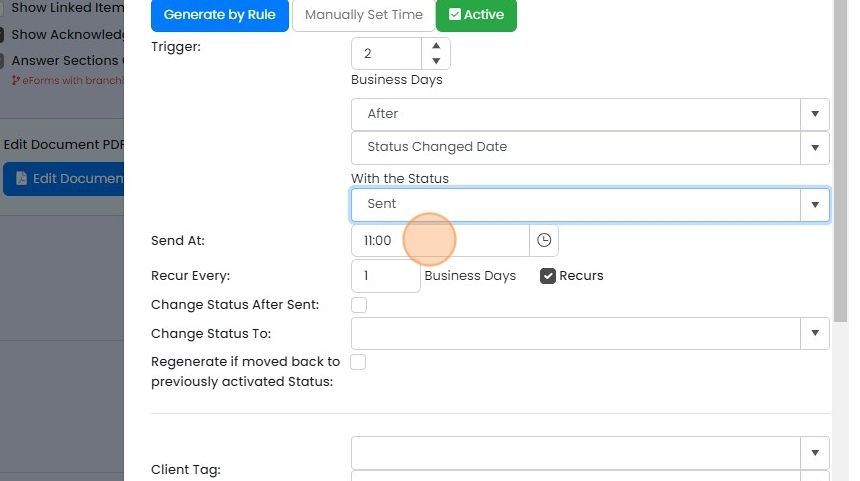
Set the time
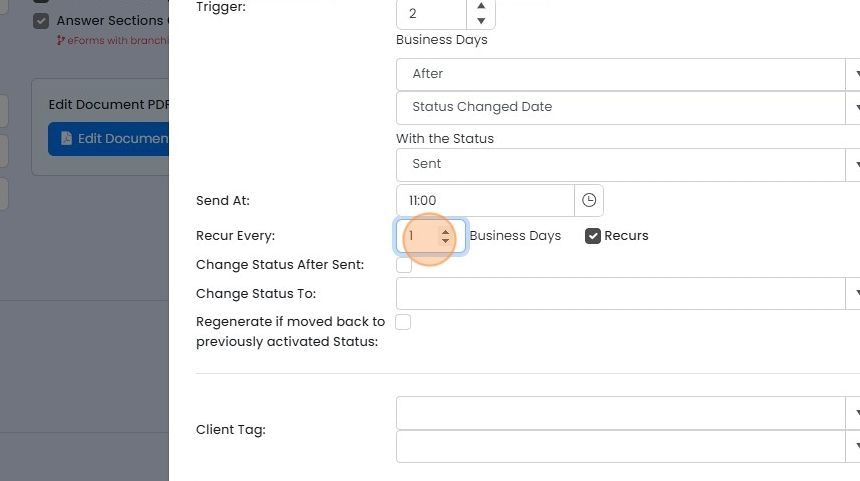
Messages can be repeatedly sent until the eForm status is changed. Click "Recurs" to set this up
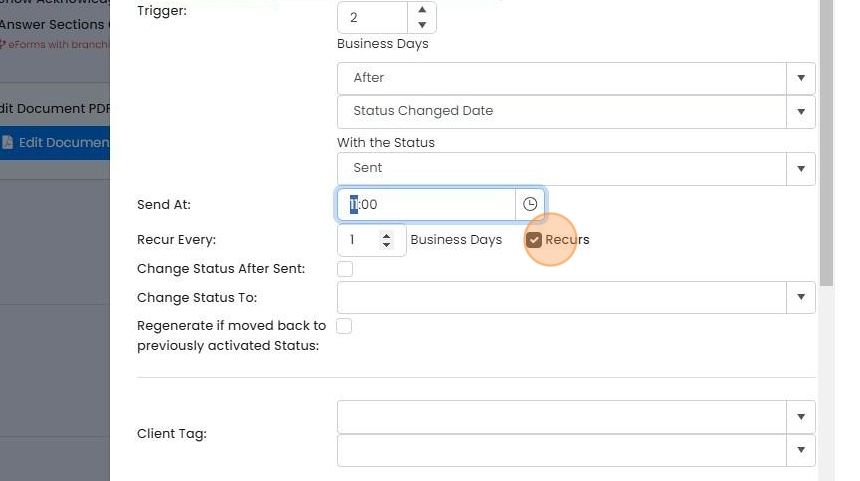
And select the number of days between each message
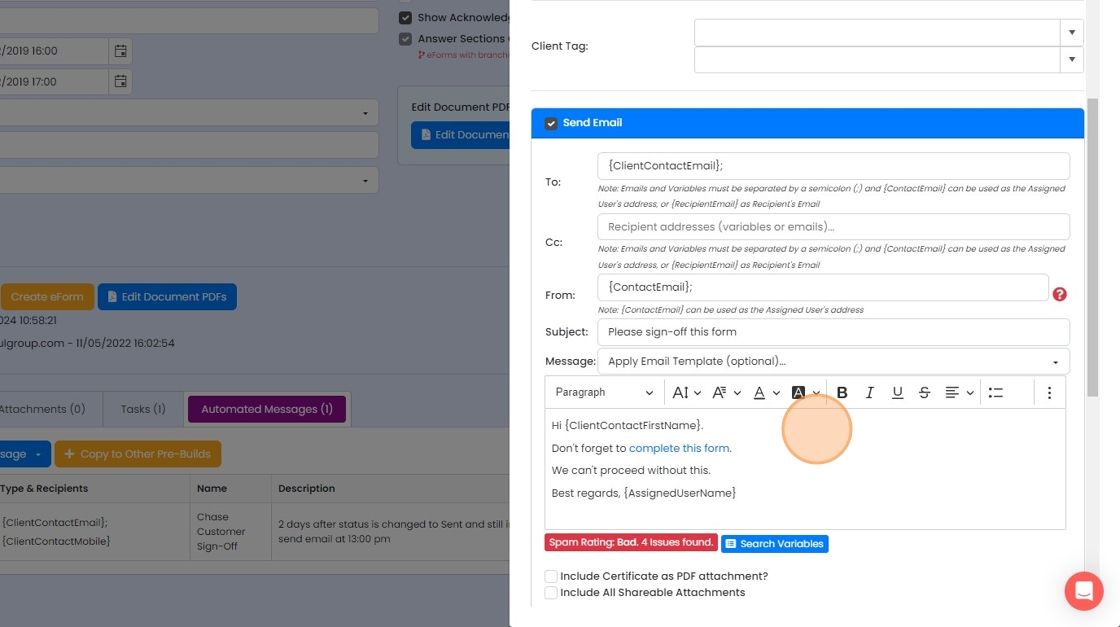
Populate the email text, sender and recipient
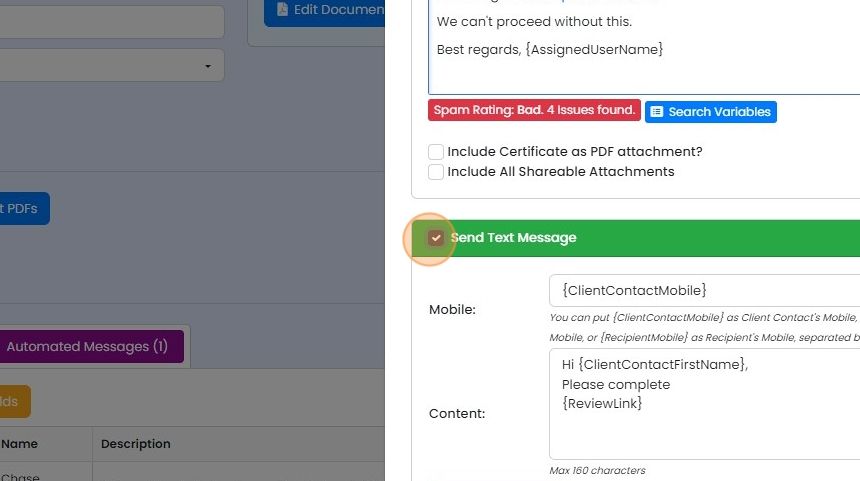
Click this checkbox to send an SMS message as well (only in certain countries)


Frequently asked questions
Next step
Every planWas this helpful?