Creating from a previous version
The short answer
To re-create an old quotation version, open the latest version, click Import Section Below, find the previous version, expand the section to check it, and click Import. Then remove any duplicate sections so nothing appears twice. This works because old versions can no longer be used to create orders or new versions.
Steps
Open the latest version of the quotation
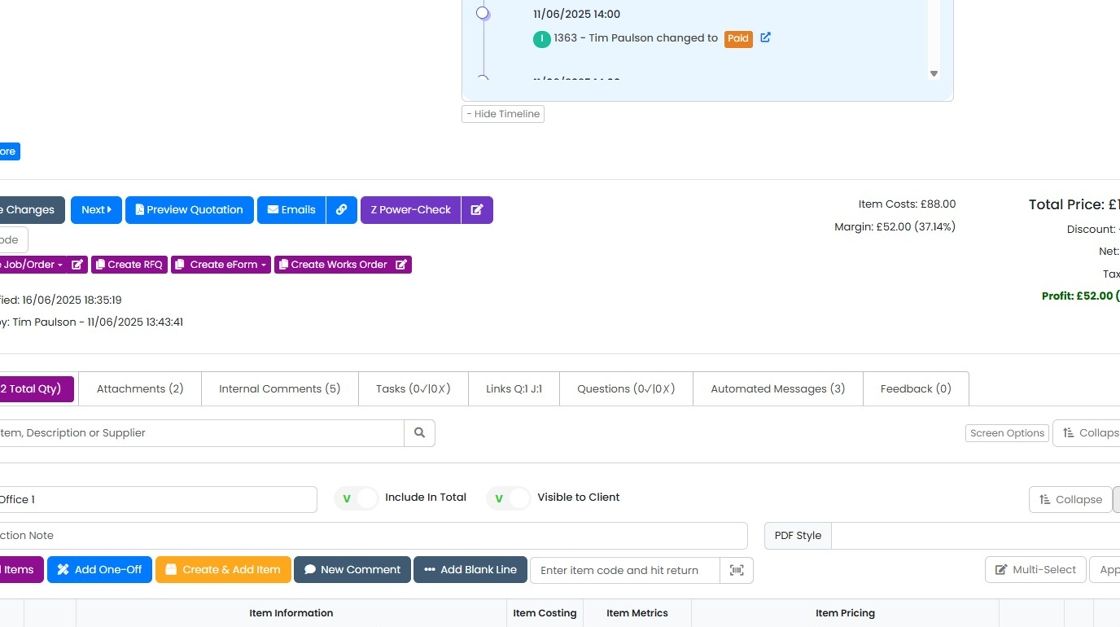
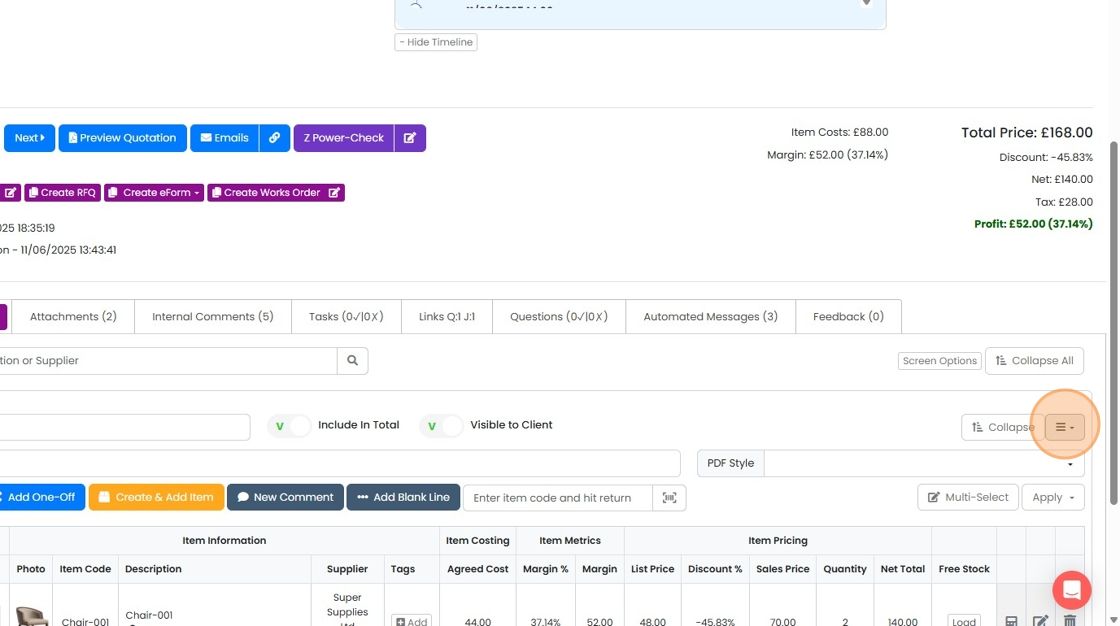
Click this button
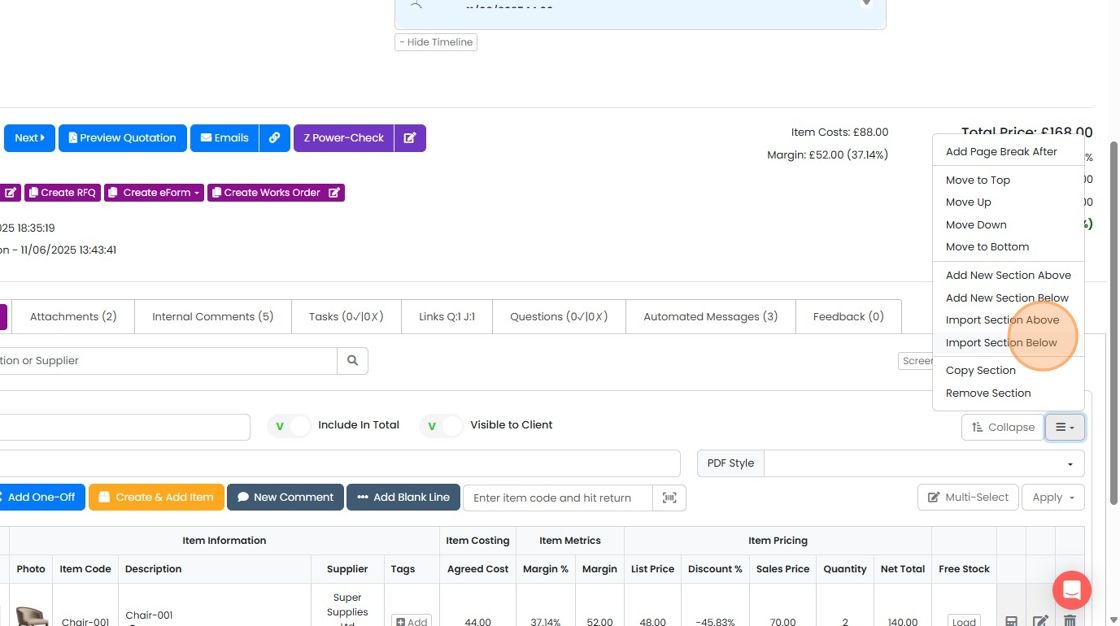
Click "Import Section Below"
Find the previous version of the quotation to import from
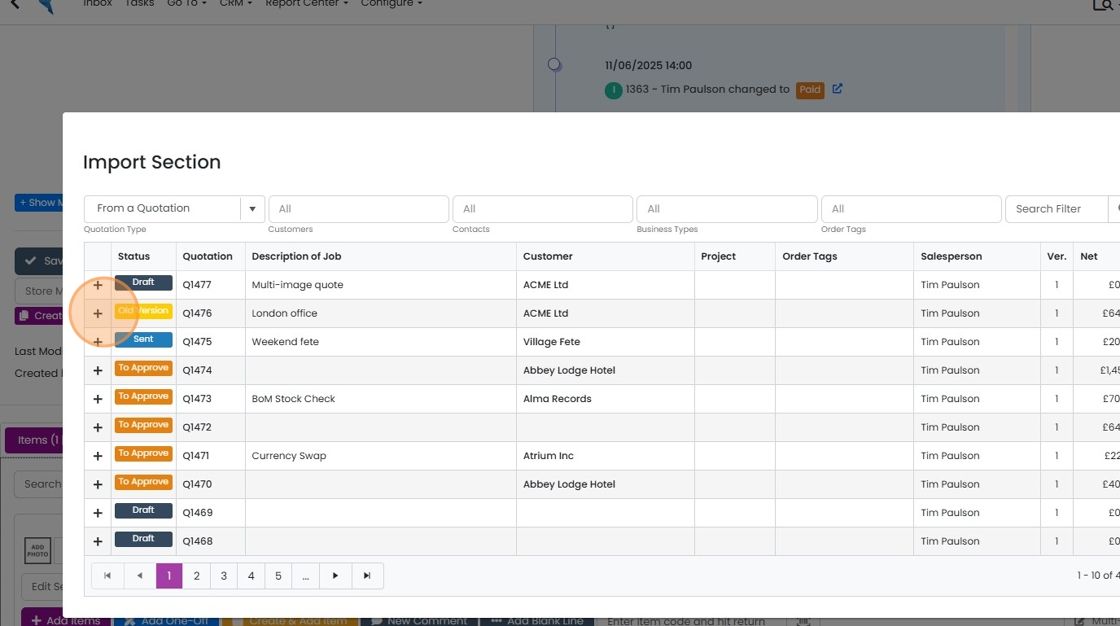
Click on the plus item to expand on the section to check it is the correct one
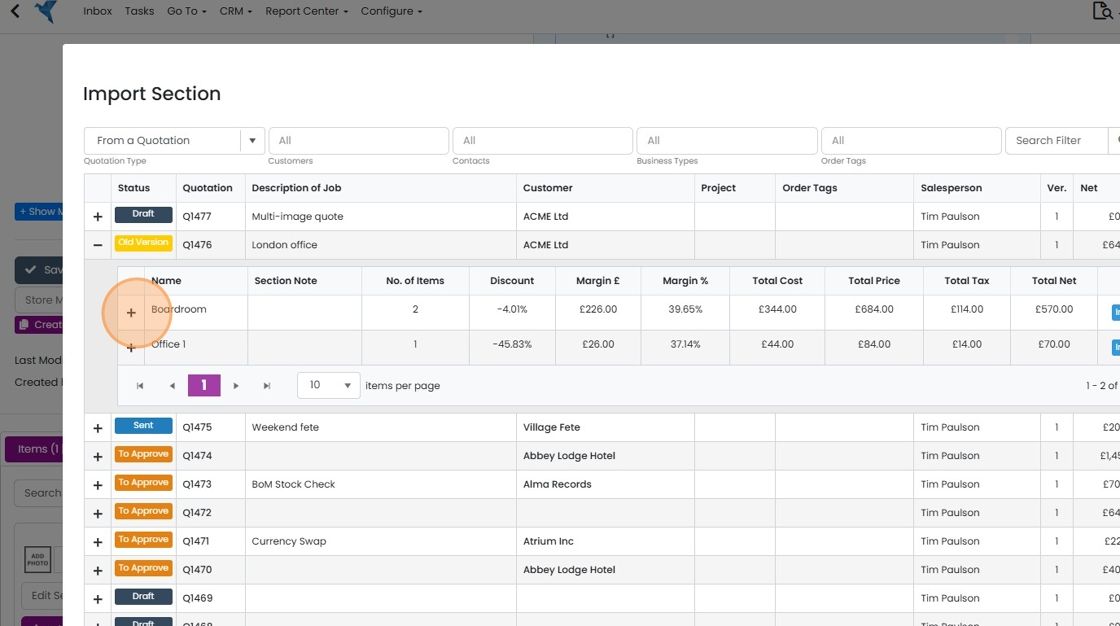
Click "Import. This imports the section from the original quotation into this one
Click "Import. This imports the section from the original quotation into this one. Don't forget to check whether you need to delete the revised section so it doesn't appear twice.
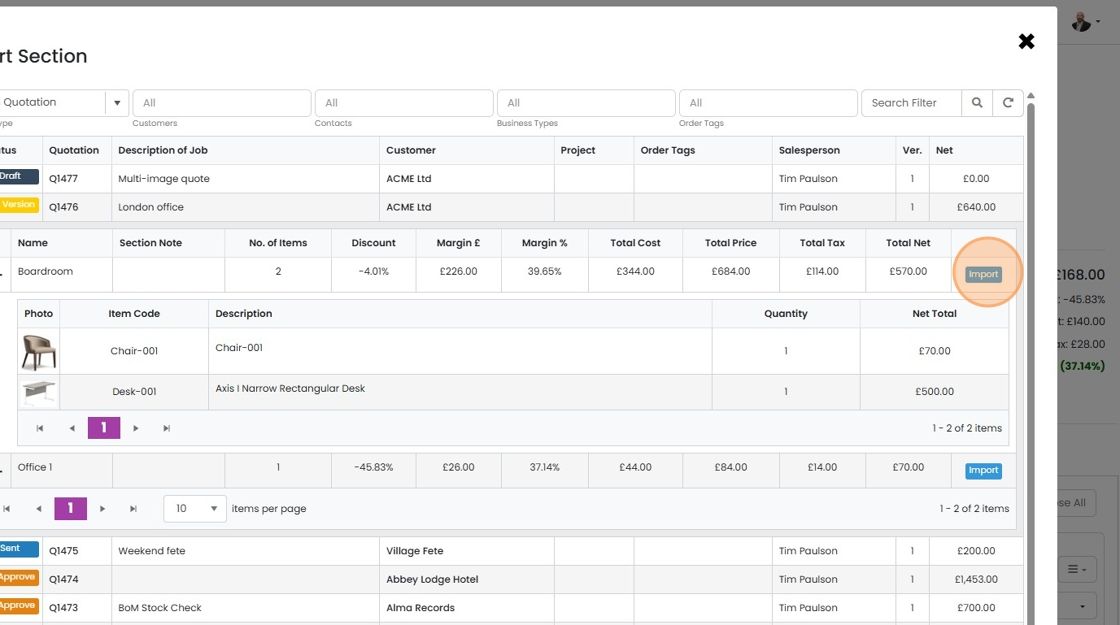
Click "×"
Learn more: quotes in Zigaflow


When a version of a quotation is created, the old one is moved to the status 'Old Version', and you can no longer create an order or a new version from the old one. Therefore, if you have a v1, created a v2, but the customer wants to revert to v1 and potentially make some more changes, you can re-create what was in v1 by pulling in one or more sections from v1. Don't forget to remove any duplicate sections when you do this.
Frequently asked questions
Next step
Every planWas this helpful?