How to send your first quotation
The short answer
To send your first quotation, go to Quotations in Zigaflow and click New, choose the Standard pre-build, then add a customer, contact and line items. When the quote is ready, click Preview PDF & Email, then click Email, edit the message as needed and click Send.
Steps
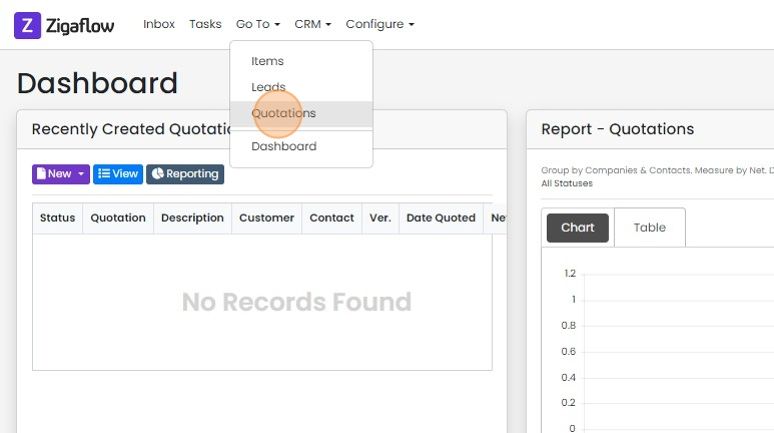
Click "Go To "-> "Quotations"
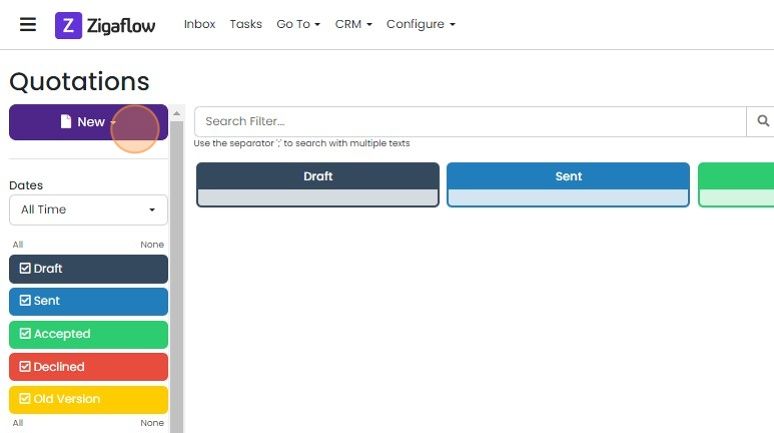
Click "New"
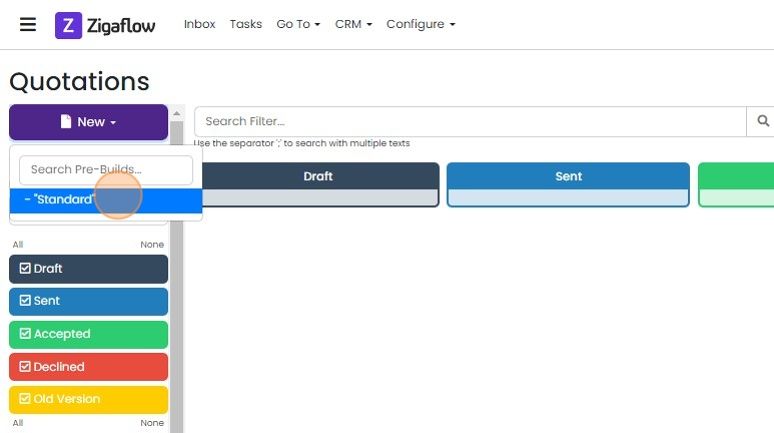
Click on the pre-build "Standard". As you add your own pre-builds, they will appear in this dropdown
Add a customer and contact
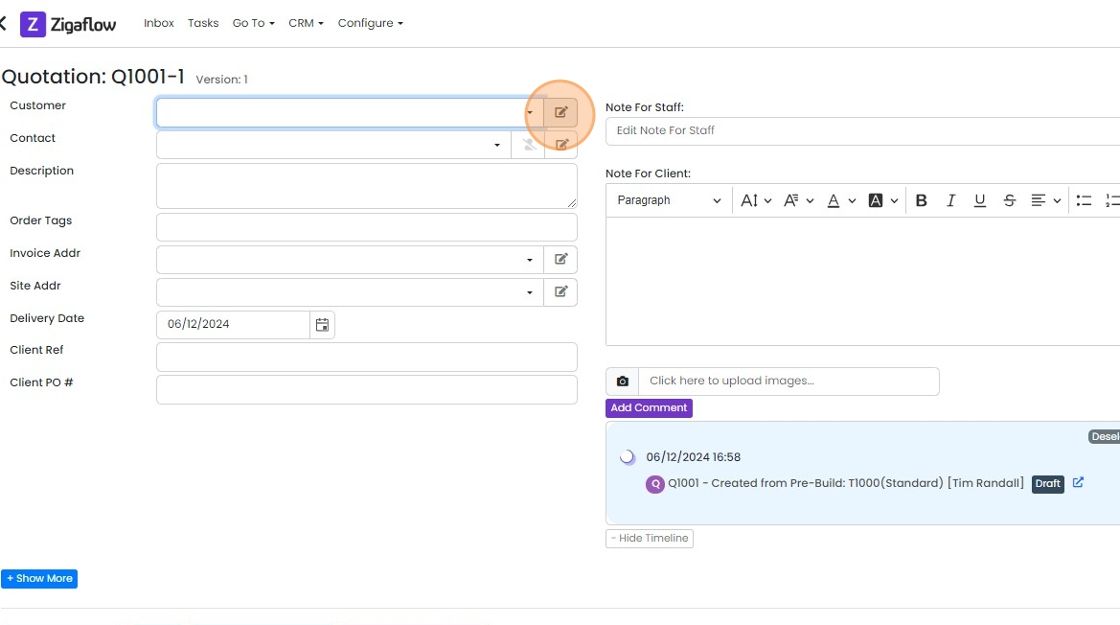
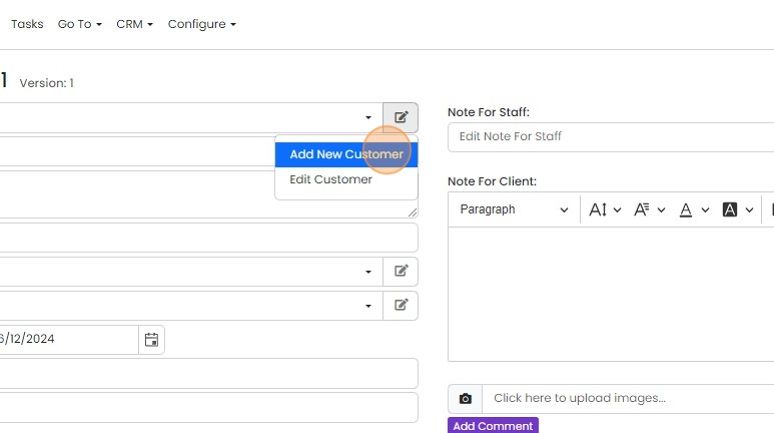
Click here to add a new customer or select an existing customer from the dropdown
For a new customer, click "Add New Customer"
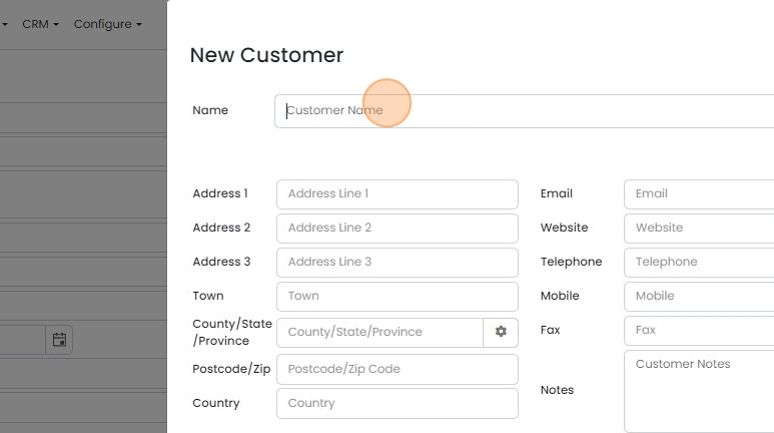
The only mandatory field you need to complete is the "Customer Name"
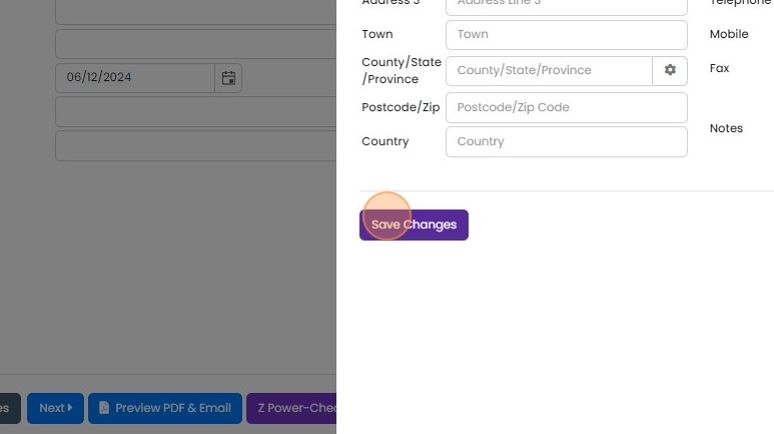
Click "Save Changes"
To add or select the customer's contact, click here
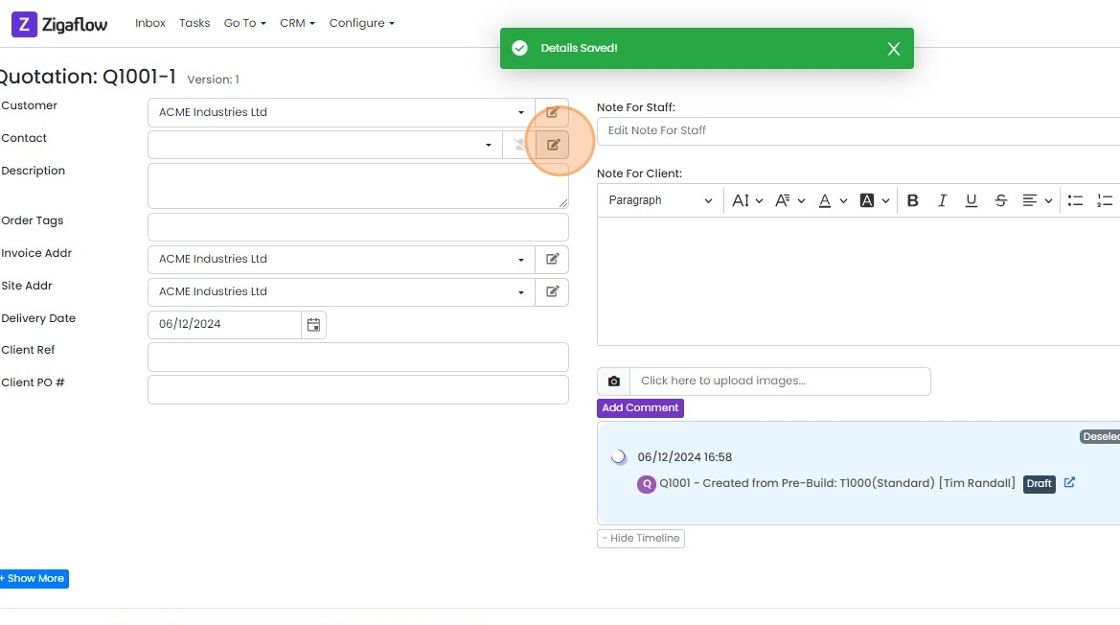
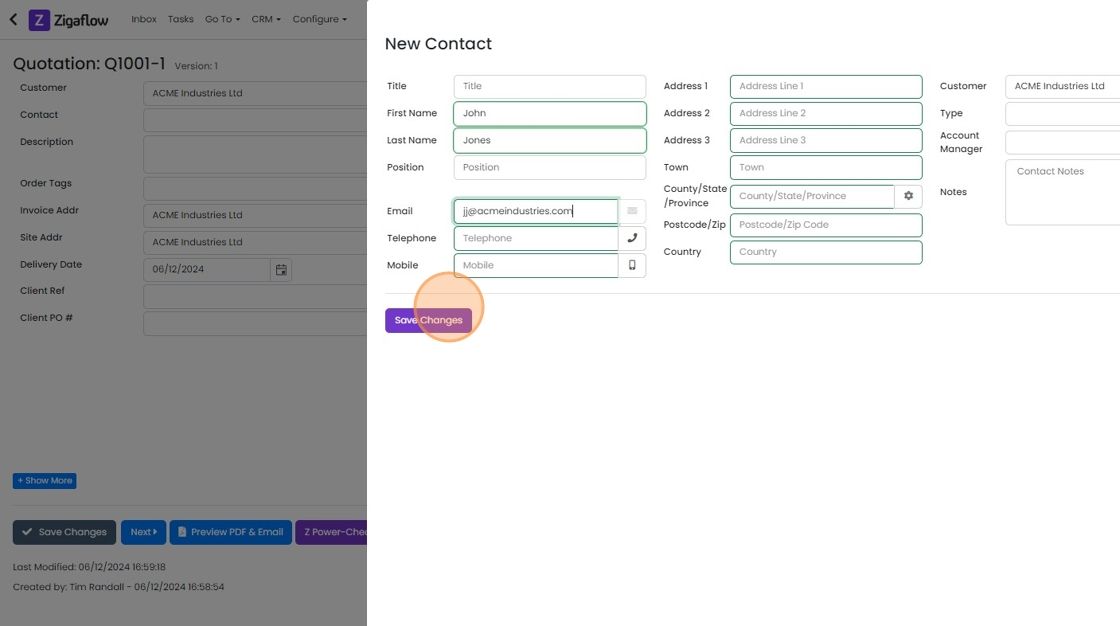
For a new contact click "Add New Contact"

Enter the contact's details and click "Save Changes"
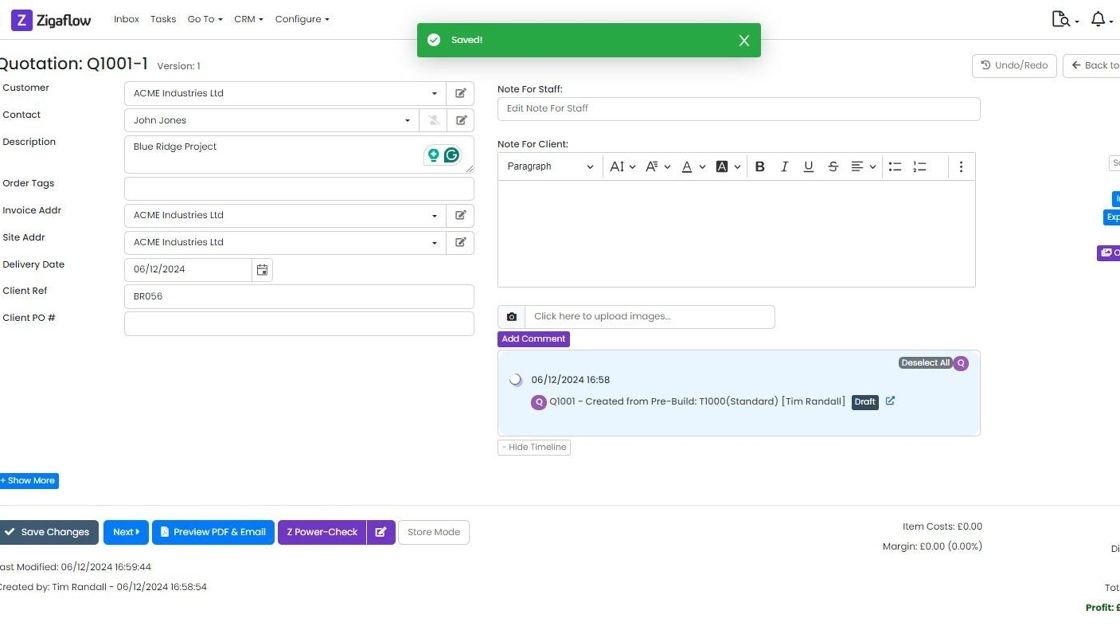
The quotations form has no mandatory fields- you don't need to enter a contact or customer
Add and edit line items
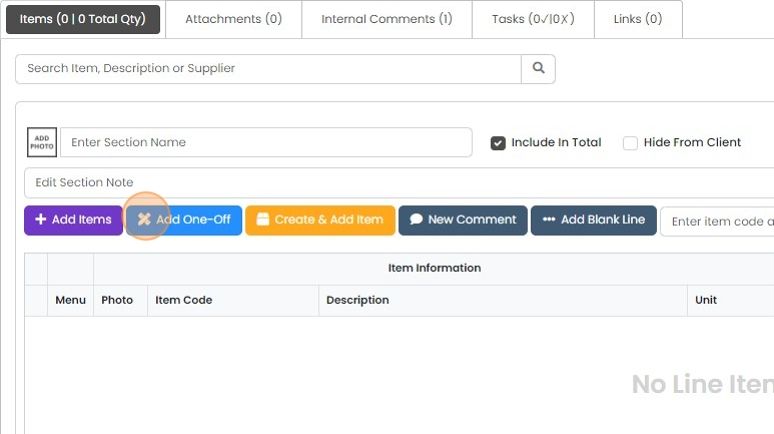
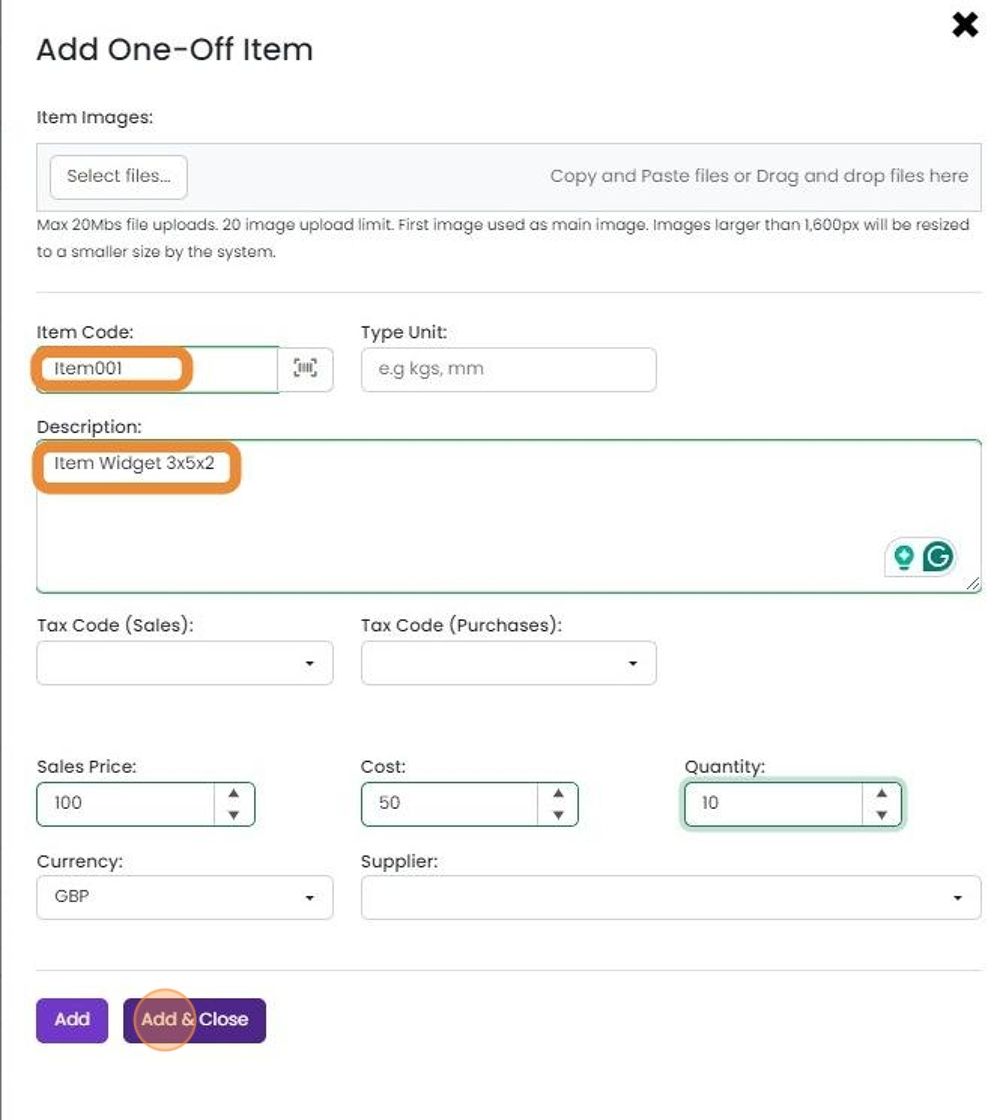
Add a one-off item
An item code and description must be added, but all the other fields are optional
An item code and description must be added, but all the other fields are optional. When you have added all the details, click "Add & Close"
19. To edit line items, click on this edit icon or double click on the line

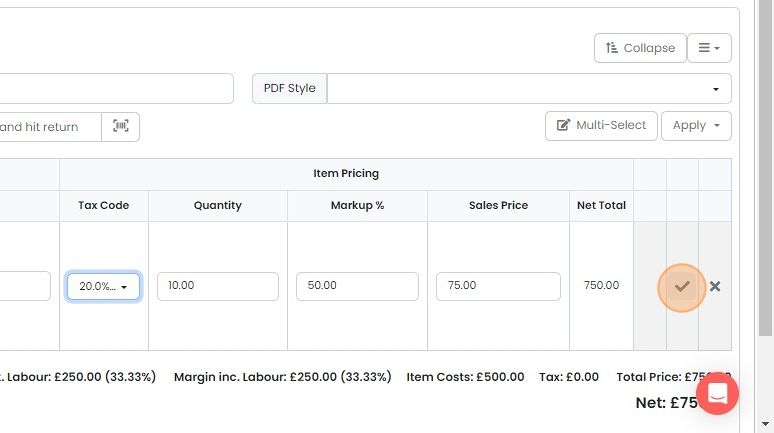
20. And edit any value, such as the tax rate

21. Click on the tick to complete the edit


Create a new quotation
Preview and email the quote
23. When the quote is ready to check and send, click "Preview PDF & Email"

24. Swap over the document templates here

25. Selection from the library of front details pages. Customer with paid plans can add their own templates

30. Click "Email" to send it from Zigaflow.

27. Edit the email as required and click "Send".
Before emailing, make sure you have connected your email to the Zigaflow.
Connecting an email account | Zigaflow Help Center
Not only will this make it more likely your quotation will be received, but the email will also appear in your "Sent Items" in your email system

Learn more: quotes in Zigaflow
Frequently asked questions
Next step
Every planWas this helpful?